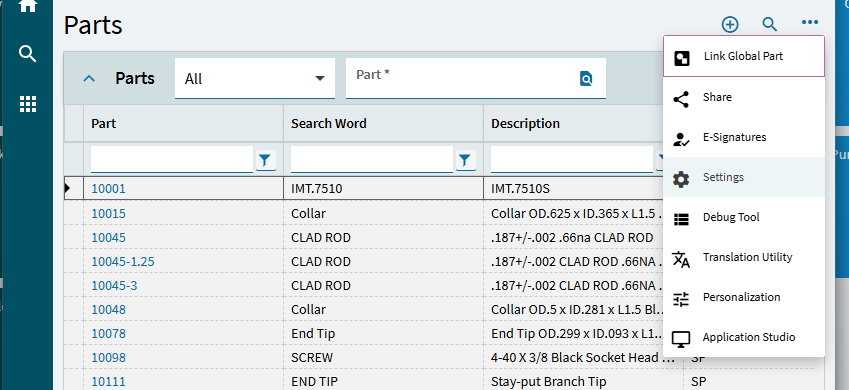
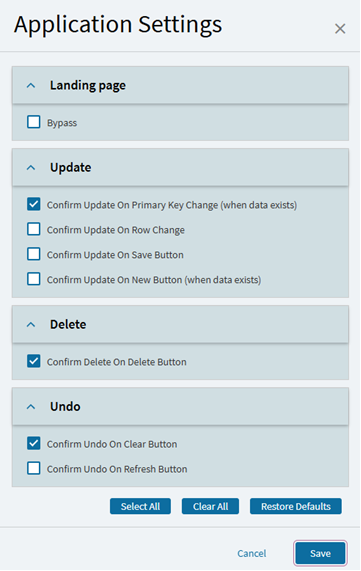
I started a ticket on this but I may get a quicker response here… Version 2026.100.14 Kinetic Cloud.
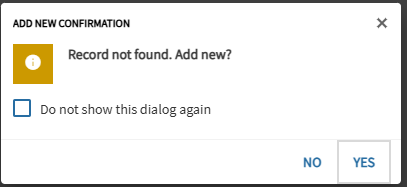
I have a user who is right clicking on a part number from Order Entry (part does not exist in part maintenance) and selecting the open with Part Entry and it is just opening up Part entry and prepopulating the form with the data from the order as a new record. The Add new dialog box is not coming up. I was told they did not check off the do not show this again checkbox, and I am seeing the correct dialog when I test this as myself.
I’ve tried clearing any personalization on the Part entry form for them, as well as reset browser cache and cookies and nothing is restoring that dialog box prompt… Where the heck does one do that?
Dialog that is missing
#Day 1 Go-Live problems…