Chris,
I found success with this:
To export data views/business object param datasets from Microsoft Edge DevTools, follow these steps:
- Open the Microsoft Edge DevTools by pressing
F12orCtrl + Shift + I. - Navigate to the Network tab. Make sure “Preseve Log” is checked.
2b. Do whatever actions you want in the application, for example, in my case, click the received button on the receipt line and then click save… - Select the Export button at the top of the tab.
- Choose the desired file format for export, such as HAR (HTTP Archive) or CSV (Comma Separated Values).
- Save the exported file to your desired location.

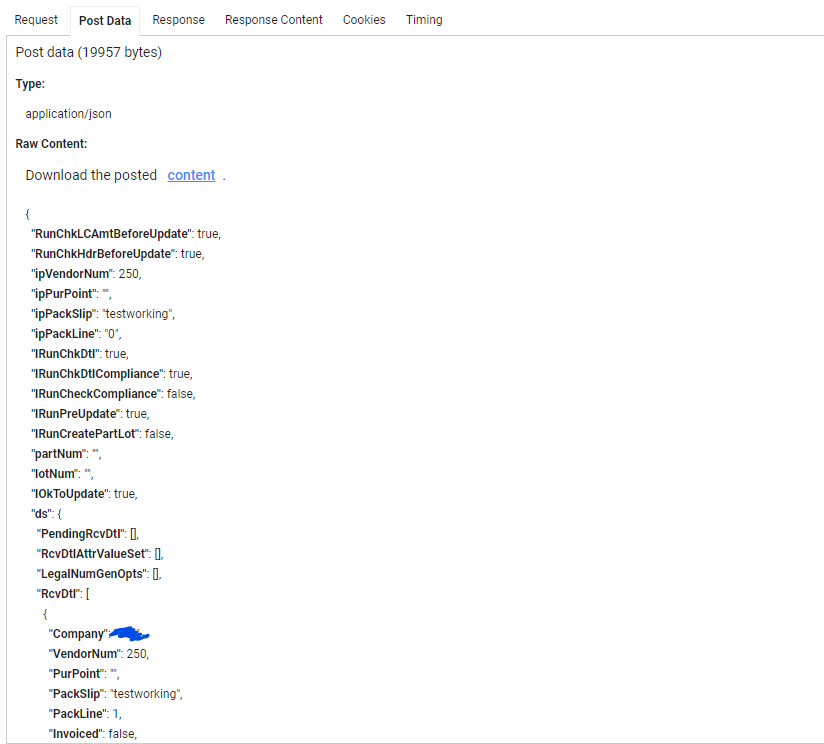
Then use HAR Analyzer (googleapps.com) to open the file you saved. Find the business object method that you want the payload for and click the gear/settings icon circled in blue in the photo below. Then go to the post data tab (seen in the second photo below). I wish it wasn’t an online tool and sharing the logs with google… maybe someone has an offline option we can use?