We forgot to make a copy of the checks after our check run and wanted to go back and print out all the remittance advices for our records. How can I run the remittance advice for a list of payment numbers?
Thanks!
Nate
I made this BAQ in the meantime: (make sure to manually set the check date filter)
RemittanceAdviceData.baq (22.7 KB)
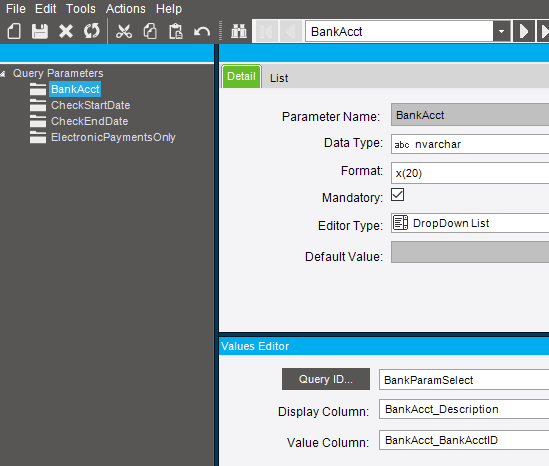
Hi Nate - I planned on using my APR EMail form to run a batch at the end of day with (today) as a parameter. this BAQ sounds perfect. would you mind screenshot of this, as i am still on 2023.2.18 and cannot load your sample. thank you!
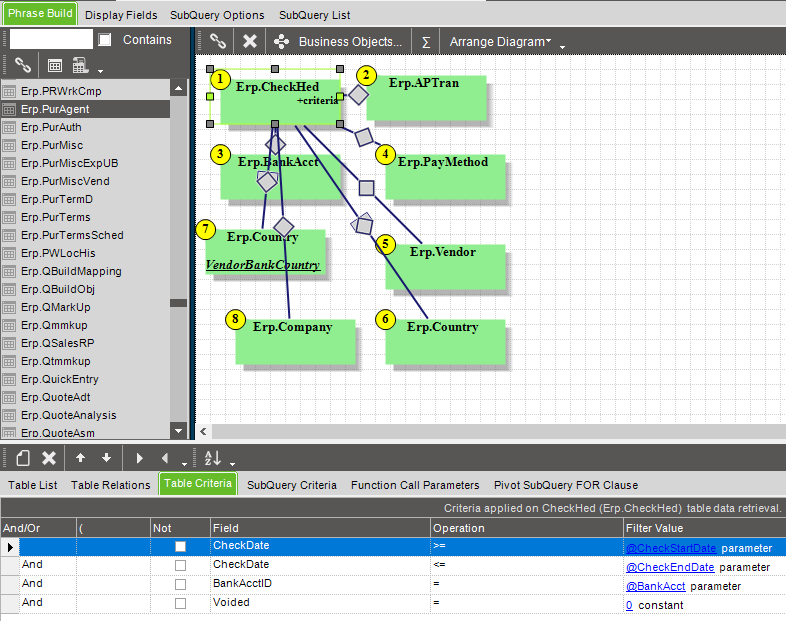
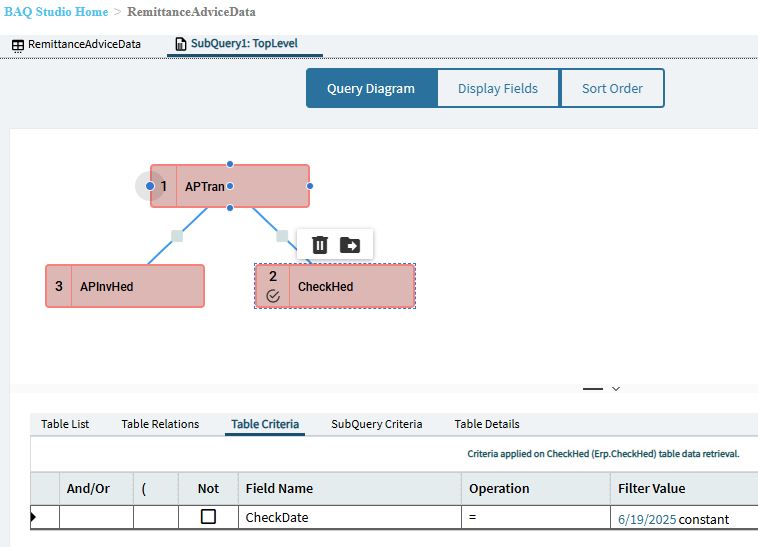
Mine was super simple:
/*
 * Disclaimer!!!
 * This is not a real query being executed, but a simplified version for general vision.
 * Executing it with any other tool may produce a different result.
 */

select
	[APTran].[InvoiceNum] as [APTran_InvoiceNum],
	[APTran].[TranAmt] as [APTran_TranAmt],
	[APTran].[CheckNum] as [APTran_CheckNum],
	[CheckHed].[CheckDate] as [CheckHed_CheckDate],
	[CheckHed].[Name] as [CheckHed_Name],
	[CheckHed].[PaymentTotal] as [CheckHed_PaymentTotal],
	[APInvHed].[InvoiceDate] as [APInvHed_InvoiceDate]

from Erp.APTran as [APTran]
inner join Erp.CheckHed as [CheckHed] on
	  APTran.Company = CheckHed.Company
	and  APTran.HeadNum = CheckHed.HeadNum
	and ( CheckHed.CheckDate = '6/19/2025'  )
inner join Erp.APInvHed as [APInvHed] on
	  APTran.Company = APInvHed.Company
	and  APTran.VendorNum = APInvHed.VendorNum
	and  APTran.InvoiceNum = APInvHed.InvoiceNum
Thank you , Tim - i appreciate that. i copied the APCheck RDD so i could create the SSRS break/route form, but that doesn’t really help a batch email at the end of the day. i seem to have a lot of the pieces but struggling to put them together as a coherent whole. Appreciate the BAQ structure!
Nate!. Love super simple. Thank you for getting me unstuck from brain fog!
So you are using the BAQ as the RDD source to print the SSRS report?
Yes.
Hi Tim - i have so overthought this. I want to send out AP Remits at the end of each day based on today’s date. it looks like using a Report Style with Break Route (APR) under APCheck will not do that. Can I still use the APCheck report style and just point to a new RRD with a BAQ data source, or do i just create a BAQ and use BAQ Report Designer and forgo the APR altogether for this? I have all the individual pieces working, but am confused as to how to put them into a coherent solution. The staff do not want to run the APR style during the actual posting/remittance process (at least today, who knows what they will want tomorrow…) I appreciate any thoughts you could share.
In my view, creating a separate BAQ and report is preferable. The layout is mostly a one-time effort, and then we are generally free to do as we please, which I think is helpful for automated reports where we might have quirky conditions that we want to accommodate but don’t want to have to manually handle those odd cases.