I would wonder if an upgrade could determine if the barcode functionality is working in a newer version.
The ECM client service may need to be restarted / close and re-open the ECM client, I find ECM client can be the cause of allot of problems. Also I would check that your ECM client is at the same version as your ECM server.
As for DLLs, hard to know what’s going on because the engine uses a bunch of stuff installed when the client installs itself - and that’s where we had our problem.
The story - Back to when we upgraded from 23 to 24, the installation didn’t remove the older versions of the OCR engine options and some other bits - mainly because they were so old (back from v 20/21) that it didn’t see them installed. round and round with support but I ended up having to do a special windows forced uninstall, then reinstall. Hopefully not your problem @byalb!!
I’ve found that Object errors are hopeless 99% of the time. too generic. Honestly, without digging into the specifics of your testing a bit more, I’ll say that I’d break this down a bit more granularly and start with one blank page with a 2 D barcode, no region, and see if it picks it up - but in a single step/single task workflow. The ‘test’ thing you did was a good start but what else is going on with the page and the workflow? Prove the barcode reading works, then go forward.
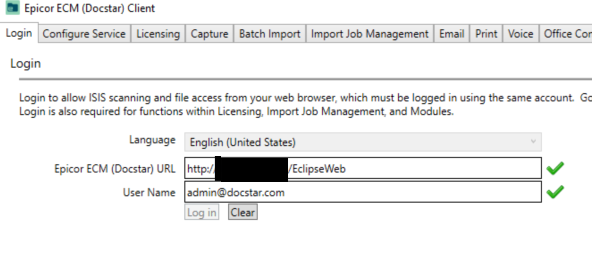
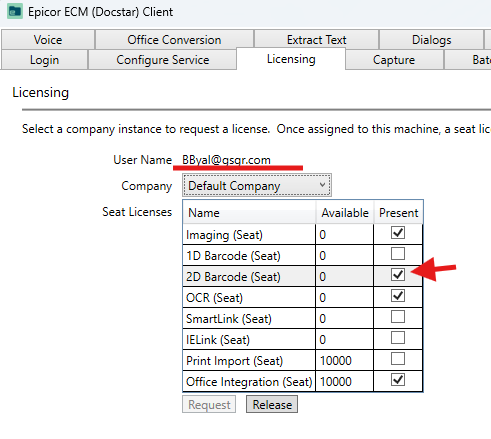
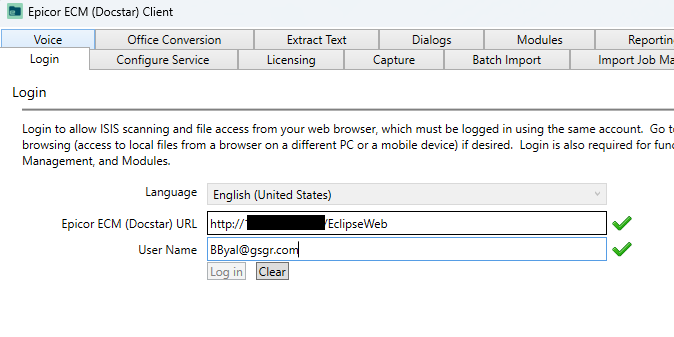
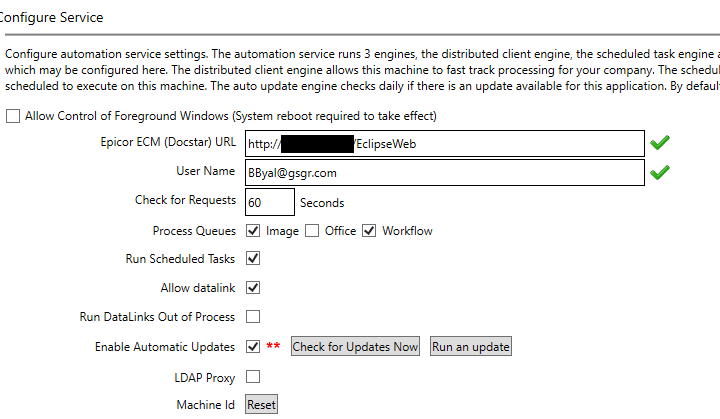
Also, in case you didn’t realize - the barcode task is a client task, so the client must be logged in (green checkboxes), licensed, AND show up in the Distributed Queue processor list in order to be given the barcode reading task (the server uses the client for these tasks via the queue). It’s also possible that the Automation Service needs to be restarted in order to get the queue items processed.
@swilliasc111 Confirmed both are the same version and did attempt to restart the ECM client. No luck, though. Thanks for the suggestion.
@utaylor Nice finds. I did forward that PRB to the support case. As for the AV, we don’t have any security alerts on our clients using ECM nor the ECM server itself.
@MikeGross Yikes, that sounds painful! I hope that is not our case as well… I did create a test workflow that only had the barcode reading occur. The document itself was created in Word (QR code was a pasted image) and exported as PDF. Attempted with no region set and still same error. Service was restarted as well.
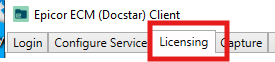
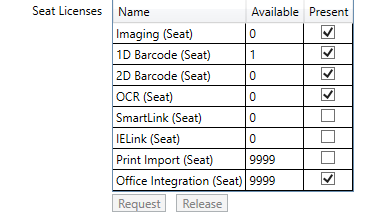
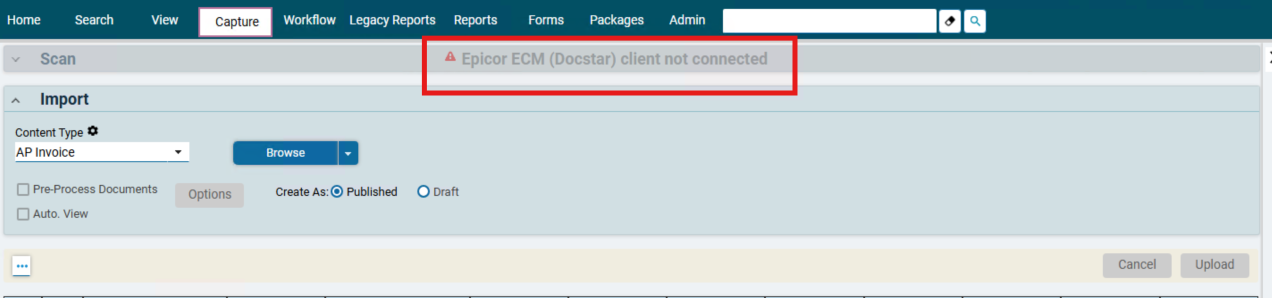
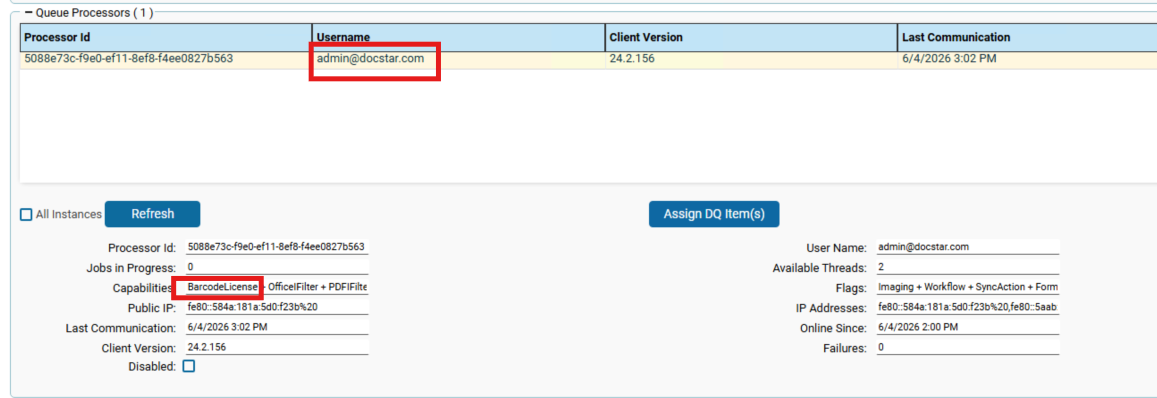
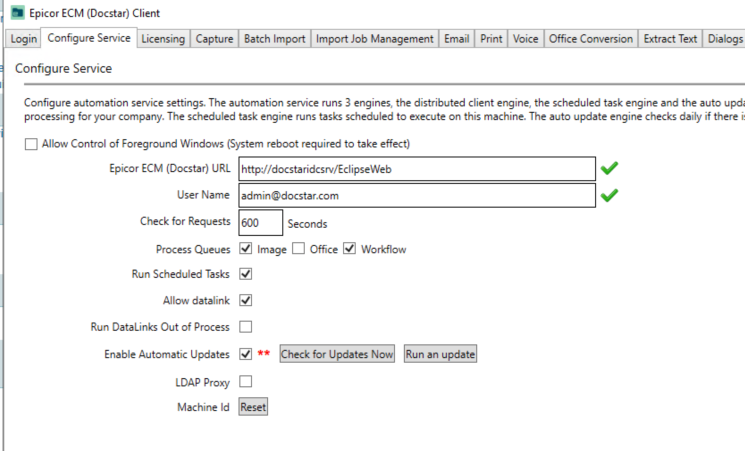
I think I may have found something… On the ECM server, we have the admin@docstar.com logged in on the ECM Client. However, when on the ECM web portal (still on the server) logged in as the same admin account, the Epicor ECM client is not connecting despite successful login connection showing in the client. This admin account is seated with the barcode license. Perhaps this disconnect could be the issue?
Also wanted to mention, on my local computer, I am logged in with my user account, which does not have the barcode license. Epicor mentioned all users should be able to use barcode scanning with our current setup, that being admin logged in on the server with the automation service configured.
Since the barcode scanning is at the server level, and the server has the license, that would make sense to me. (that all users can use the barcode scanning).
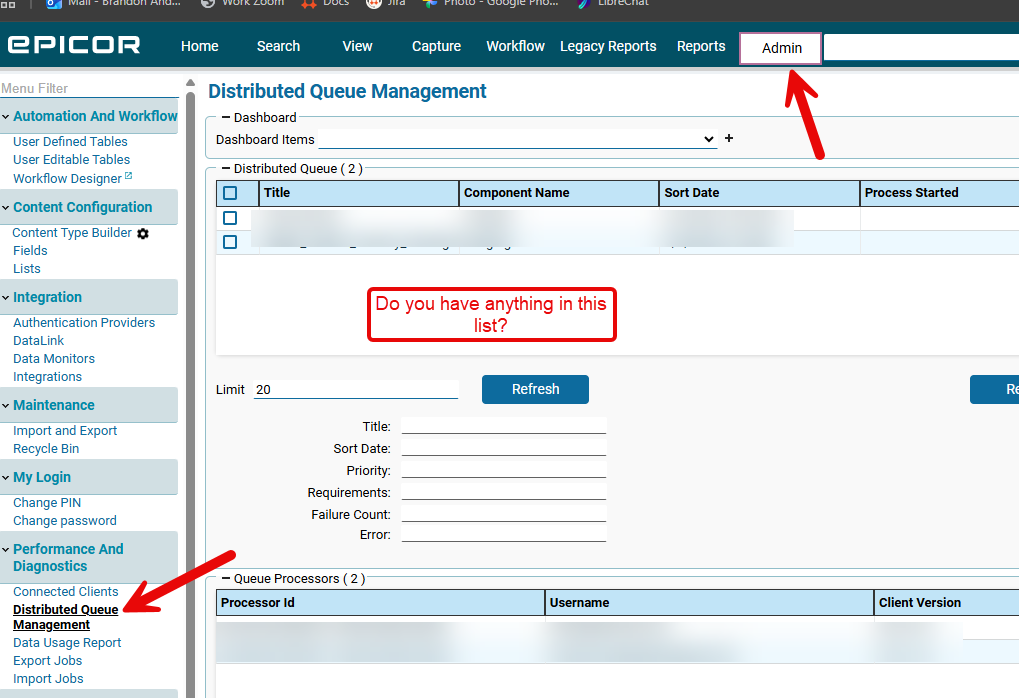
Can you go to the distributed queue management and see what all is in that list?
This is always confusing to troubleshoot. The clients are dual purpose - they provide the local batch/input processing AND they are distributed processing for the server workflow tasks that require effort, like OCR and barcode reading. they register into the distributed queue so the automation service can assign tasks to the clients, silently, behind the scenes.
I agree that everyone should be able to process barcodes IF the client assigned the license is correctly registered in the Queue AND processing documents. @byalb’s local client won’t be involved in the process unless he’s using it for input processing.
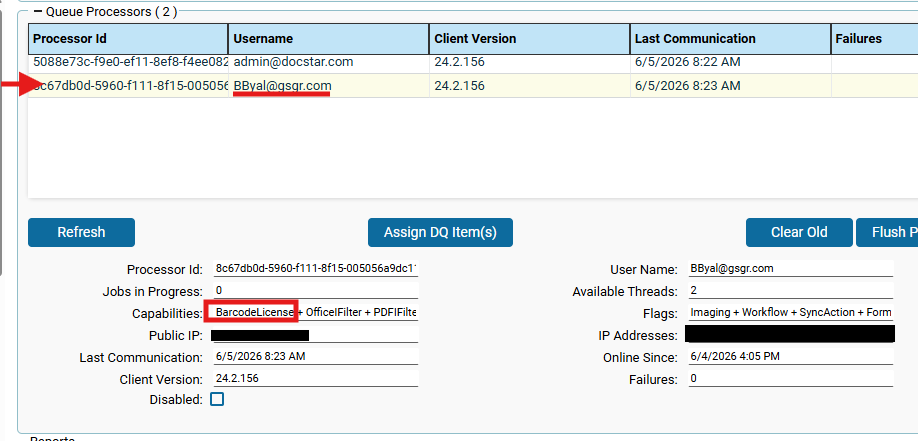
HOWEVER - @byalb - if both of your clients are running, they should BOTH be registered in the queue. Not sure if that’s what you said or not. I only see one registered. You’ll have to compare the registration IP with your PC and the server to know which client is/is not registered.
@Banderson There is a large queue. Can confirm none of them are the barcode document uploads, though.
@MikeGross Thank you for the clarification on that. I created a processor for my local machine under my user login and ensured the 2D barcode license is applied to my account. Flushed the processor cache, restarted DQM and automation services, restarted local ECM client, cleared browser cache. No change on the error.
I feel like you’ve done enough on the “licensing, ecm client, server DQM” side of this coin… would you agree @MikeGross, @Banderson, @swilliasc111 ? I feel like it’s almost to that point where checking dlls or re-installing would fix it… I won’t be the one to claim that’s aboslutely necessary, but it may be that a reference is missing.
If someone with the barcode stuff could find the directory where the dll that holds the Accusoft.BarcodeXpressSdk.BarcodeXpress method lives and copy the contents as a path, paste to excel, remove the full path and just leave the file names, @byalb could do the same and compare what he is missing and see if any of it looks related to the barcode stuff…
Getting desperate here to avoid a re-install for our brother!
I would suggest doing a fresh install of the ECM client on a computer, add the barcode license and sign in on this new client. If that does not work, then I would look at uninstalling and reinstalling ECM. I usually in cases like this will delete all ECM directories, this is not a simple deletion process since there are files on many directories like C:\ProgramData\Eclipse, C:\Program Files (x86)\Astria Solutions Group, and C:\Program Files\Astria Solutions Group.
I copy all the information from these directories to a backup location. Take a SQL backup of AAAA0001, Astria_Host, and EclipseSignalRBackplane. Copy your Web.Config into this location below.
C:\Program Files\Astria Solutions Group\Eclipse Server
Download the off-line installer and place into this folder.
C:\Program Files\Astria Solutions Group\Eclipse Server Setup Files
I think this is exactly what you needed to confirm, but disappointed that it wasn’t the solution. And I agree that the next steps regarding reinstallation are not going to be fun.
Might I suggest that you spend the time/effort as cash towards a short engagement of Epicor PS - specifically one of their ECM installation folks? I think your effort exceeds the expectations as customer, and it’s time to throw in the towel before it gets even worse. While I love nothing more that to figure it out for myself, I’ve learned that that a small chunk of change is worth more than a week of frustration.
But if you want to take a look at the install directories - I could afford a few minutes of Teams time to help you out I’m free until 3pm EST.
@MikeGross I’d love to take you up on that. I’m hesitant modifying any directories, unless you think it’s safe to do so? We actually do have a call with Epicor PS on Monday… Thinking will hold off until discussing things further with them.
Thank you everyone for your advice and support here. This has helped immensely. Really appreciate everyone’s time here. Very new to ECM so this has been a… pleasant… deep dive into the configuration side of things . Will definitely update the thread with the final resolution once we get there. Thanks again.
Modifying - not really. I thought it might be a good exercise to determine a delta between my system and yours. And that might lead to a direction of effort.
I do think you should talk to PS at this point. You’re new, it’s broken, we’re all remote - not a great situation for something this serious.

 I’m free until 3pm EST.
 . Will definitely update the thread with the final resolution once we get there. Thanks again.