I have a BAQ that is returning over half a million rows. This is not easy to work with. I am trying to export to Excel from the BAQ, but the download never seems to show up. I also can’t copy/paste. Is there another way to export a large BAQ result?
Do you have any filters? Ive found the copy/past stops working if I have any filters applied but otherwise works. The filters also prevent the export to excel from working for me.
Other options are you can do an Odata feed in excel using the api. Youll want v1 api enabled for yourself. You can technically do v2 but its a little more of a pain. Excel is pretty slow downloading it but it will eventually download it.
For an arbitrary exploratory extract on that much data I’d lean towards curl’ing the BAQ to a local file, then sort out the json from there. Power query will pick apart json from a file just as well as HTTP response, and random refreshes triggered by power query development will only hammer your machine, not the ERP server.
If it needs ongoing refreshing once it’s prepared, once it’s done it’s easy to swap out the local file source for a web.contents pointing to the BAQ endpoint.
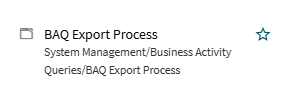
DMT can also be used to export large BAQ results. Run it from the command line with the /? switch to list the flags available for exporting a BAQ:
DMT.exe /?
You can also override the field labels with the actual field names.