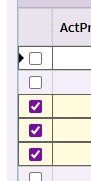
The selection boxes may not be changing the active row.
Notice the black arrow in the first row… that is signifying the active row. I can click as many checkboxes as I want… and they set to true… but the active row doesn’t change.
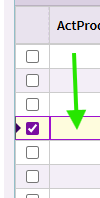
If I click in a cell… it WILL change the row… notice the black arrow moves:
The selection checkboxes are really only needed if you are adding functionality where they can choose multiple rows at once. But a child grid is only going to be driven by the one “active” row from the Parent grid.
Your main/parent dataview is also populated by a function?
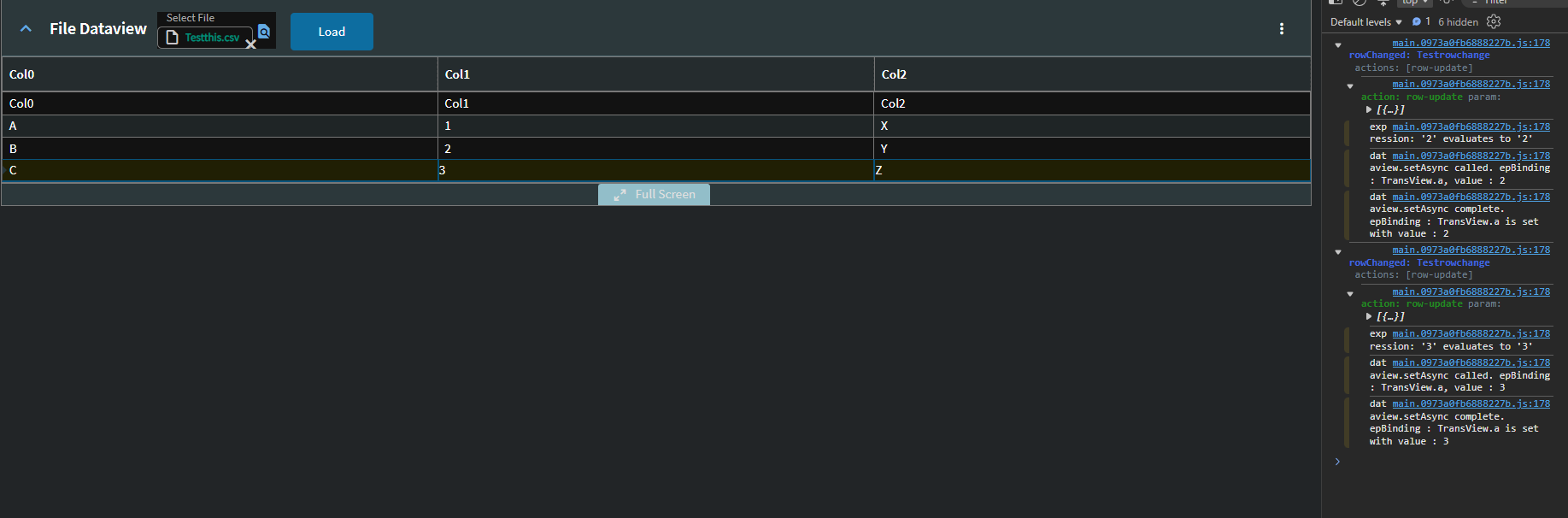
I made a test dashboard that populates a dataview with a function by uploading a csv file. This does trigger the row update on row change and return the value of Col1.
Maybe the problem is in your function call? Maybe try setting a simple row-change event and see if that works ( I presume the function is taking values from the selected row as inputs and you might better off setting those values in transview via row-update before the function call?)
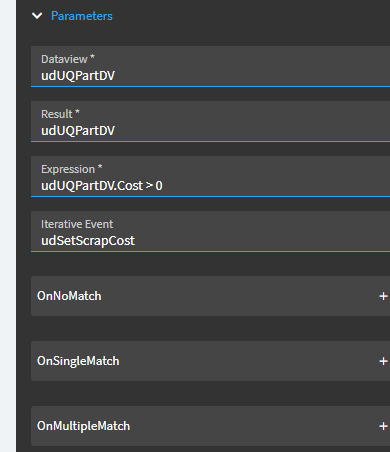
In the event that is setting the calculated field, I’m using a dataview-condition that is using the same dataview as the bound grid. By doing that, Kinetic is putting that dataview in the System dataviews. Maybe that disables some events?..
Anyways, I disabled the calculating event and the row-change event is firing when I select a different row.
Is there a better way to do this condition? I want to just to call an event for each row that satisfies this condition and I want the updated results bound to the grid. Ideally I would just like to modify the data in the dataview already loaded like you can do in classic.
I always setup dataview conditions with a different result dataview. It can be any name you want. Then you can display the total linked that new Dataview? EX: udUQPartDVTotal
If you want your dataview filtered based on this condition from the beginning, do it in the function?
Yeah, that is a long running process that runs in the background I was hoping to avoid. I guess that’s the only way. Kinetic can’t do what I need it to do in the UI.