Print Preview to Adobe PDF

Is there logic to the inconsistencies with which screens do or do not respond to print preview appropriately?

We have be seeing inconsistent results with Order Entry being able to print preview but sometimes Order Tracker having issues.

Similarly, are you able to route printing to Adobe rather than the native browser PDF viewer?

It always just seems random to me. I just chalk it up to the normal Kinetic experience.

I really enjoy explaining it to my users.

It usually means you have smart client System Monitor running that randomly intercepts the tasks and previews them.
Kinetic UI does not open print previews outside of the browser.

With browser it’s down to what the users Default PDF program is set too and browser settings there is a KB on it: KB0136991

Yeah found some browser download it, which then opens the file locally. Or maybe I just am clicking it.

Initially I used to use Adobe Reader as my Windows default but changed it to Edge, seems more reliable when print previewing SSRS reports etc.

We just went Kinetic live yesterday and I’ve had to explain to a few people that all previews are going to open in Chrome or Edge, and no matter what I do, I can’t even get them to use an Adobe Plugin to open that preview, they all just open in the native viewer of the respective browser.

That KB doesn’t explain how to get a print preview to be directed to an adobe plugin, OR the external application unfortunately.

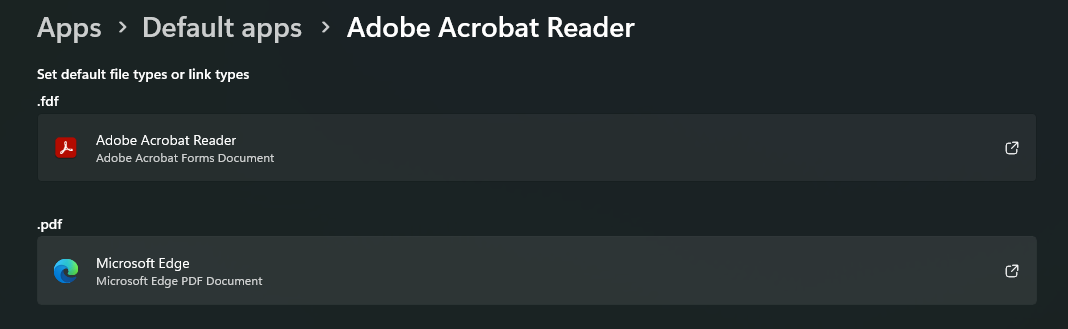
Funny. After a PDF appears in Edge, I CAN’T get Adobe NOT to also open it. :person_shrugging:

Default app usually.

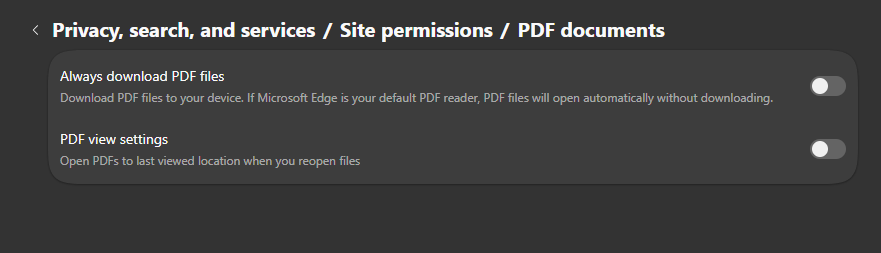
Also: edge://settings/privacy/sitePermissions/allPermissions/pdfDocuments

Check that edge setting :slight_smile:

Hrmmmm I’m going to continue to check into this, but I swear I set all defaults to the application and it still opens in the browser only.

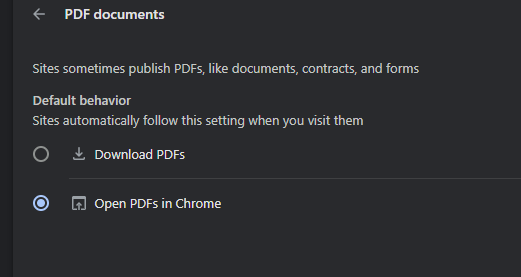
I don’t see anything in here that would direct a PDF externally, other than download instead of opening.

Same for Chrome, open in chrome or download…