I can’t seem to see why when I add the “" to my expression it is causing an #Error result making the barcode (Dataworks 3 of 9) not readable with the # sign. If I remove the "”, then the returned value of 1.00 becomes a readable barcode font.

Why are you adding the start/stop characters? You don’t need to do that when using the DataWorks Bar 3 of 9 font. None of our barcodes have the start/stop character in the expression and they all pass as a valid Code39 barcode.
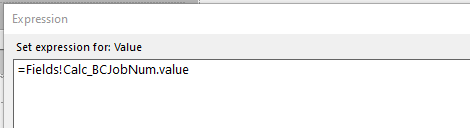
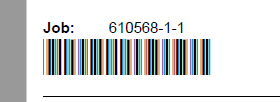
This is the formula that I used to get a barcode to show up.

Ms. Chia: Try converting the number to a string
. ="" + CStr(Fields!ActTranQty.Value) + ""
DaveO
1 Like
The “Calc_BC” fields already have the asterisk before and after, but any other field must be converted to text and the asterisks added.
Gotcha! Learned something today  I’m not a SSRS guy by any means. We have work with an outside consultant who’s a SSRS expert.
1 Like