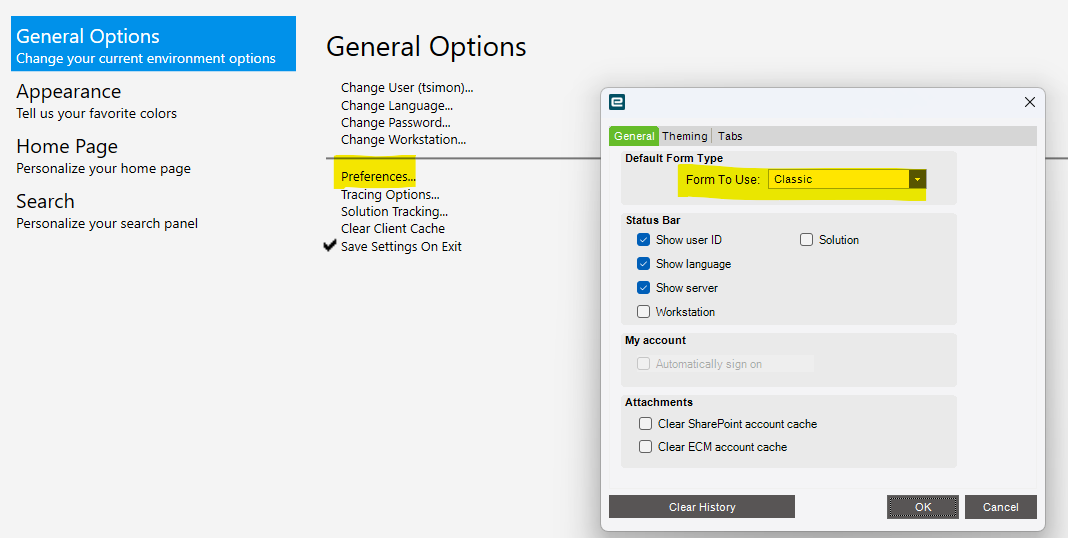
On the user’s computer, go to settings and then Preferences. Change the form to use to Classic and restart Epicor. It should then open in classic.