Atul, now you are cookin’!
Of course! Atul, you as a human, know that you want the matching information from character01 for the TO warehouse and BIN that matches your stock to stock transfer.
So wouldn’t the computer also need to know that?
So why don’t you tell it Atul, tell the computer, using a join, that it needs to select the partbininfo row based on the company, partnumber, to warehouse, and to bin from your stock to stock transfer/
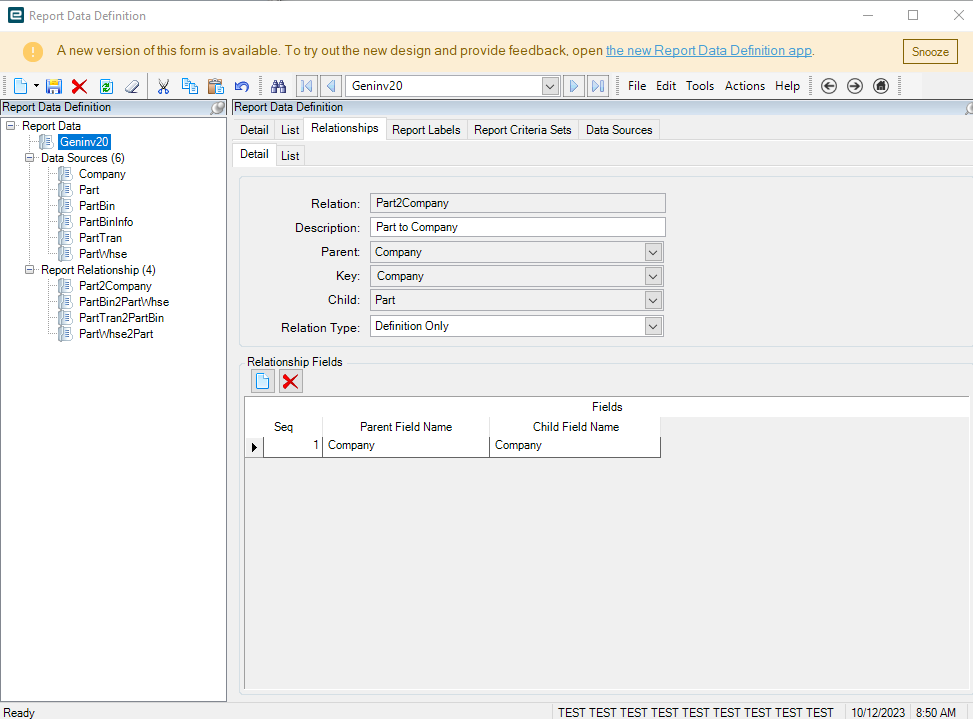
Yeah Atul, but you need to know what table to join to right?
So what table holds the company, partnumber, TO WAREHOUSE and TO BIN for your stk-stk transaction?
Find those fields in your original text file please. Find those fields and tell me their data label. The label includes the fields name and table name I believe. And once you do that you’ll know exactly what table to join to.
Let me create a new relationship and I’ll send you the output file and the screenshot.
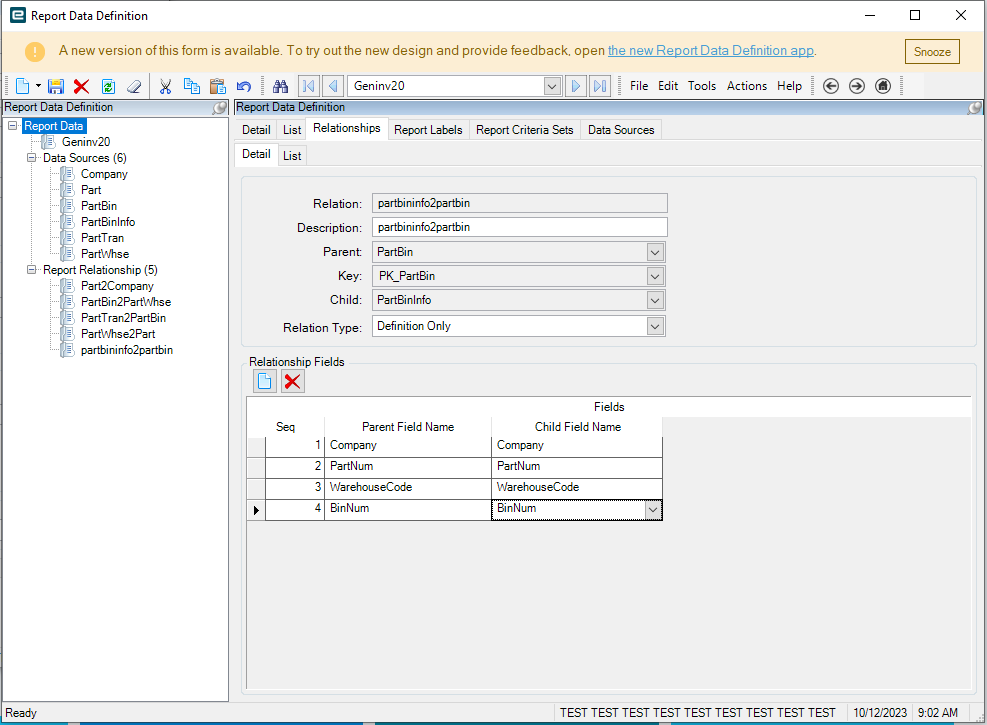
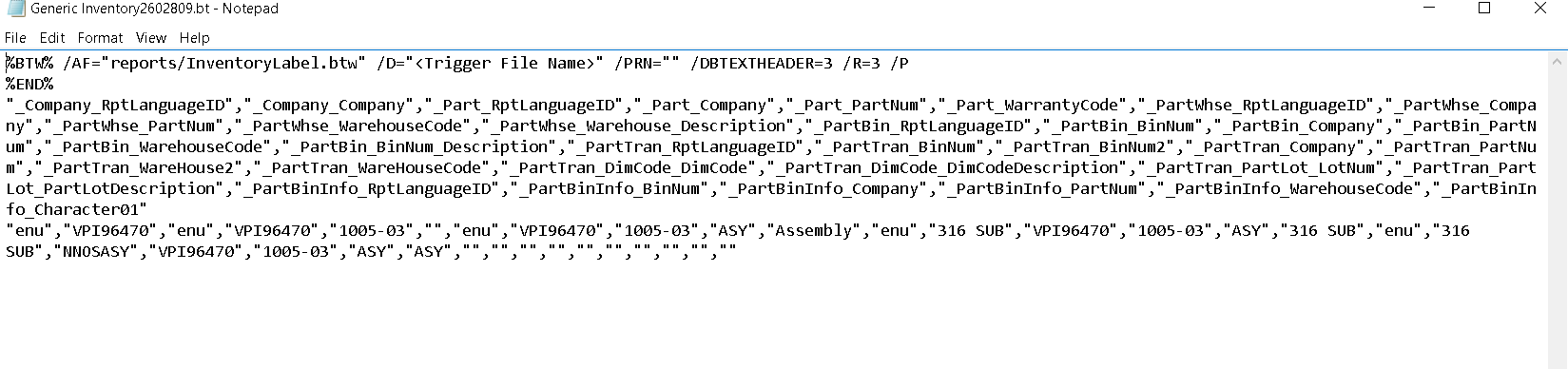
Atul, is the PartBin table the one outputting the TO warehouse and TO Bin to your file right now?
You still haven’t highlighted and shown me the field labels from your output file that support why you’re joining to the part bin table.

Are you at least getting one row now? Instead of two?
Yes, that is correct.
That’s good, now show me the fields that you have selected for the data table in your RDD.
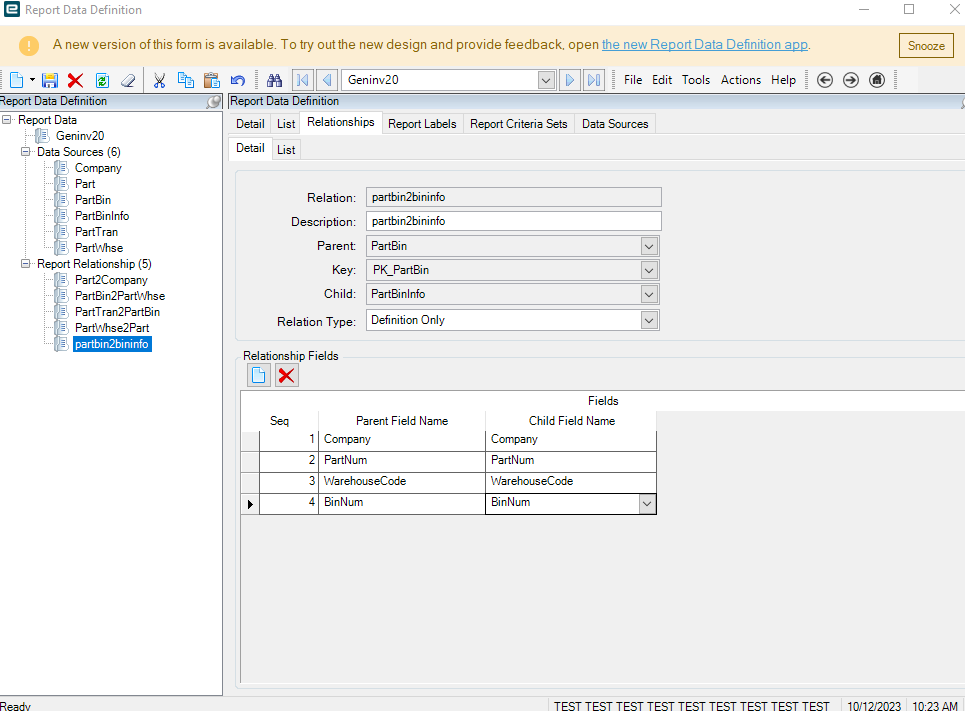
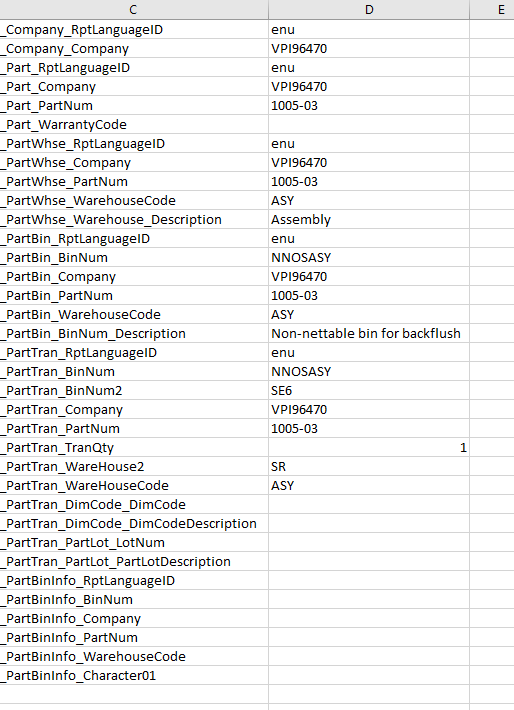
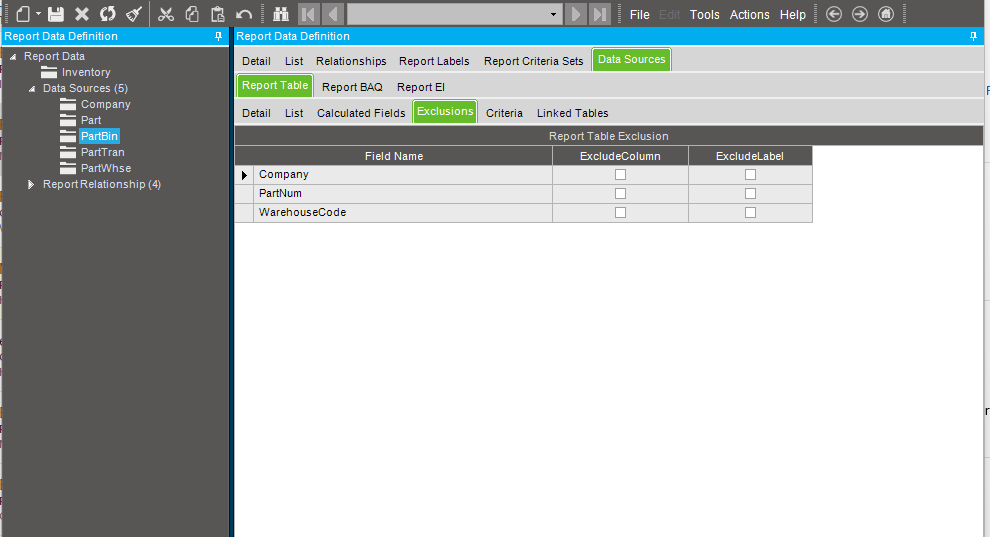
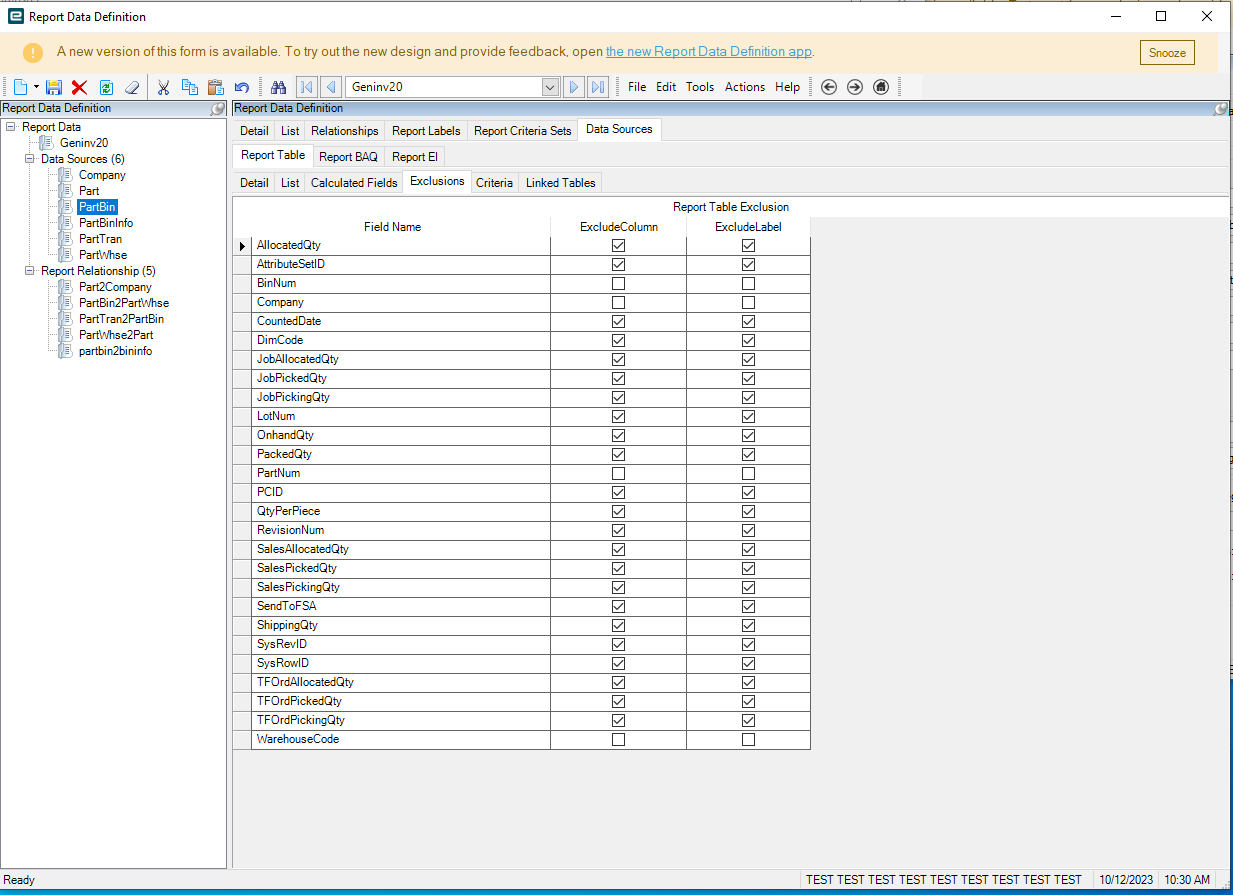
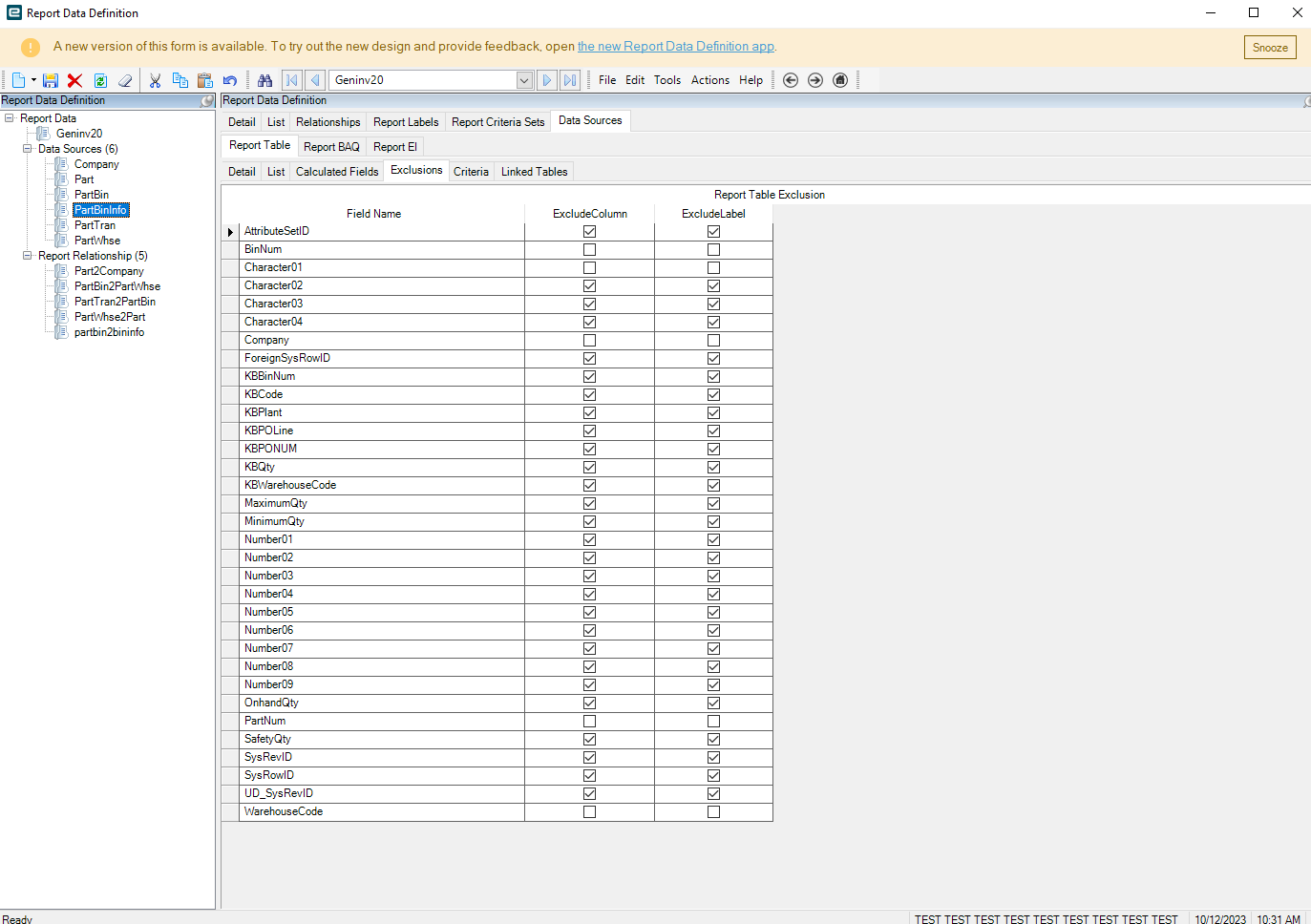
This is your TO bin right Atul?
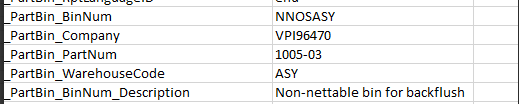
I think I have the solution. Let me share that with you.
1 Like
you might want to change it to output only on the partbin2partbininfo
Also if this is a UD column on your table, you might need to regen datamodel for your environment.
sure, please share.
Yes, That’s what I did. Changed it to output