Kind of a related question, bartender integration is giving me an error (too many changes at once). I don’t understand, I haven’t beem making any changes to it since today and only one file at a time.
Would you mind pasting the error here?
1 Like
On at least one system I worked with, bartender integration won’t work through the system supported out of box triggers, but the azure file share is still mapped if I try and write to it with System.IO using ServerFolder.FileShare, so integrations set up using unsupported methods work still. Integrations set up using the Epicor documented and supported print triggers don’t. LOL
2 Likes

I am wondering if this is happening because our temp license has expired and we are still waiting for epicor to give our actual license.
1 Like
Yeah, I have not seen that error before, so I am unsure what exactly is wrong.
My epicor function does appear to be working and the file is being created in the shared directory
1 Like
I’ve not seen that error either.
Might want to set the option for polling and notifications on that folder in Bartender.
1 Like
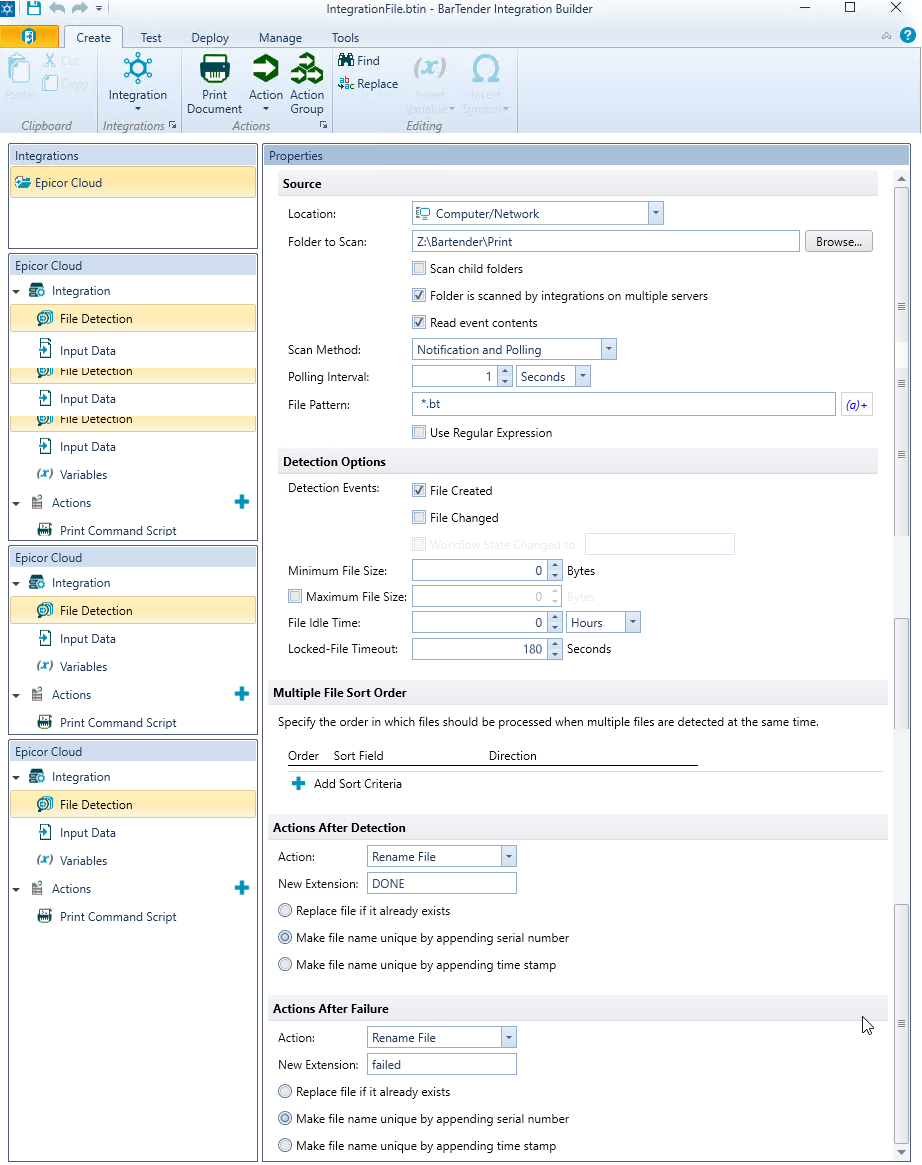
Cool. I wouldn’t set my polling rate so low though. Probably not really an issue though.
1 Like
Ok. got my license and put it in. That error has seemed to go away. Now it is sitting waiting for event and not processing the .bt file that i had just put into the directory. What am I doing wrong?
1 Like
Maybe its not point to the right folder location? For us its \\TenantID.file.core.windows.net\

1 Like
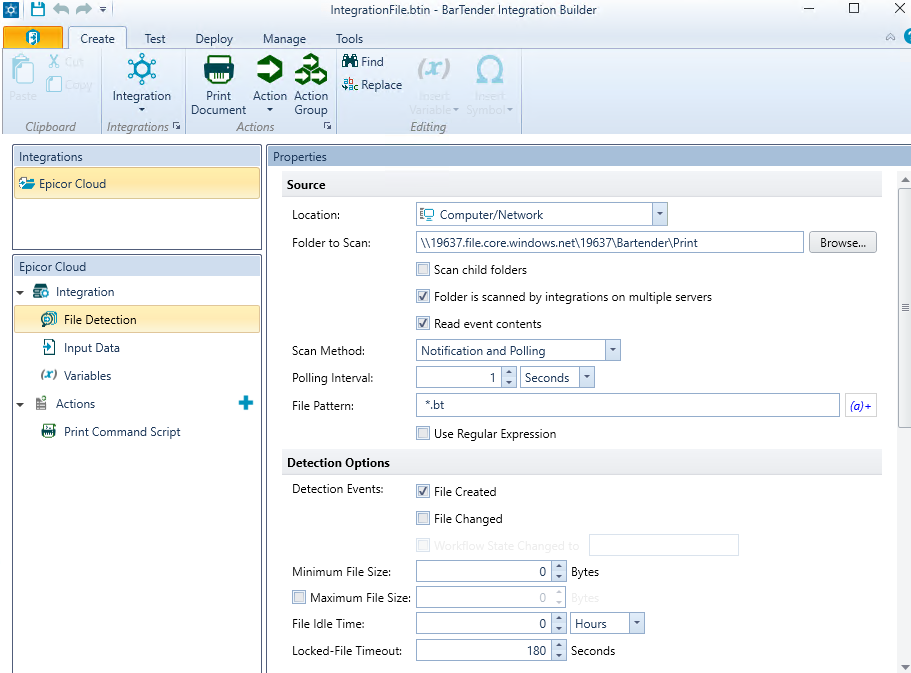
I am pretty sure that I have the correct folder, but I can’t seem to figure out why it is no picking up the .bt file that I am putting in there.
Sorry I have not followed the full thread here.
We were given a script (from epicor support) that maps a drive letter to the remote location. We point the bartender watch folder to the local drive letter z:\bartender or whatever the share name is.
I do not think you can reference the Epicor remote server from Bartender?
DaveO
If you have a function already I’d rather use the bartender REST API… No more azure file share, no more Linux issues.
1 Like
figured out that I had leading spaces in in the file pattern. Now I am getting a new error:
Failed to run the ‘Print Command Script’ action. Details: This request operation sent to net.tcp://mi-barcode:5150/PrintScheduler/Service did not receive a reply within the configured timeout (00:01:00). The time allotted to this operation may have been a portion of a longer timeout. This may be because the service is still processing the operation or because the service was unable to send a reply message. Please consider increasing the operation timeout (by casting the channel/proxy to IContextChannel and setting the OperationTimeout property) and ensure that the service is able to connect to the client.
Anny ideas what this means?
This is what I have for the Print Command Script.
You might have an error where the account permissions on the account. I had to change the basic account to my credentials on the action tab.
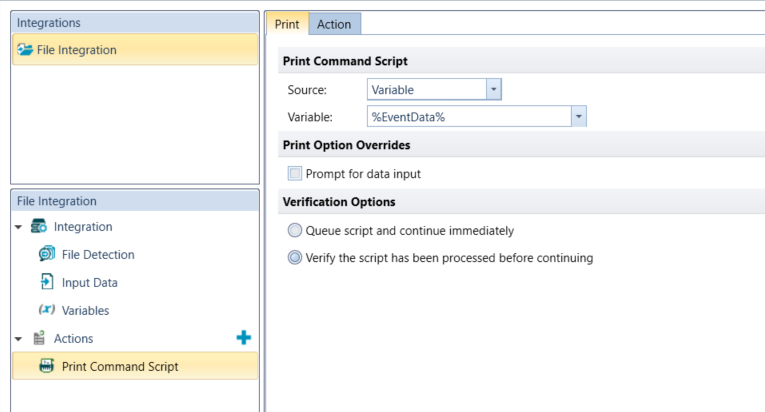
I thank I got it working finally. Thank you all for your help.
2 Likes
Awesome! Bartender is incredibly frustrating to setup for the first time, after that it gets a lot easier
1 Like
I got an update from support on my ticket. They are stating:
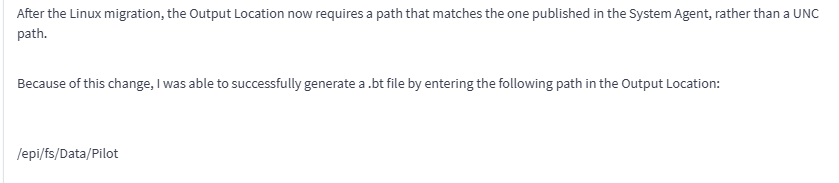
With /Data/Pilot just being folders I have. I did look and there is a .bt file that generated in my system so that does appear to work.
I have asked if we need to change this in the live environment as well for when it goes live. I will update with what they say.
1 Like