So it was dropping out more than one .bt file at a time?
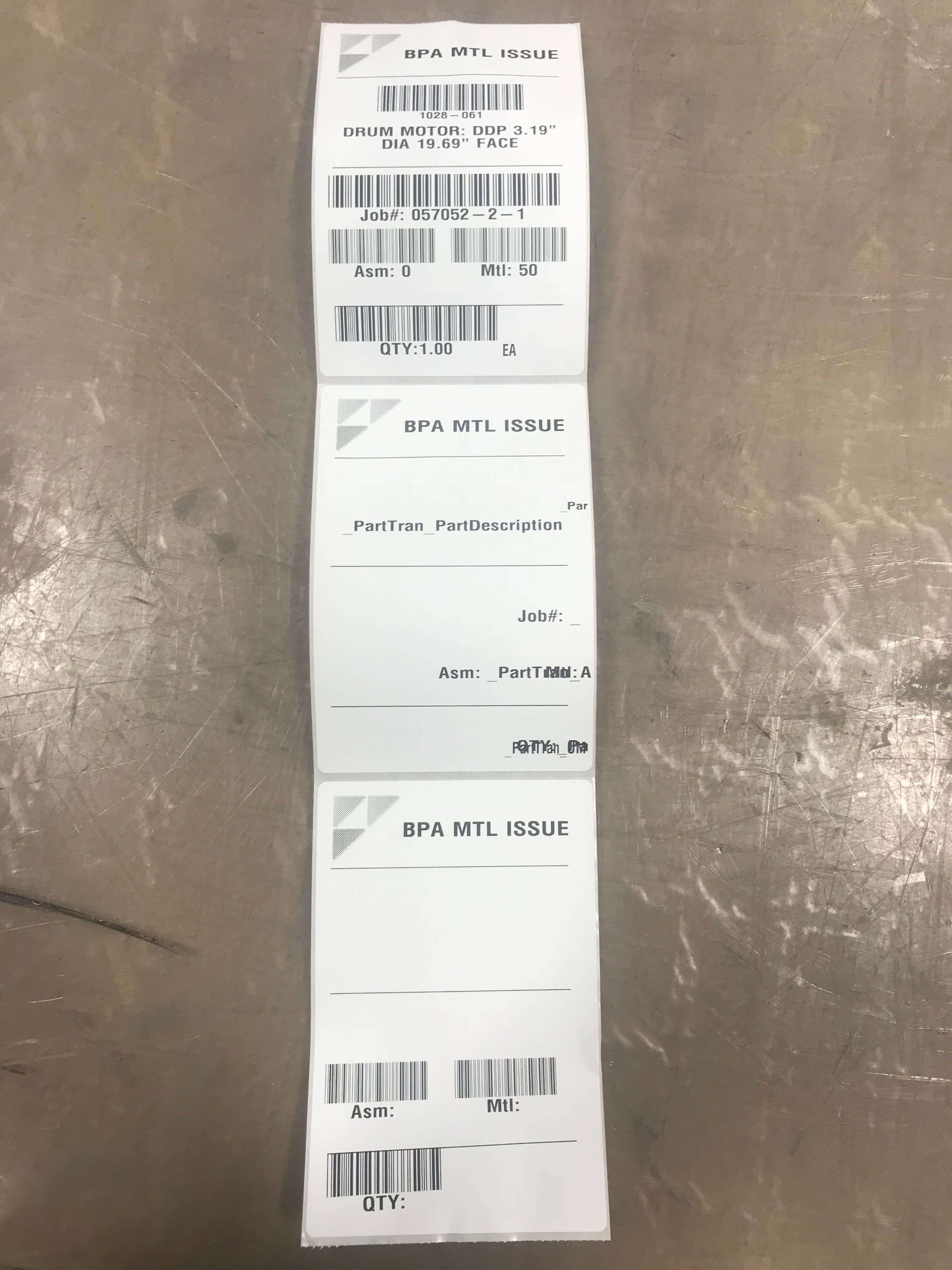
No; it wasn’t dropping .BT files at all. Now I am back at my original issue; why am I getting 3 labels: First a formatted label without data, followed by a label with the db field names where data should go and finally a label with data in the right spots…
what does the BT file look like now? And if you open up the template in Bartender, what does the print preview look like if you use one of the files it drops out.
The file that you showed me looked fine. So I don’t think it’s an epicor issue if they look like that one.
But you want to make sure epicor isn’t dropping out more than one file.
The data below is now. I am going to do a quick label from scratch as a few fields are off. But the initial issue still seemed to be there on the label I just test printed…
%BTW% /AF="\EPAPP01-BPA\reports\MTL_Issue_Tag_BPA_100818.btw" /D="" /PRN="\EPAPPSA-BPA\gx420d-2-bpa" /DBTEXTHEADER=3 /R=3 /P
%END%
“_PartTran_RptLanguageID”,"_PartTran_AssemblySeq","_PartTran_Company","_PartTran_EntryPerson","_PartTran_JobNum","_PartTran_JobSeq","_PartTran_MatNum","_PartTran_OrderLine","_PartTran_OrderNum","_PartTran_OrderRelNum","_PartTran_PartDescription","_PartTran_PartNum","_PartTran_Plant","_PartTran_POLine","_PartTran_PONum","_PartTran_POReceiptQty","_PartTran_PORelNum","_PartTran_SysDate","_PartTran_SysRevID","_PartTran_SysRowID","_PartTran_SysTime","_PartTran_TranClass","_PartTran_TranDate","_PartTran_TranDocTypeID","_PartTran_TranNum","_PartTran_TranQty","_PartTran_TranReference","_PartTran_TranRefType","_PartTran_TranType","_PartTran_UM","_PartTran_VendorNum","_PartTran_DimCode_DimCode","_PartTran_DimCode_DimCodeDescription","_PartTran_PartLot_LotNum","_PartTran_PartLot_PartLotDescription","_Company_RptLanguageID","_Company_Company","_Company_Name","_Company_SysRevID","_Company_SysRowID","_Part_RptLanguageID","_Part_Company","_Part_IUM","_Part_PartDescription","_Part_PartNum","_Part_SysRevID","_Part_SysRowID"
“”,“0”,“BPA”,“psiebers”,“057052-2-1”,“50”,“0”,“0”,“0”,“0”,“DRUM MOTOR: DDP 3.19"” DIA 19.69"" FACE",“1028-061”,“VA”,“0”,“0”,“0”,“0”,“10/9/2018 12:00:00 AM”,“955011867”,“89d8ccab-7ae1-4d75-90e2-c0fec8feb81f”,“57315”,“I”,“10/9/2018 12:00:00 AM”,"",“745035”,“1.00000000”,"",“0”,“STK-MTL”,“EA”,“0”,"","","","","",“BPA”,“BluePrint Automation` Inc.”,“829369918”,“6cc38fa3-22bd-440a-a772-447f795ff745”,“enu”,“BPA”,“EA”,“DRUM MOTOR: DDP 3.19"” DIA 19.69"" FACE",“1028-061”,“631703114”,“e35c77ae-30e7-4d51-9f9b-ef4a4761e97b”
That file looks fine, you shouldn’t be getting more than one label. If you open it with Notepad++ do the row numbers match what you would think? Or does the file have extra rows?
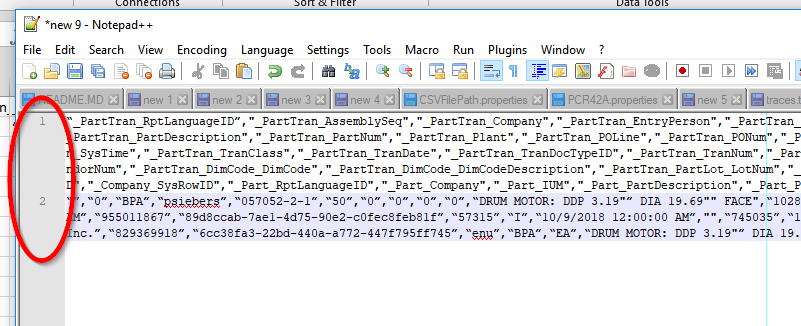
1 Like
Yep that looks perfectly fine. Its MetaData on the top for “Commander” to pickup followed by header followed by row(s).
Post your label - not sure what’s off  without seeing it. Perhaps you have bad “Database” setup in your BarTender Label
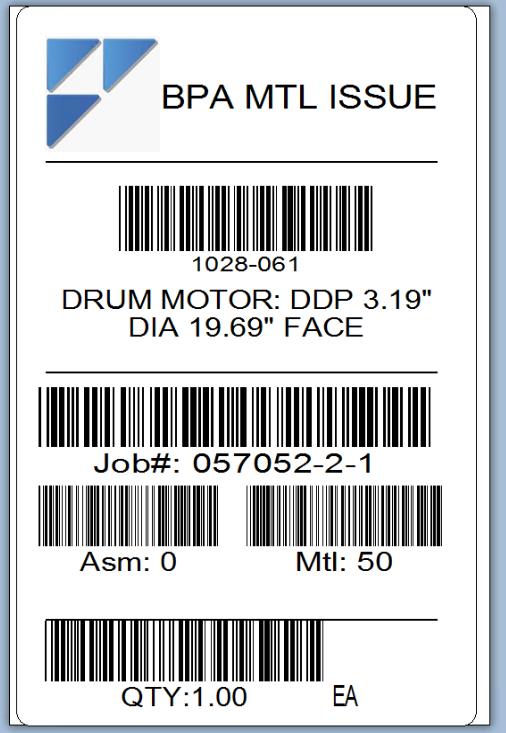
That looks good as expected eh?
Bear with me while I get the printed results as I issue…
1 Like
In BarTender make sure your Results look like this:
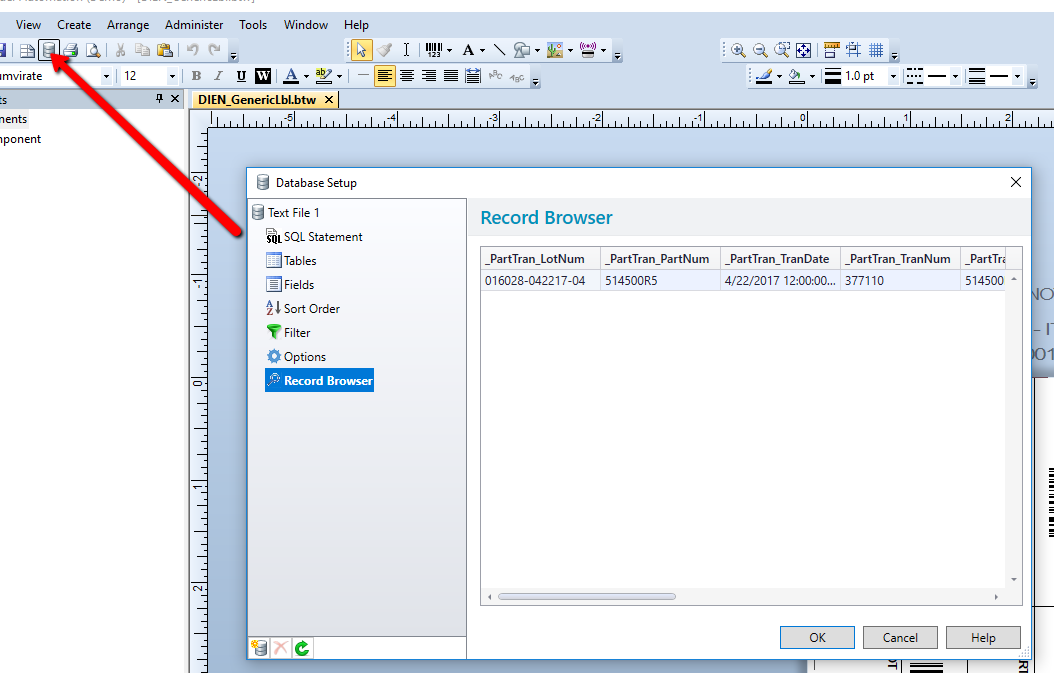
Also if you click on the first node (depending on BT Version) make sure you set it that your .csv contains a header row.
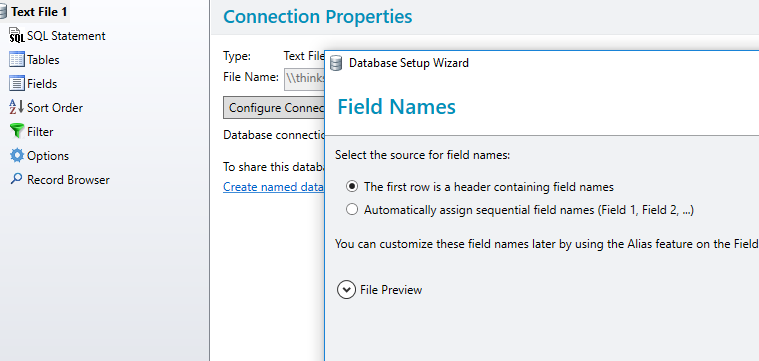
1 Like
also check your integration builder. Make sure the results look the same in there too.
1 Like
Also where did that Job#: field come from, does you BarTender file have multiple Layers?
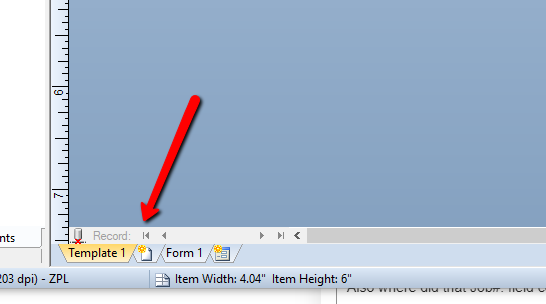
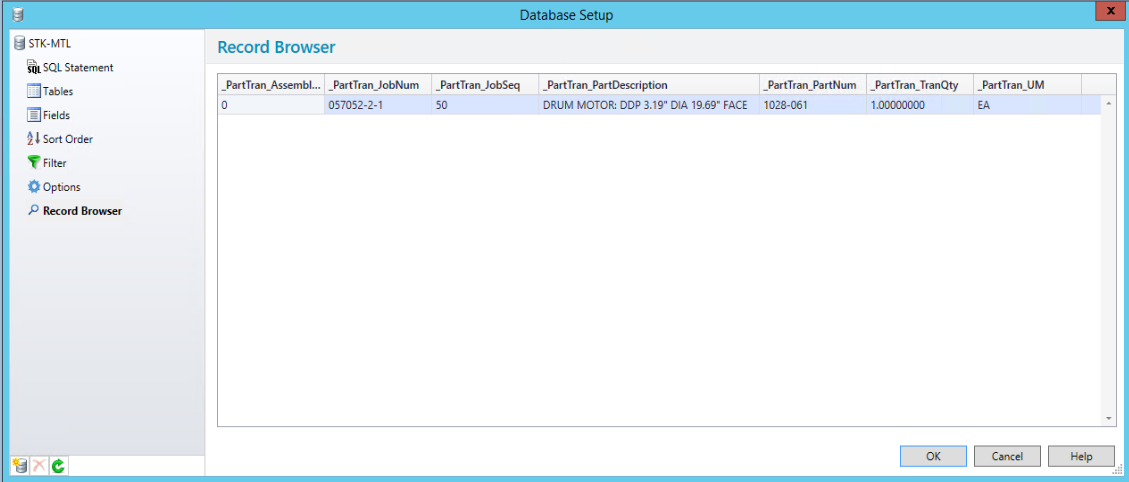
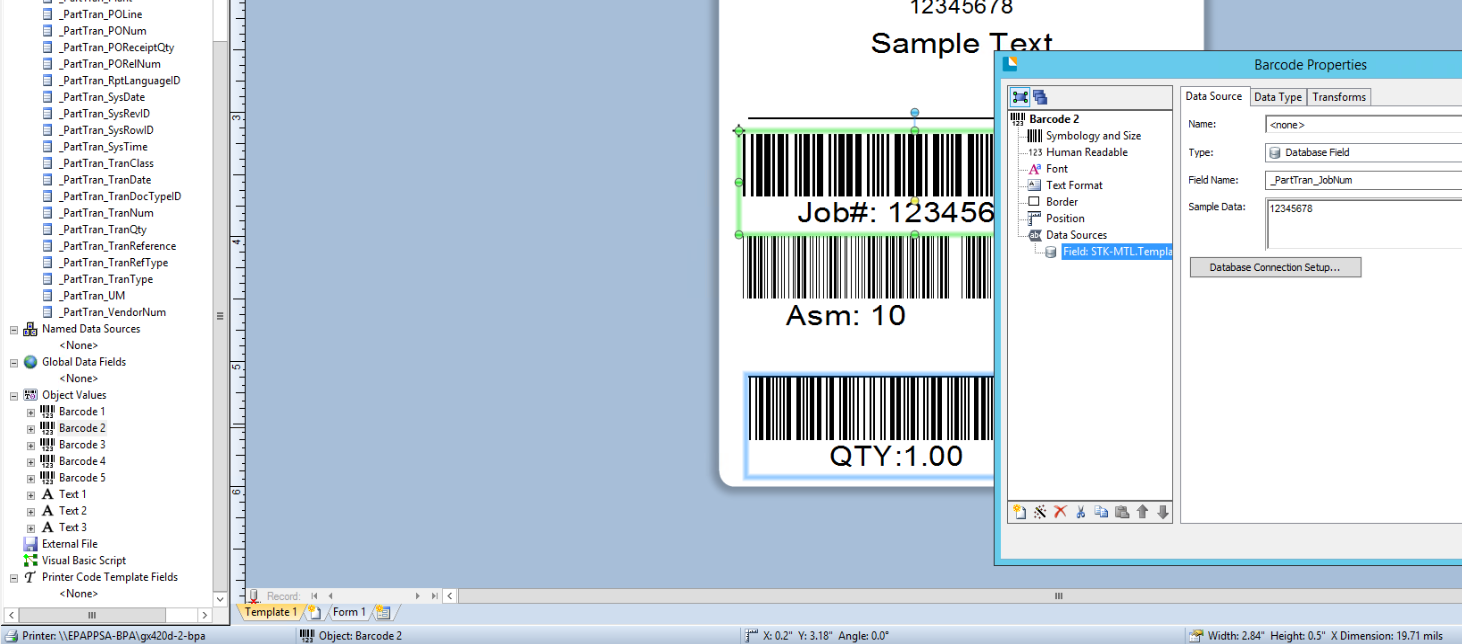
Looks good, now I would shift my focus to “Integrations” formerly known as Commander and see if it is sending multiple styles Per Request (something from you testing previously as you were playing around).
After that also making sure you have the correct Print Driver from Seagull and not the stock Windows one.
hasokeric figured it out: Actions needed to be “Print Command Script” so it reads it from the header of csv, and a cleanup of old test deployments!
Thanks for the help!
Paul
5 Likes