Found a solution for this. The key is Property-Set.
Try to find the GUID for the panel card grid. How to find that?
Step 1: Your gridID and GridModel should be same.
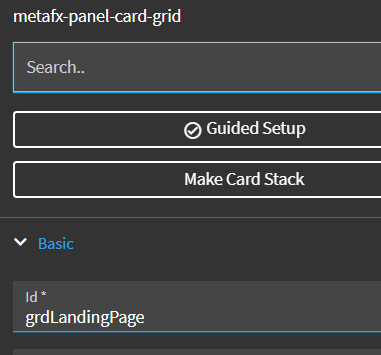
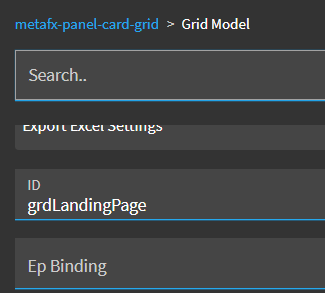
Step 2: Create a dummy button and create onClick event
Step 3: Inside the event, create a condition and put below expression
#trans.epEventService.epObjectManagerSvc.components.find(x => x.id == ‘grdLandingPage’).model.guid# === “”
Here, ‘grdLandingPage’ is your gridID
Step 4: On the condition true side, have a message event to show some text
Step 5: Preview it. Hit the button and find the GUID in console screen.
Step 6: Note down the GUID for the grid
Now the actual solution:
Quite simple, you just put property-set after form load or wherever you want and set something like below,
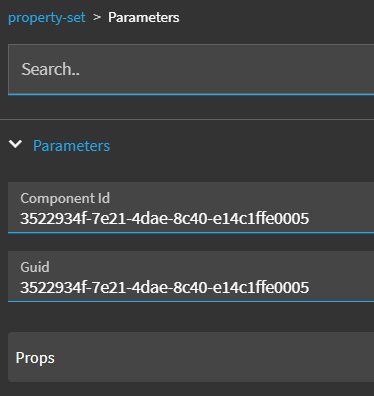
Here, you have to paste the copied GUID in both places, then
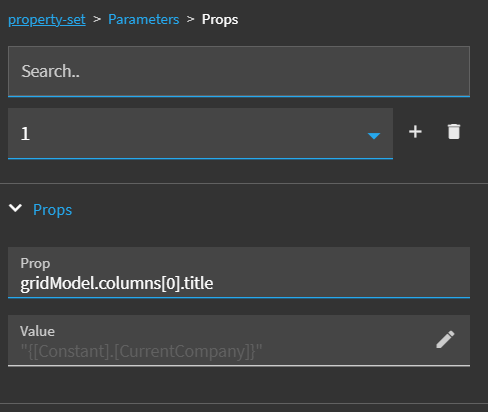
Here, [0] refers to your column position
Happy epicoring…! 