The following works for UD11
It gets the value in UD11.Number01 where Key1 = the “base part number”. If the record doesn’t exist, it creates it with the Number01 set to 1001.
If it does exist (the else part of the if…else), it adds one to the value retrieved, and updates that record.
Finally it returns the value (an integer) to be used by your configurator
Here’s the User Defined Method Maint screen (code is below)
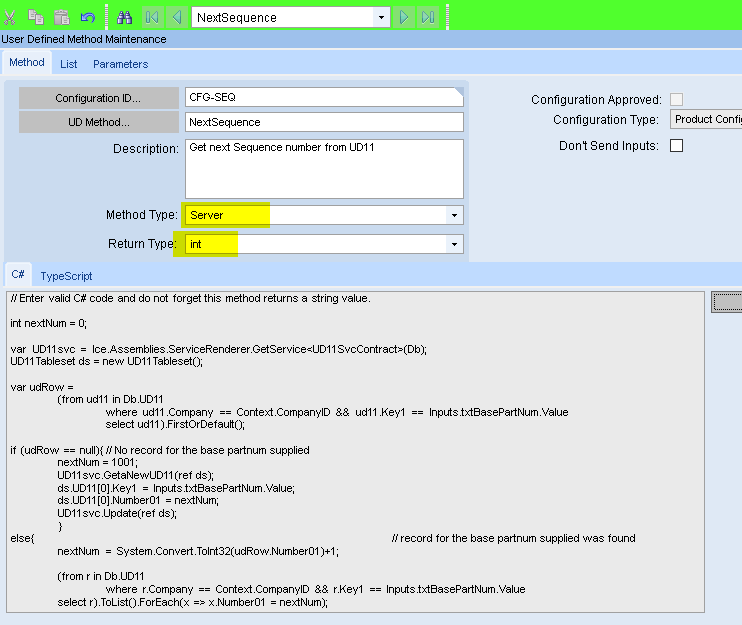
Method Code (click arrow to show)
// Enter valid C# code and do not forget this method returns a string value.

int nextNum = 0;

var UD11svc = Ice.Assemblies.ServiceRenderer.GetService<UD11SvcContract>(Db);
UD11Tableset ds = new UD11Tableset();

var udRow =
	(from ud11 in Db.UD11
		where ud11.Company == Context.CompanyID && ud11.Key1 == Inputs.txtBasePartNum.Value
		select ud11).FirstOrDefault();

if (udRow == null){	// No record for the base partnum supplied
	nextNum = 1001;
	UD11svc.GetaNewUD11(ref ds);
	ds.UD11[0].Key1 = Inputs.txtBasePartNum.Value;
	ds.UD11[0].Number01 = nextNum;
	UD11svc.Update(ref ds);
	}
else{		// record found
	nextNum = System.Convert.ToInt32(udRow.Number01)+1;

	(from r in Db.UD11
		where r.Company == Context.CompanyID && r.Key1 == Inputs.txtBasePartNum.Value
  	select r).ToList().ForEach(x => x.Number01 = nextNum);
	Db.SaveChanges();
  }

return(System.Convert.ToInt32(nextNum));
I tested with a very simple configurator
Here’s the code for the OnClick function of the button
int outp = 9999;
outp = UDMethods.NextSequence();
Inputs.txtCalculatedPN.Value = Inputs.txtBasePartNum.Value + "-" + outp.ToString();
Here it is in action:
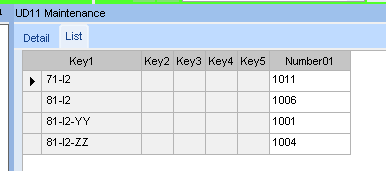
Values before running the configurator
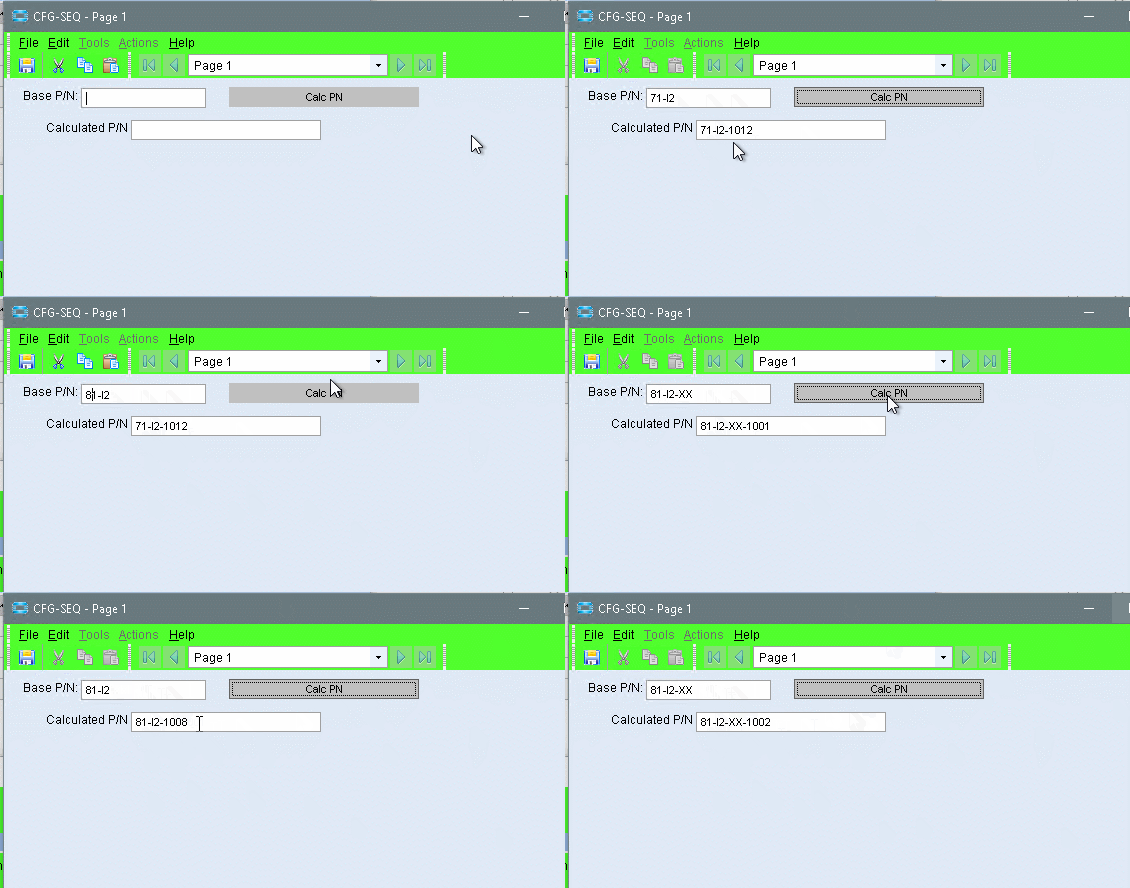
And UD values after the test

Notice that a row was added for base P/N 81-I2-XX, because it didn’t exist before the test.
EDIT
Very important note … The sequence number will increment every time the UD function is called. So re-configuring a configured part, will increment the counter again - unless you check that the suffix has already been assigned, and skip getting the next number.
Also, The UD table actually holds the last number used. The UD Method ads one to that, updates the table, then returns the new number.