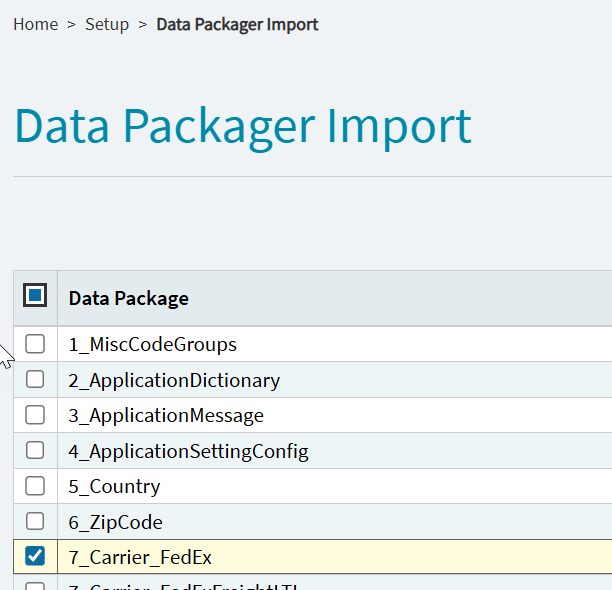
Thanks Randy! Found the files and looks like we are all set. We only integrate small parcel with FedEx as most everything else is FTL here.
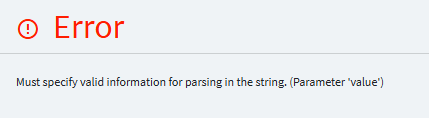
We’re switching next week we’re both small pack and freight so little nervous.
To get some clarification as a Epicor cloud customer, I opened a case and asked:
- According to KB0144309 there is no mention of requiring a Fedex Developer account to convert to the new Fedex REST API. For a cloud customer, is this correct that a Fedex Developer account is NOT REQUIRED?
- Per KB0144309 step 7, the “Account Number” is different from the “REST API Account Number”. Where would we find the “REST API Account Number”?
During the conversion (support kept thinking I wanted to convert now), I reiterated:
Please confirm:
- I do NOT need a Fedex Developer Account?
- When it comes time to register, I would use the SAME account number in both “Account Number” and “REST API Account Number” fields?
The response from support was:
No, a FedEx Developer Account is not required. Please remove the initial account number and web service URL. Then use the REST API URL https://apis.fedex.com/ and reuse the same account number previously used for the web service in the REST API account number section.
We updated our FedEx carrier to use the Rest API on 3/13. It was fairly straight-forward with the help of Epicor Support.
However, we are experiencing the issue that @spaceage mentioned:
I submitted a case suggesting they give us the option to choose to have the name truncated if the shipment is for FedEx - similar to what @utaylor suggested:
…but it sounds like they want FedEx to change it on their side.
This is the response I received from support:
Unfortunately there is not a way to do that within Quick Ship. This Issue has been escalated with FedEx. We are awaiting FedEx response. For now the fix is to manually adjust it in Quick ship or adjust the company name in Kinetic.
I guess we’ll have to go through our Customer list and truncate them manually.
That is such horse  . They are the ones who implemented FedEx’s API, knowing full well that the API specs contradict their own data definitions. Company Name is x(50) in Kinetic, x(35) in the API. Instead of doing the right thing and working to align the properties or auto-truncate the data, they’ll pawn it off on FedEx, and if that doesn’t work, it’ll come back to us to deal with.
Typical Epicor 
FedEx isn’t going to change it. Epicor should just truncate in QS when they freight. This isn’t rocket science here.
I’ll raise a case too. This is unacceptable.
Truncating the data for the company name is probably OK in most cases, but handling the street lines is much more problematic, because simply truncating them can result in invalid addresses, or worse, deliveries to the wrong location.
My initial attempt to mitigate this is to add a sales order BPM to prevent AutoPrintReady from being checked for Fedex orders, so we can catch at least most of them before they reach our shipping department.
Just to put this into perspective, I’m pretty sure fedex ship manager also has similar restrictions, using their own program.
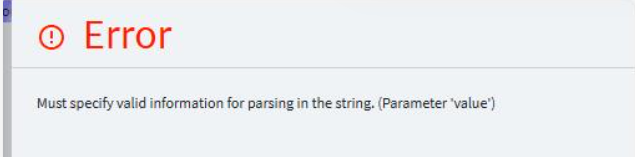
It’s in KB0144309 in EpicCare .. start at Step 1.
Thanks for the help, yes I forgot to import the Fedex package in QS. It works now.
Looking for second opinions on this…
I’m hearing reports that the phone number is also required at the contact level or it will not ship.
Is anyone else experiencing this?
We flipped over this week. Encountering the character limit issue but our larger issue is with LTL. Can’t Rate Shop and Freight Charges aren’t returned to Kinetic/Quickship for Pre-pay & Add shipments.
Rate Shopping UI Error: FedEx Freight LTL : Could not deserialize the response body stream as QuickShip.CarrierService.RestApi.FedExLTL.RateShopRestApiReferences.RatcResponseVO. Status: 200 Response:
Freight Charge Issue: Labels print/tracking number is returned but without charges (Shows $0 in the shipmentResponse XML). It can be found in the FedExLTL_ShipmentResponse XML…so we’ve been manually pulling it and editing the Misc. Charge.
Support has opened up a problem - PRB0314720
Note - Version : 2025.2.6.2121
That’s a pretty big issue. Eek
We’ve switch our production QuickShip over last night, and we’ve been able to freight packages successfully, but when I look in the Carrier Xml Files, I’m seeing a whole bunch of TrackShipmentRequest/TrackShipmentResponse entries:
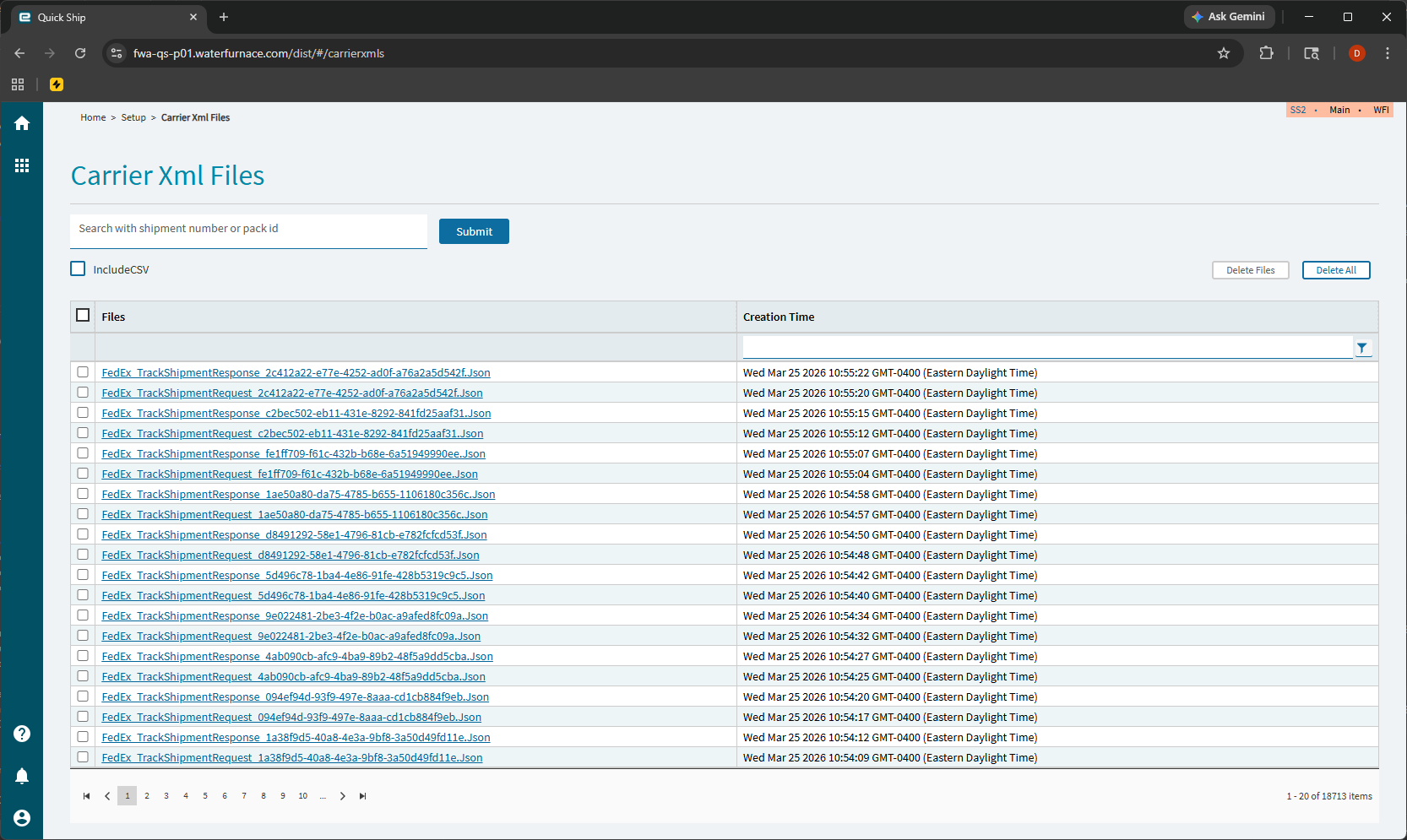
It looks like it’s making tracking requests for a range of numbers, but they’re all coming back with an error like this:
{
	"trackingNumber": "999999999999",
	"trackResults": [
		{
			"trackingNumberInfo": {
				"trackingNumberUniqueId": "",
				"trackingNumber": "999999999999",
				"carrierCode": ""
			},
			"error": {
				"code": "TRACKING.TRACKINGNUMBER.NOTFOUND",
				"message": "The tracking number you entered can't be found right now. Please check the number with the shipper or try again later."
			}
		}
	]
}
Does anybody know what might be happening here?
Just received this email from Epicor about a date extension:
Date Extension: FedEx Web Services Retirement – Quick Ship 2025.2 REST API Upgrade – April 30th 2026
Dear Customer,
Your Quick Ship FedEx shipping services will not function without this REST API upgrade. (This is a reminder of a communication Epicor sent to Quick Ship Power Users in December 2025 and again to All Quick Ship users March 3rd 2026).
FedEx had announced the retirement of its legacy Web Services (SOAP), effective April 1, 2026. Last week, FedEx agreed a final extension for Epicor Customers to April 30th 2026. (Effective May 1st). After this date, these services will no longer be available.
To ensure uninterrupted shipping operations, Quick Ship 2025.2 now offers full integration with the FedEx RESTful APIs, including:
• Rating
• Shipping
• LTL (Less-than-Truckload)
• Hazardous Shipments
• Tracking ServicesThese APIs provide enhanced service capabilities, improved tracking visibility, and a streamlined developer experience.
Please refer to the two FedEx REST API Migration Guides for instructions on updating your Quick Ship environment to enable REST API usage:
• [Migrating and Registering an Account with REST API](https://epicweb.epicor.com/doc/Docs/Migrating and Registering_2603.pdf)
• [Integrating Quick Ship with FedEx API](https://epicweb.epicor.com/doc/Docs/FedEx Carrier Guide_2603.pdf)
There’s a scheduled task that creates those. It’s something new. It didn’t work when it was initially released. They seemed to have fixed it. You can turn off the task if you don’t want to see them.