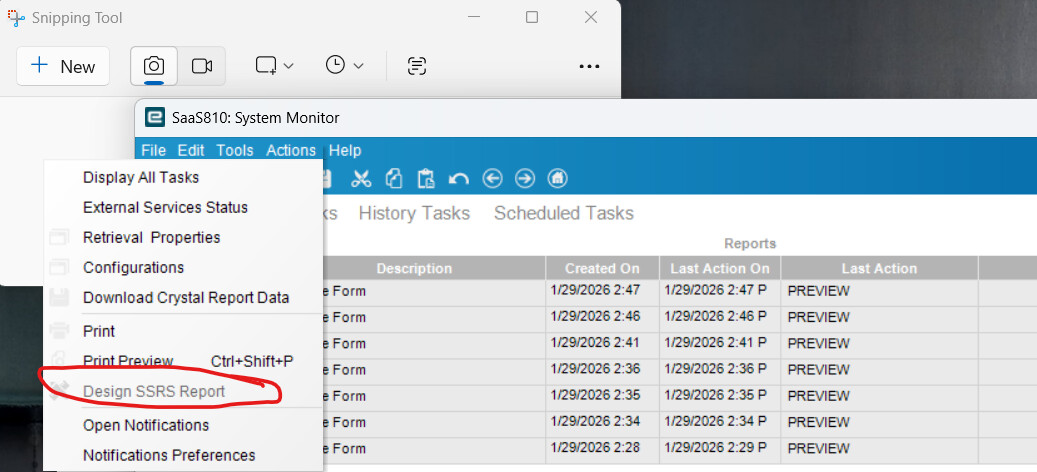
I was modifying the Quote form before I do it using the SSRS Report, now it was disable.
How can I update it on the Web based now?
I was modifying the Quote form before I do it using the SSRS Report, now it was disable.
How can I update it on the Web based now?
You would have to do it from Report Style.
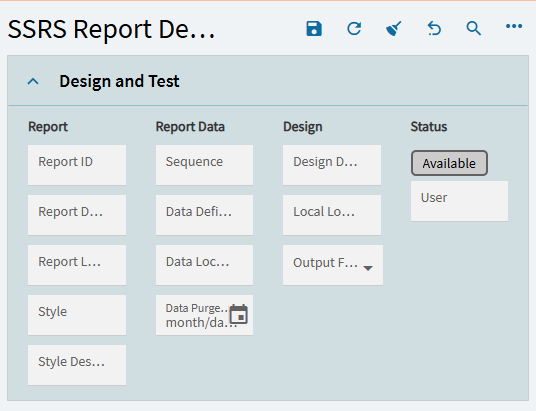
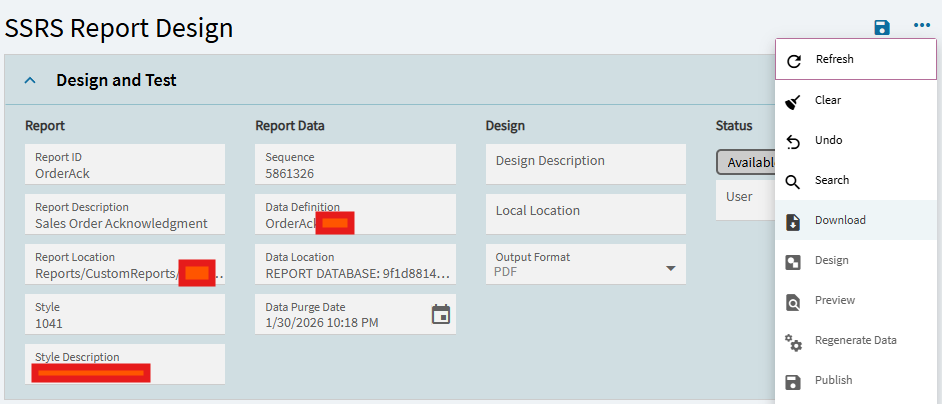
If you want to use the “Design SSRS Report” function in Kinetic as a Cloud Customer - you need to first have the classic client installed and then install the Edge Agent.
I know, I know 
@tsimon suggestion of the download and upload works also - although I bristle at the process - it does work.
DaveO
Okay thanks Dave, I do that before on the classic. but now its disable so I was force to use the cloud now
You can still download the client and download the edge agent - for now.
No clue what is planned for the future? I have not seen anything in PowerTools either - just DMT for now - they have a link in Pawer Tools for APR - but that is currently broken.
Bold Reports is planned hopefully soon and hopefully it will be better and hopefully less buggy and hopefully easier to learn 
DaveO
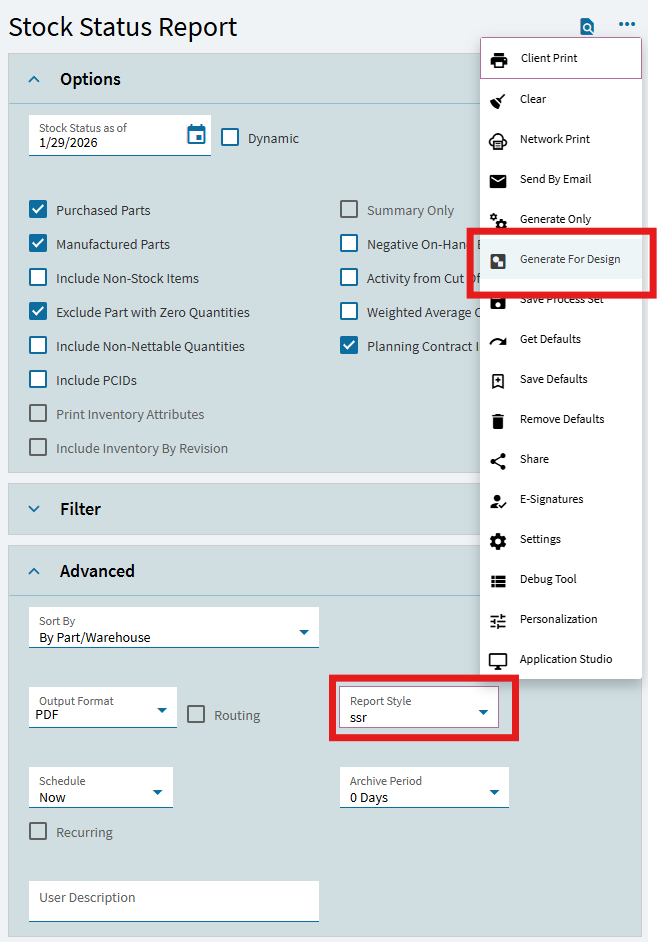
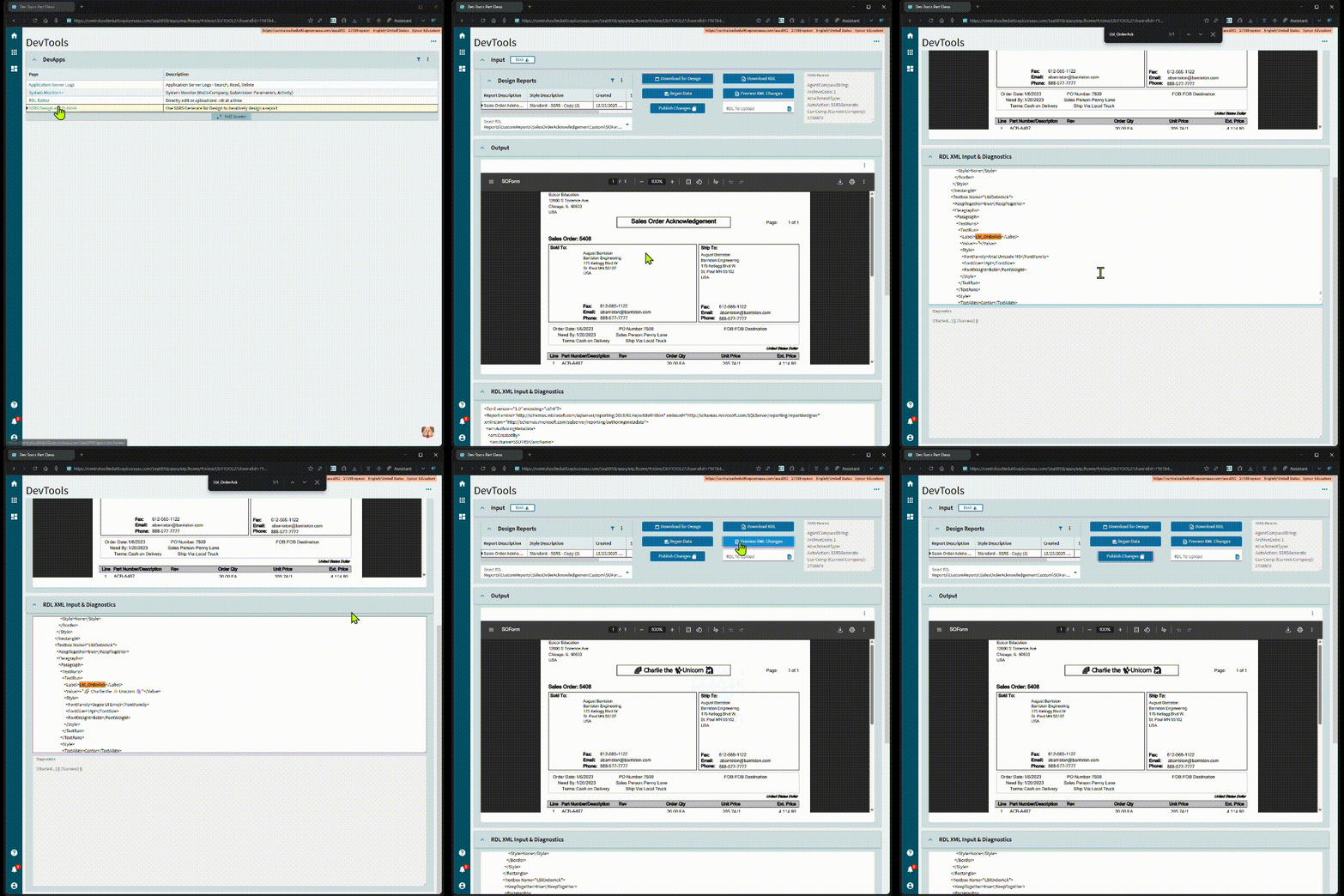
Generate for Design works great entirely in kinetic with my dashboard
You can do it in Kinetic as well, without the client, only need edge agent.
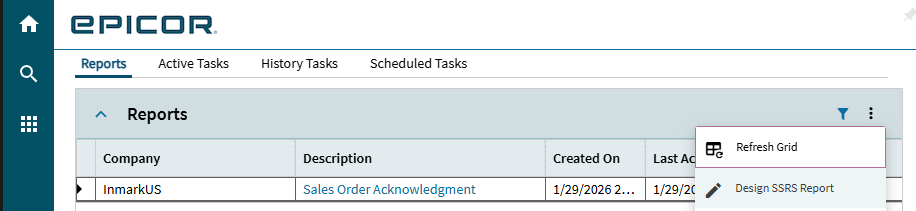
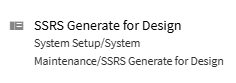
Go to the normal place to generate a report - instead of hitting the print preview button or client print, use the 3 dots for generate for design. After it’s been generated for design, you can go into the kinetic version of SSRS Design Editor and edit. It will pass off to edge agent to upload the changes / show you the preview.
Mine is better than Epicor’s, anyway… 
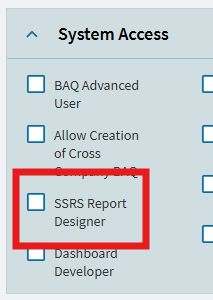
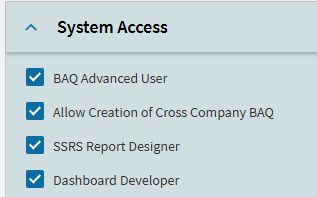
Your user account needs permission.
Go to user account security - there is a checkbox for SSRS Designer, set it, then you can do it. (may need to log out/log in)
When you printed the report, did you specifically generate for design?
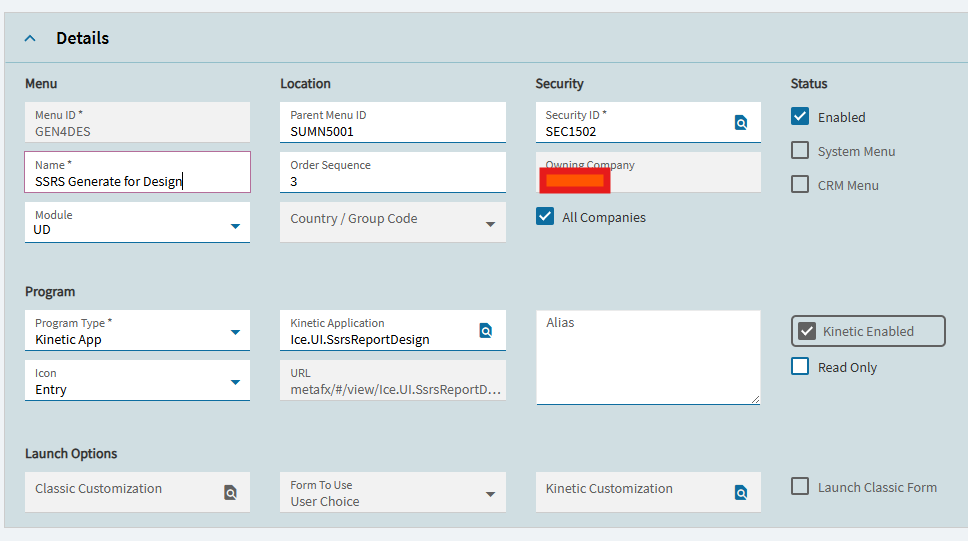
Try to manually add the kinetic menu and enter that way instead.
It may be greyed out without edge agent installed (that one requires classic + edge agent)