If you want that to be permanant… then I am sure a modification to @klincecum nag remover will fix that..
1 Like
That would be explain why our deployments get stuck on that step for what seems like forever. I’ll have to try pointing it to an empty directory first.
1 Like
Upgrading live was a breeze… Copying / Restoring and Deploying a 500+gb DB’s around to 10+ environments is gonna be the death of us.
Back Up Live → Copy to Pilot wait 800 years for the hard disks / io / etc all to copy the stuff around (800 years ~ 25-35 minutes per Db instance)
Deploy Pilot Appserver 01,02,03, Regen , Recycle, Lather Rinse for
Test, Train, A,B,C,D,E,F
At risk of repeating myself

PS: We learned the hard way that if you double up (Paste multple times) you supress the IOPS across the baord so… no help there
Who knew that IOPS was the bottle neck … (literaly everyone…)
6 Likes
Our Upgrade went super-slow for some reason some scripts took 40 minutes, that usually take 18. The Upgrade timed out then we continued and it completed.
3 Likes
I’m about to deploy new environments for testing. Will see how long it runs here.
1 Like

Just kidding!
1 Like
We got 42 plants and 8 companies man! we need lots of play space haha
2 Likes
Curious as I’m not a hardware guy but what are sysadmins thinking about SSD these days? Seems like a no brainer if budgeted but seem to recall some aversion due to reliability n life span earlier on.
These were all Premium SSD, still 500 gigs… is 500 gigs
5 Likes
giggity

5 Likes
We run all premium SSD/NVMe flash these days. We’ve not had any reliability issues. But, we aren’t using cheap drives either. They start at about $5K and go up to $21K depending on size. 24Gbps…
4 Likes
FWIW, Ive noticed a huge perf diff w robocopy vs win file drag/paste.
4 Likes
I see better performance going Linux > Windows over Windows > Windows. Windows just adds too much overhead to be efficient.
2 Likes
Yeah after the 3rd one we switched from copy paste windows, to a script that went better. But still took for ever, Azure limits your IOPS based on size and its a hard limit tied to the size of the drive.
1 TB SDD Premium Drive Limit is 7500 IOPS and you can’t increase it unless you increase the Size itself. Which caps at like 250MBs
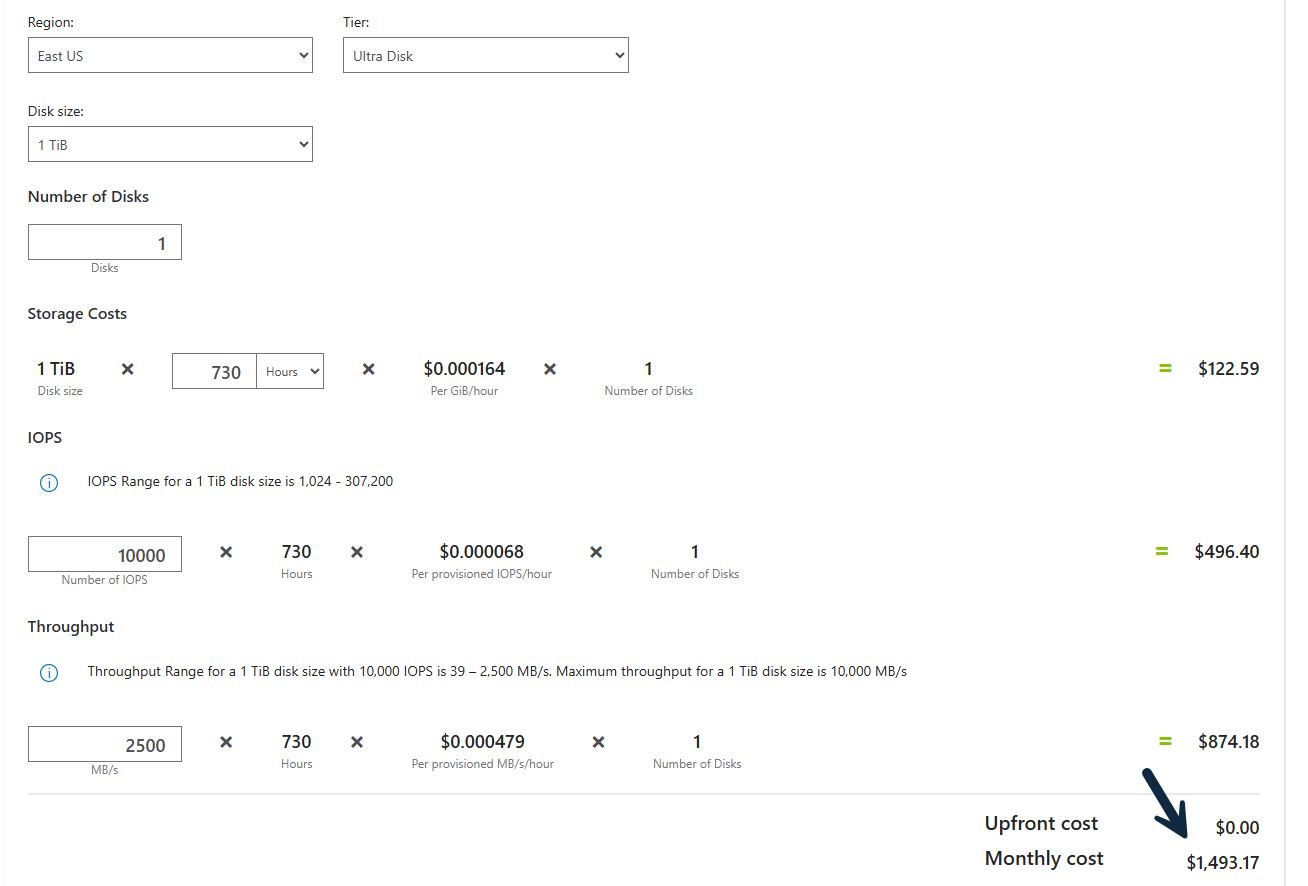
They have ultra disks but that’s prohibitebly expensive here’s 1 TB at 2.5 gigs per second throughput (monthly fee)
2 Likes
Read somewhere azcopy is like robocopy for az storage.
1 Like
I forgot about the Azure limits you guys would run into.
Read as

2 Likes
It is. I use it whenever I need to move a large amount of data to Azure. But you’re still limited to whatever you’re paying for on the Azure side.
2 Likes
Your compressed .bak files are 500gb? Yikes
1 Like
Ours is over 500 GB. 
3 Likes