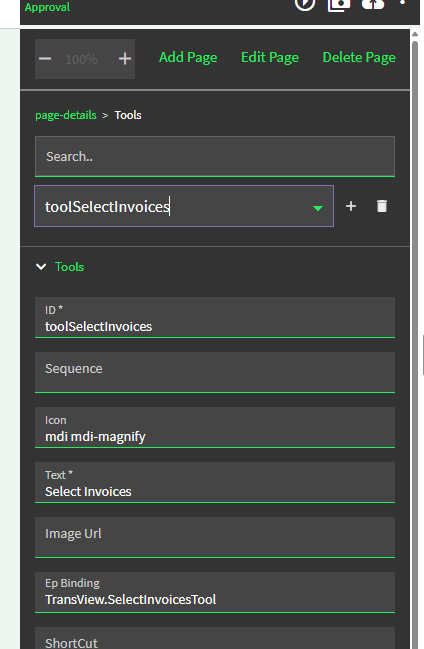
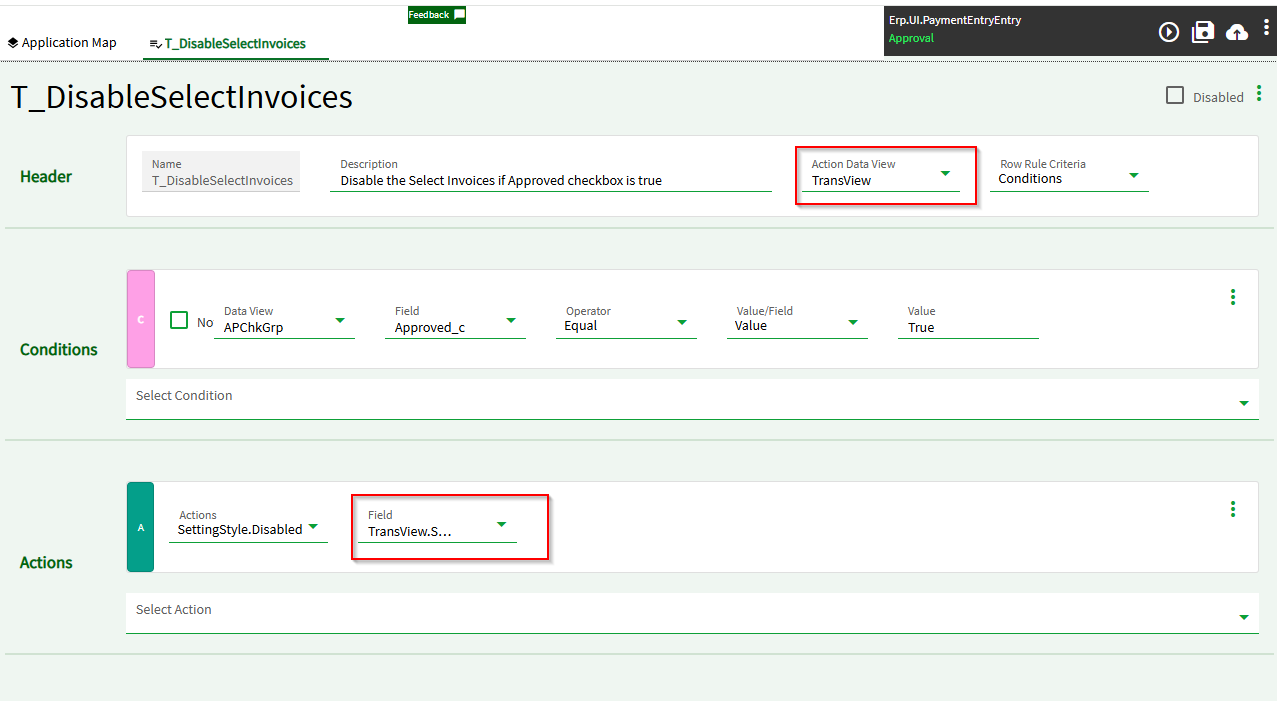
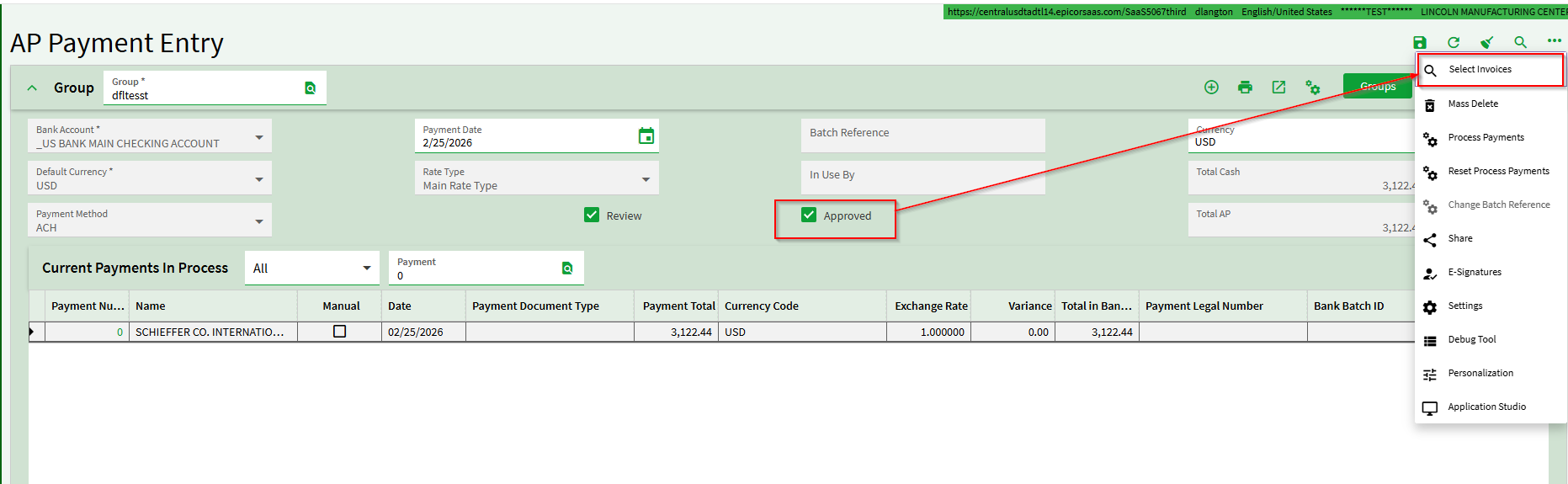
I am trying to hide the Invoice Selection tool in our Payment Entry Screen IF the Approved Checkbox is True.
I can’t figure out the correct combination for the Action Data View and Field. I have tried the below as well as APChkGrp with toolSelectInvoices as well as various combinations with other Data View selected.
Can someone help me with the proper combination to use?