Hello,
When I go to upload a file on a computer/mobile device without Edge I am getting prompted to install Edge Agent once I click “Add” file. Am I forced to have edge agent just to upload a file while I’m still on a working Kinetic Menu.
Could this be a menu under the Ice.Menu table that has [RunOnClassic] = 1 ???
Here are some things I’ve tried:
UPDATE [Kinetic].[Ice].[Menu]
SET [RunOnClassic] = 0
WHERE [Program] = 'Erp.UI.FileTransferEntry.dll';

--I HAVE TRIED ALL THE ONES BELOW HERE TOO

--Erp.UI.FileTransferEntry.dll
--Ice.UI.AttachmentTransferEntry.dll
--Ice.UI.XFileRefEntry.dl';
--Ice.UI.XAttachMetaDataEntry.dll
--Erp.UIProc.MXUpdateAttachmentsPaths.dll
--Ice.UI.DmsStorageTypeEntry.dll
--Ice.UI.AlertMaint.dll
--Erp.UIProc.MXUpdateAttachmentsPaths.dll
--Erp.UIProc.GenW2File.dll
Here I’ll attach my Document & Attachment Type Config
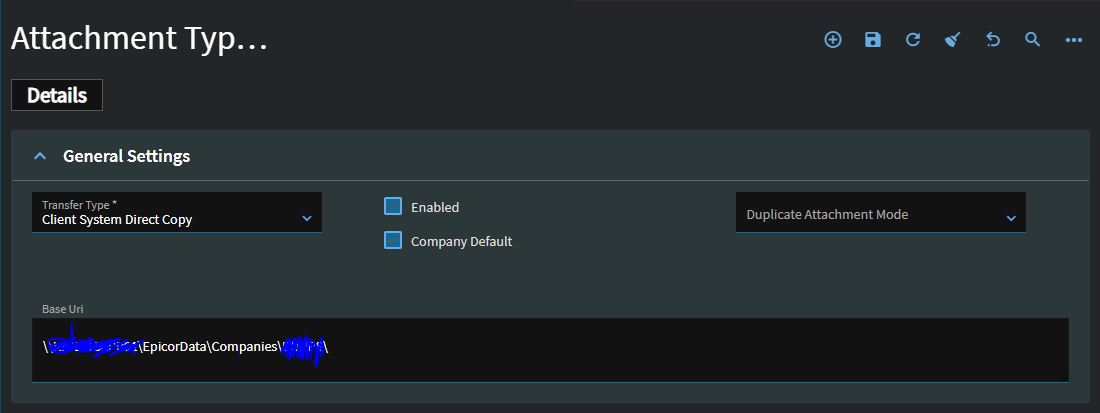
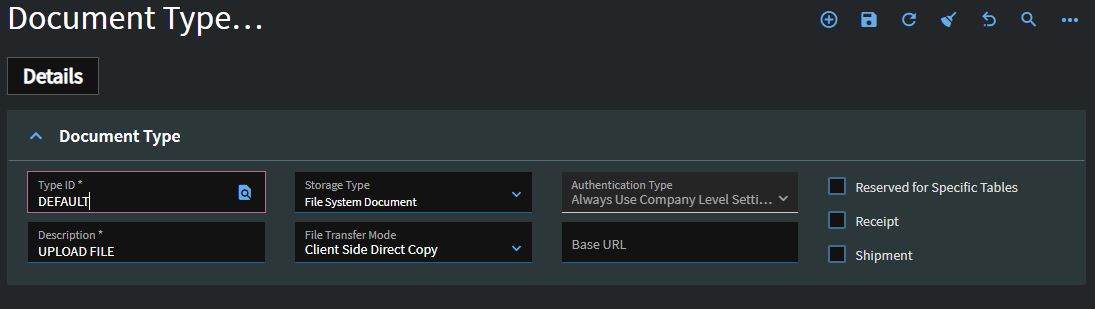
Here I’ll attach the Edge agent error on Case Entry Kinetic. Im aware of how to setup Edge Agent. I’m just trying to figure out why it’s forcing me to get edge. I’m suspecting [RunOnClassic] = 1
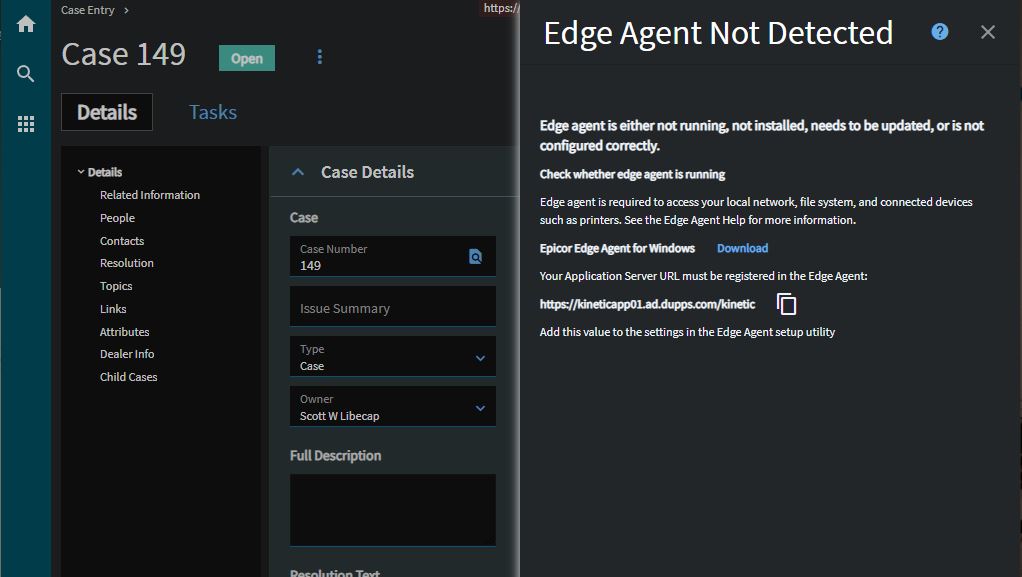
Here is how it’s supposed to look (when I have edge installed) but I cant install edge on mobile devices: