I want to be able to add a button to the order entry screen to print the sales order pick list. I also want to be able to do the same on the job entry screen for the job pick list. Has anyone done this in application studio already?
2 Likes
Not Pick Lists specifically, but I’ve done this for printing labels… process should be the same.
Add your button (or a tool if you want the option to be in the overflow menu).
Figure out the MenuID for your pick list. Here are the stock ones:

In my case, I had a custom shipping label report style with a MenuID of “SHIPLBL”.
Create an on-click event for your button:
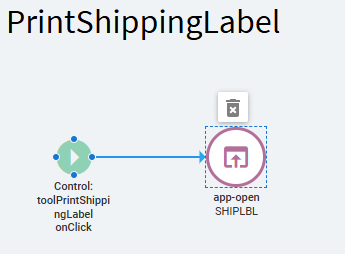
App-Open Properties:
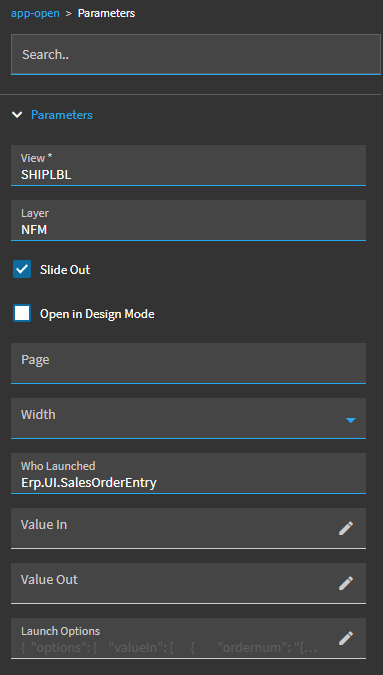
This was my Launch Options:
{
	"options": {
		"valueIn": [
			{
				"ordernum": "{OrderHed.OrderNum}"
			}
		]
	}
}
Now… you’ll have to explore the Pick List form you’re opening and determine the valueIn details it may be looking for and cater to suit. It may already be set up to look for value(s)In or not. If not, you’ll have to edit that form with an event to detect the value(s) you’re passing and row-update them to the dataview.columns you need.
2 Likes
Thank you! Yes, I need to look at printing the sales order pick list because for some reason even if I want to print a specific one, opening it in the pick list print screen it still has a default setting for dates selected. I wish that wasn’t a default. It’s not to print the job pick lists.