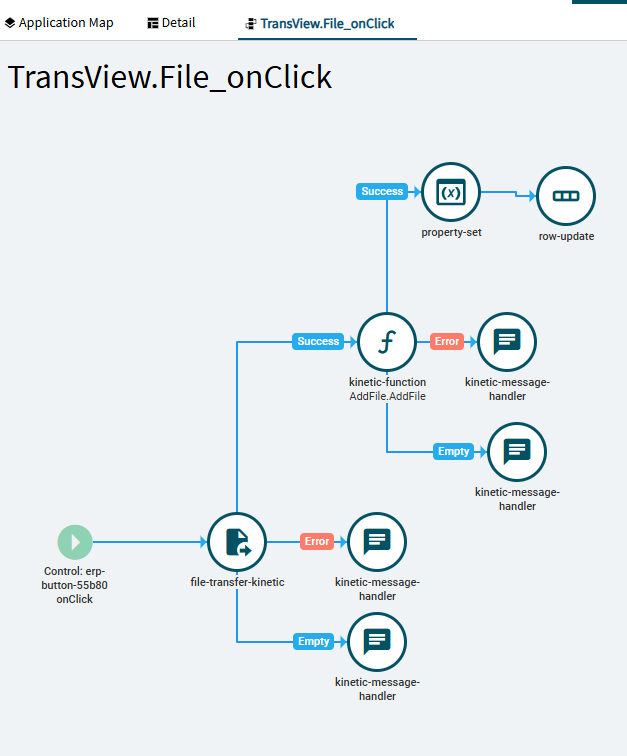
I tried the final example from your post, but couldnt get it working. It seems the text area can show the line breaks, but I can’t insert them via code. For now, the end use will have to manually line break the comments. Thats is fine. Adding a file was a big hurdle, and makes this a bit more useful.
So to get my text field to not chew up the line breaks, I used property-set, and row-update in sequence. This seems to have done the trick!
In my PO Entry Line Details, I added a new container to make the line comments span the entire page. I left the original Epicor name in place for that text area.