Is there a way to add filter parameters to other columns in a landing page?

Make sure you turn on the filter preview feature:
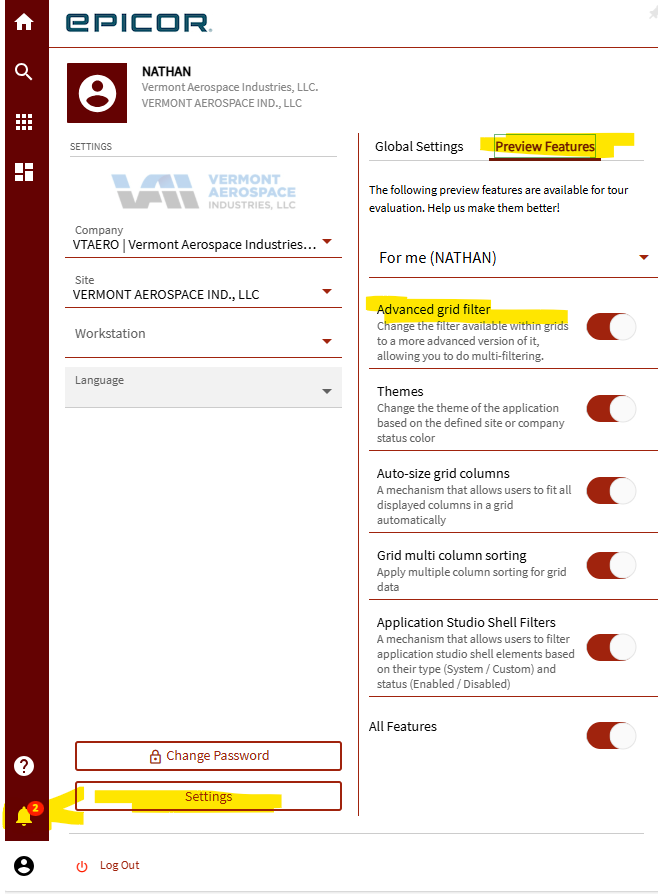
You should get a filter icon on every column. However on mine, it only shows the filter icon if I hover the column header.
It doesn’t seem like we have that option yet. We are on version 2024.2.7. Which version are you on?
Ooof… version 2025.2.10 Good luck! 
I have seen this before (not landing pages but in Customer Tracker > Activity > Orders/etc) and in those cases where only some columns allow you to filter the solution is to do at least one download more records or w/e it is called with the downward arrow, once that has been hit once the other columns will allow you to sort/filter.
What @NateS is referring to is the actual usable, proper, advanced grid filters like we had in Classic and that was/is not available until 2025.2 and even then it is a Preview Feature.
1 Like

I hadn’t see that one yet!!
Yeah, it is definitely something we have experienced in 2024.1 and looking quickly in 2025.2 still happens:
Before:
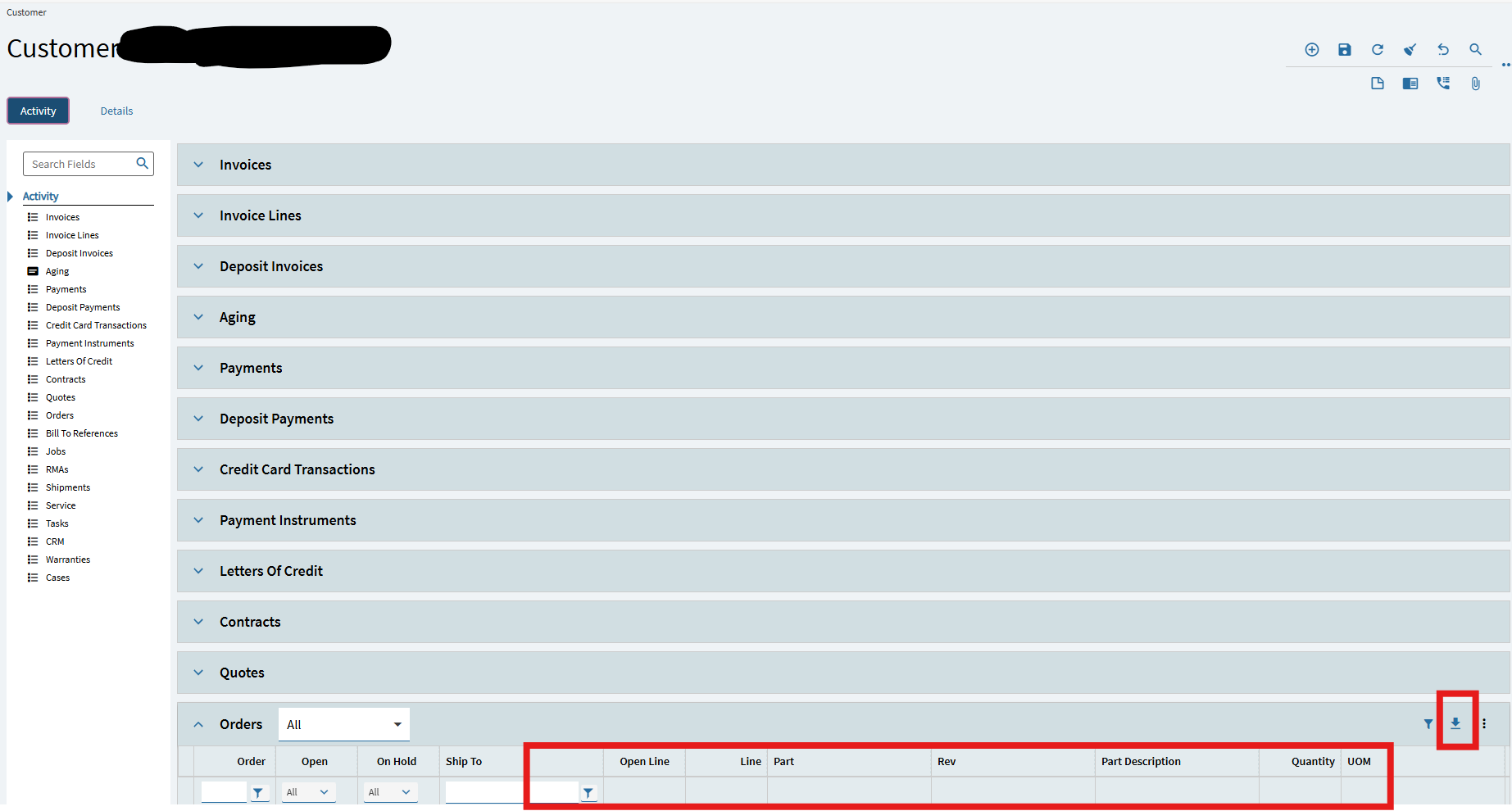
After:

Oh wow. Interesting haha. That worked. Thanks
Thats @leonardpothiers solution! Im just amazed by it! 
1 Like
I think it came from one of our Sales Reps, I couldn’t believe it either but yeah, definitely seems to be a thing.