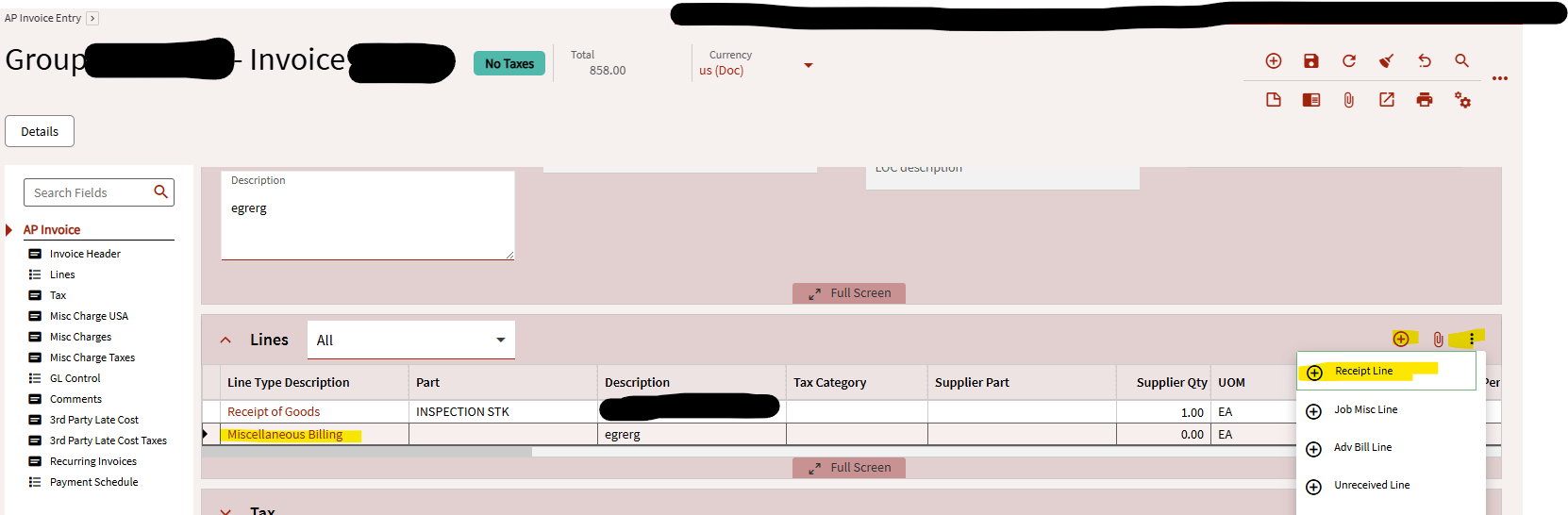
In AP Invoice Entry, when we look at an invoice, we want to click the + to add a new receipt line, but the default is to add a misc line. Can we change this? When I open in App Studio, I don’t see any of those buttons or options available. Either I want to add a button to add a new receipt line, or I want to change the native button to add a new receipt line.
Hey @NateS, for situations like this… check the binding on the grid.
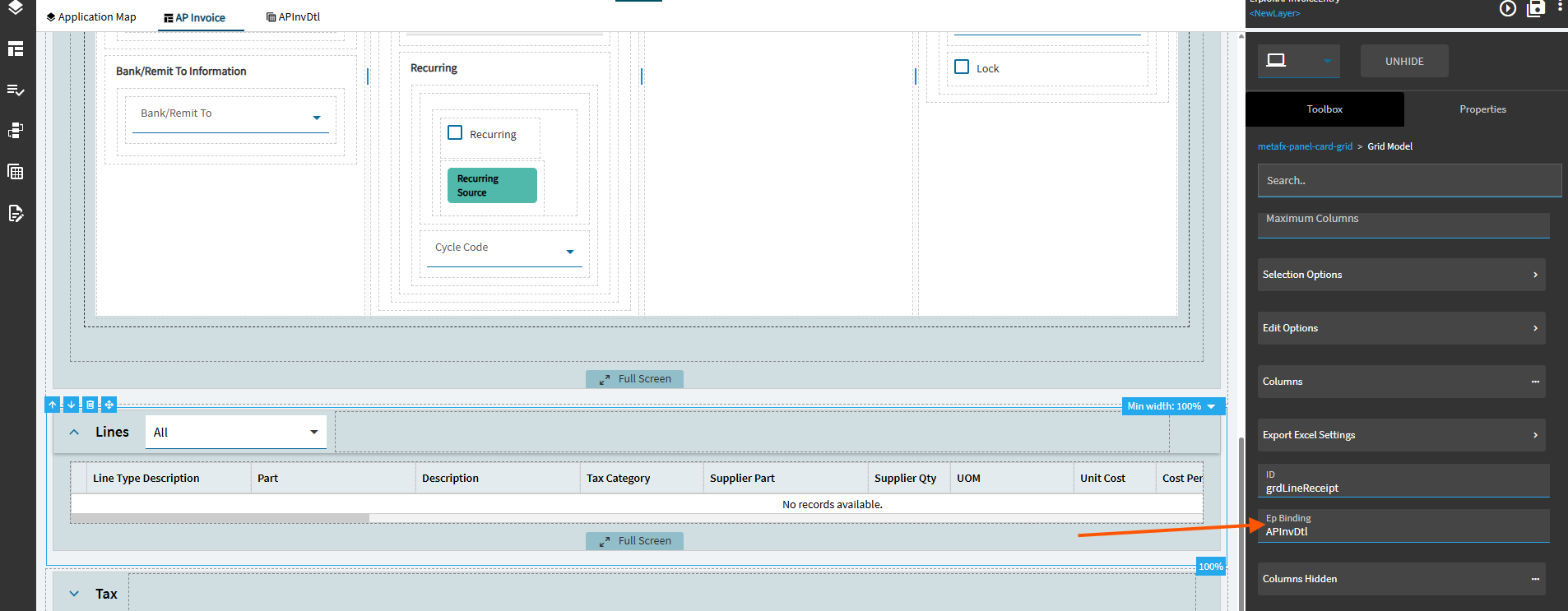
Then go into your dataviews and look there (at APInvDtl, in this case):
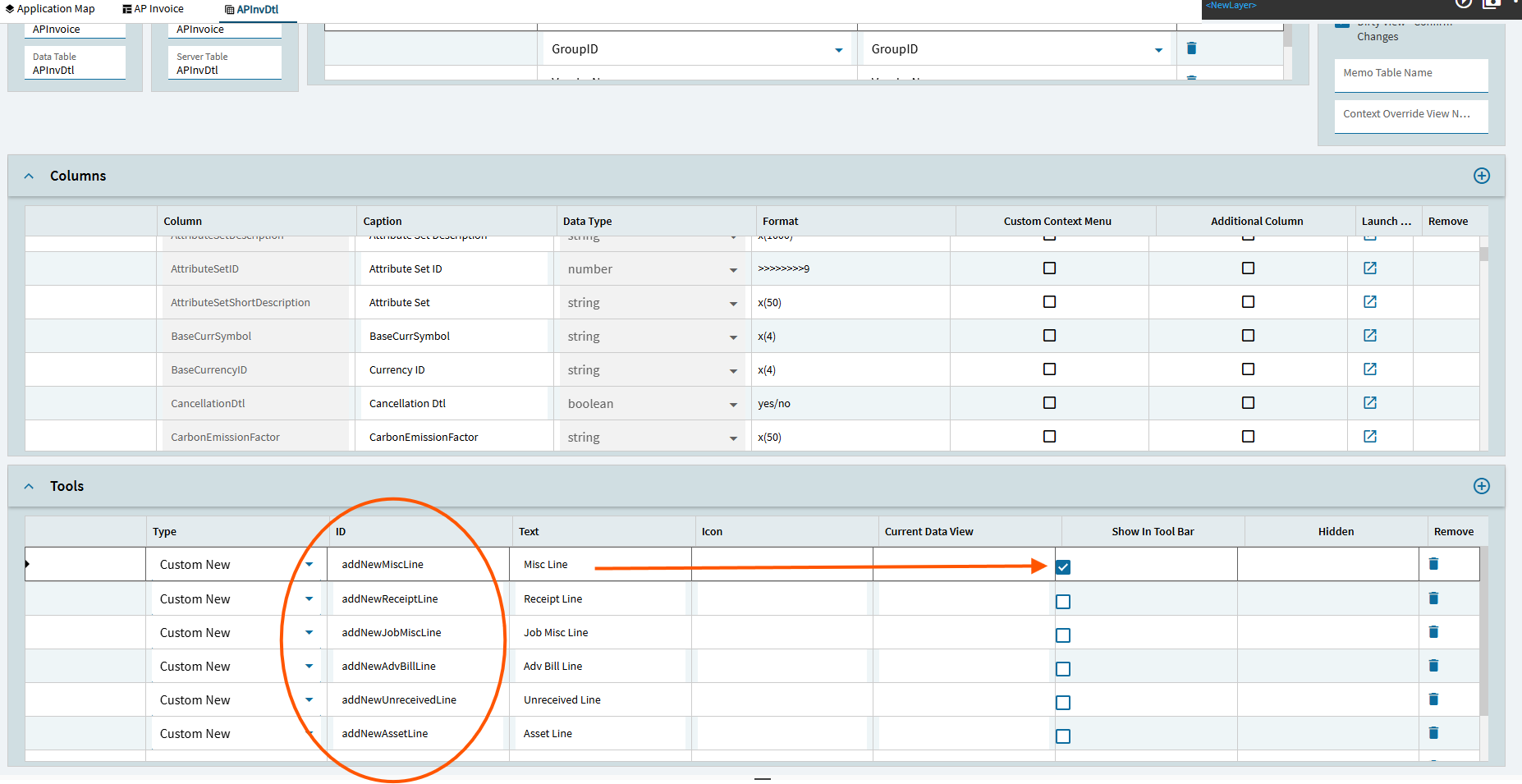
Here are all the “new” tools that show on that grid.
Notice the new “Misc Line” is the one that is checked to show in Tool Bar. All others are going to fall into the overflow menu.
You can toggle the checkboxes here. Turn Misc Line “off”, and turn Receipt Line “on”. That will make the Receipt Line show up as the visible default.
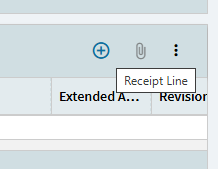
You can also turn on multiple if you want… and can add various mdi icons:

2 Likes
This is awesome! Thank you! I am going to use this again for sure!
1 Like