We have never needed to use revisons on purchased parts (only manufactured).
We use an Access database to store inspection results outside of Epicor…
I have created inspection plans / specifications but the button for Inspection Data/Results only appears in Inspection Processing (PO Reciepts) if there is a Revision on the Part…
I need to bring this access database into Epicor and ideally i want to do it withot create a revision for all our purchased parts as we have thousands…
I did start doing that but ended up going down a rabbit hole and the app studio layer became completely unstable.
I did think about fleshing out the RcvDtlAttrSet table with the custom fields required (our inspection records cover a batch of 10 for each receipt line, its fairly straight forward).
I created a UBAQ and tried updating the RcvDtlAttrValueSet custom fields but i was getting an error saying Record not found when there was a record there in the databast table.
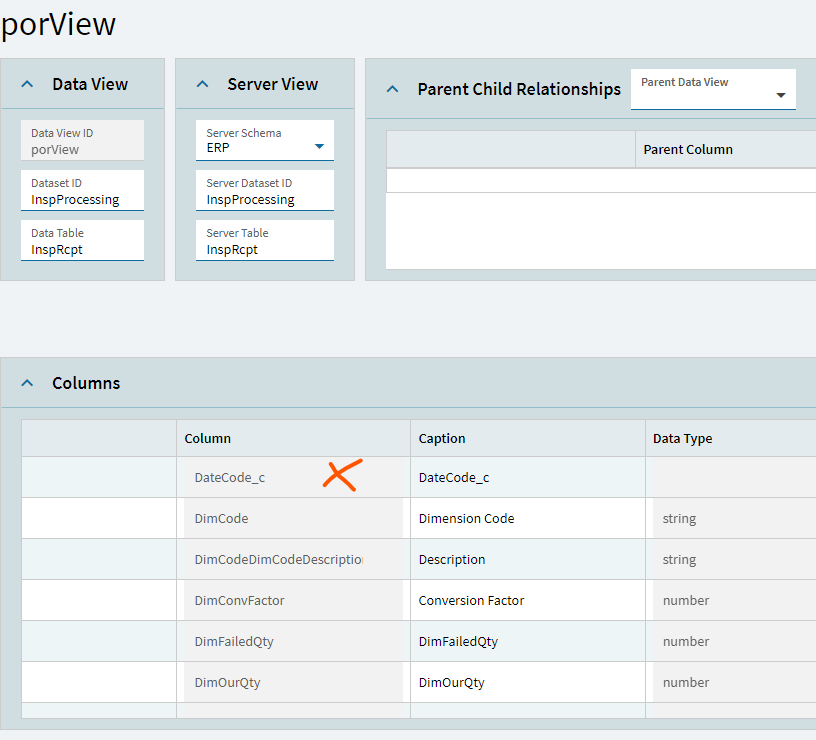
The custom fields from this table also appeared in the porView dataview when in Inspection Processing and PO Receipts.
I figured it would be as simple as adding the UD fields and adding them to items from the toolbox, (as per every other app studio layer I have edited) but no as the porView Dataview isnt bound to an actual table.