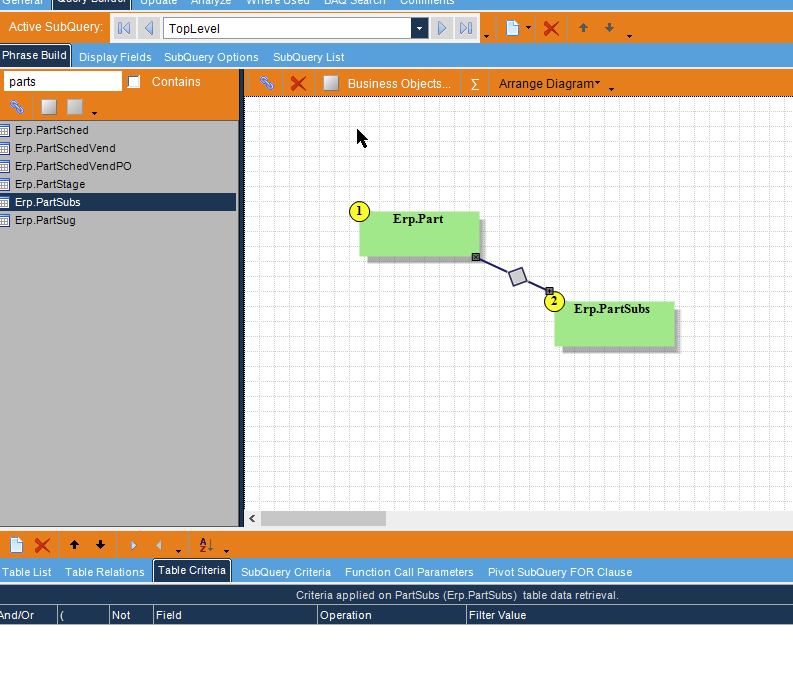
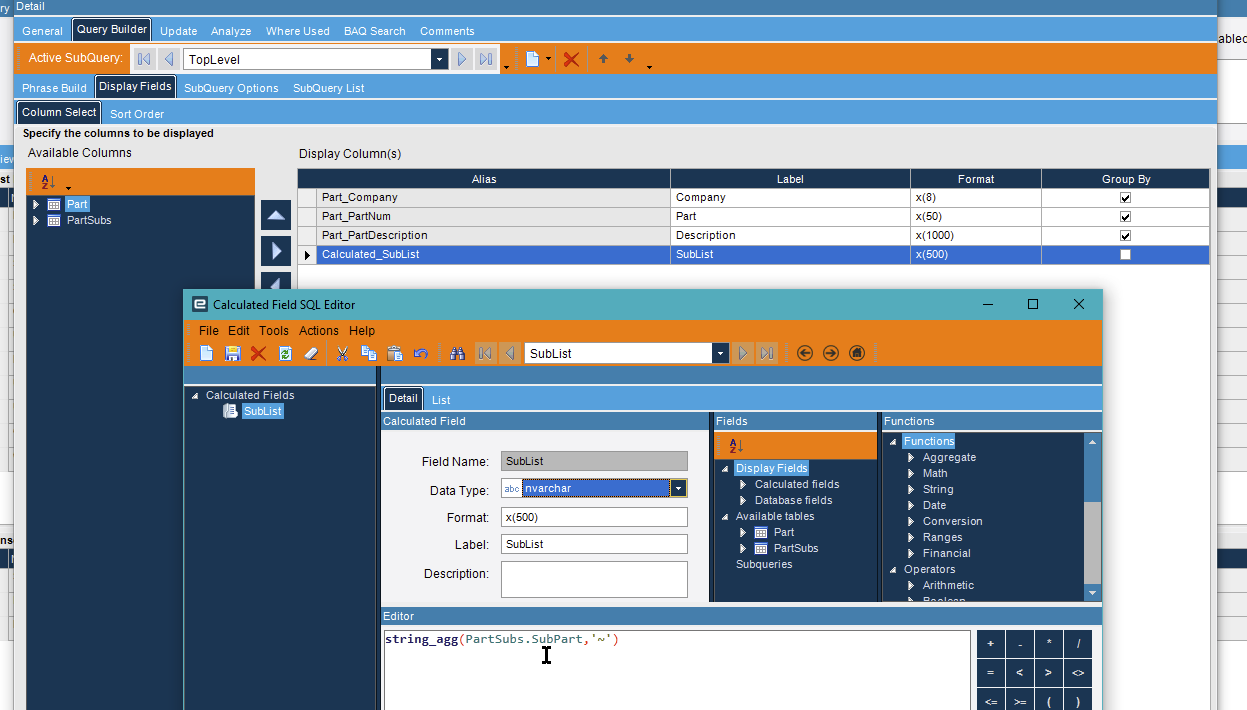
If this were raw query I’d have no trouble writing this out perfectly. This still BAQ interface is holding me back and making life more complicated. Unfortunately I can’t do this as a Kinetic Function, needs to be a BAQ as well.
My questions:
How do I aggregate i.e. STRING_AGG the values together?
I’m implementing this as a subquery but getting errors that SubPart isn’t indexed.
Is there no escape hatch for BAQs to write the query manually? cries
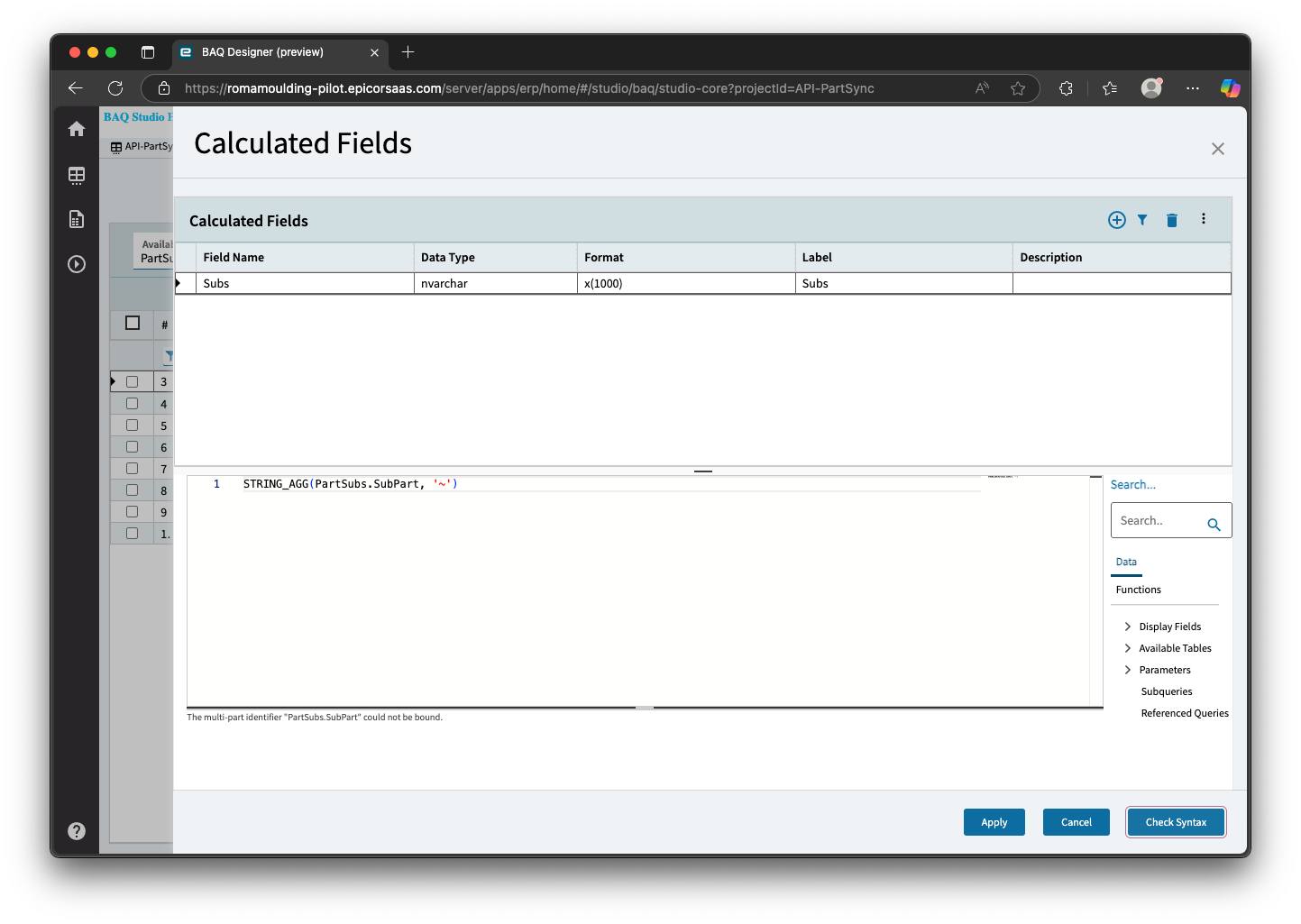
This is so strange. When I check the syntax it reads: The multi-part identifier "PartSubs.SubPart" could not be bound.. Can I trouble you for an export of that query to have a look at how you implemented it? This is boggling my mind.
Ps. it’s so annoying that STRING_AGG isn’t listed!
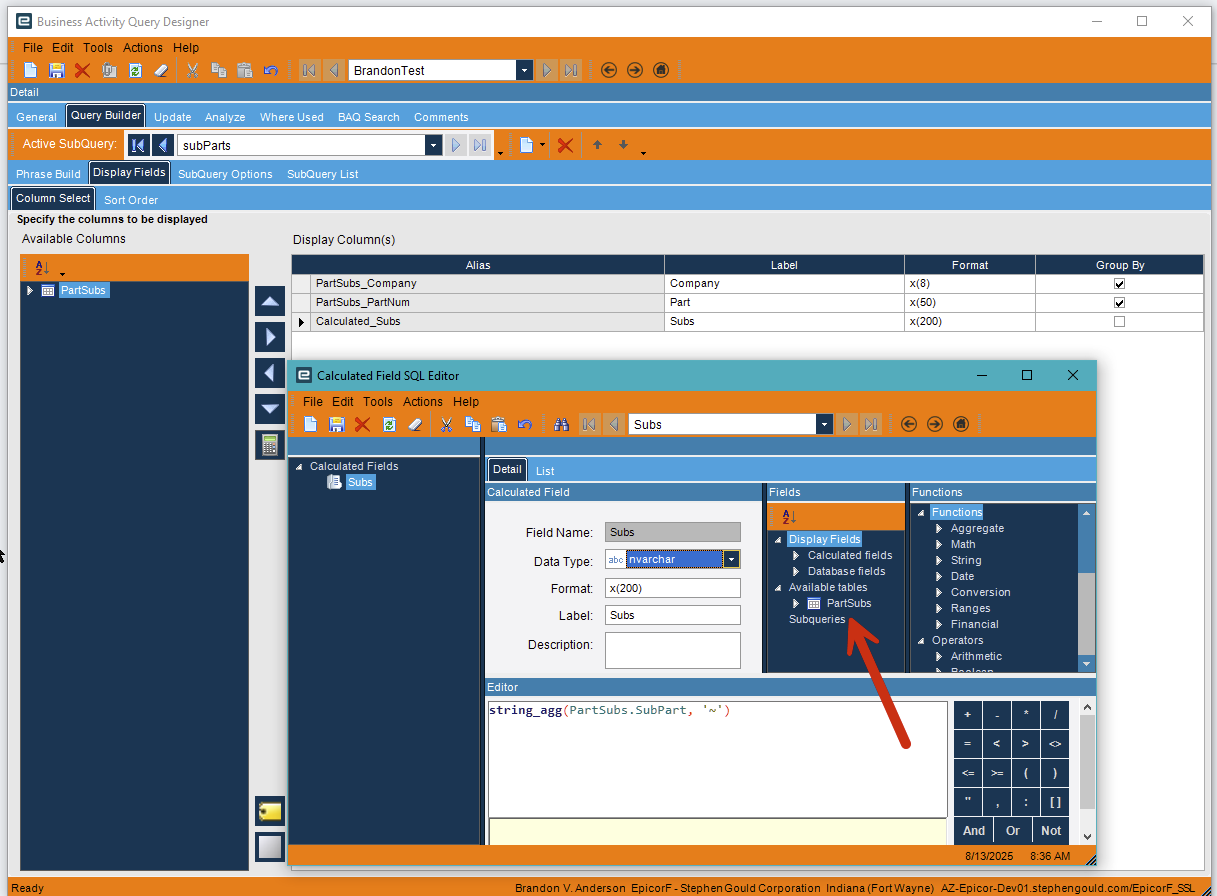
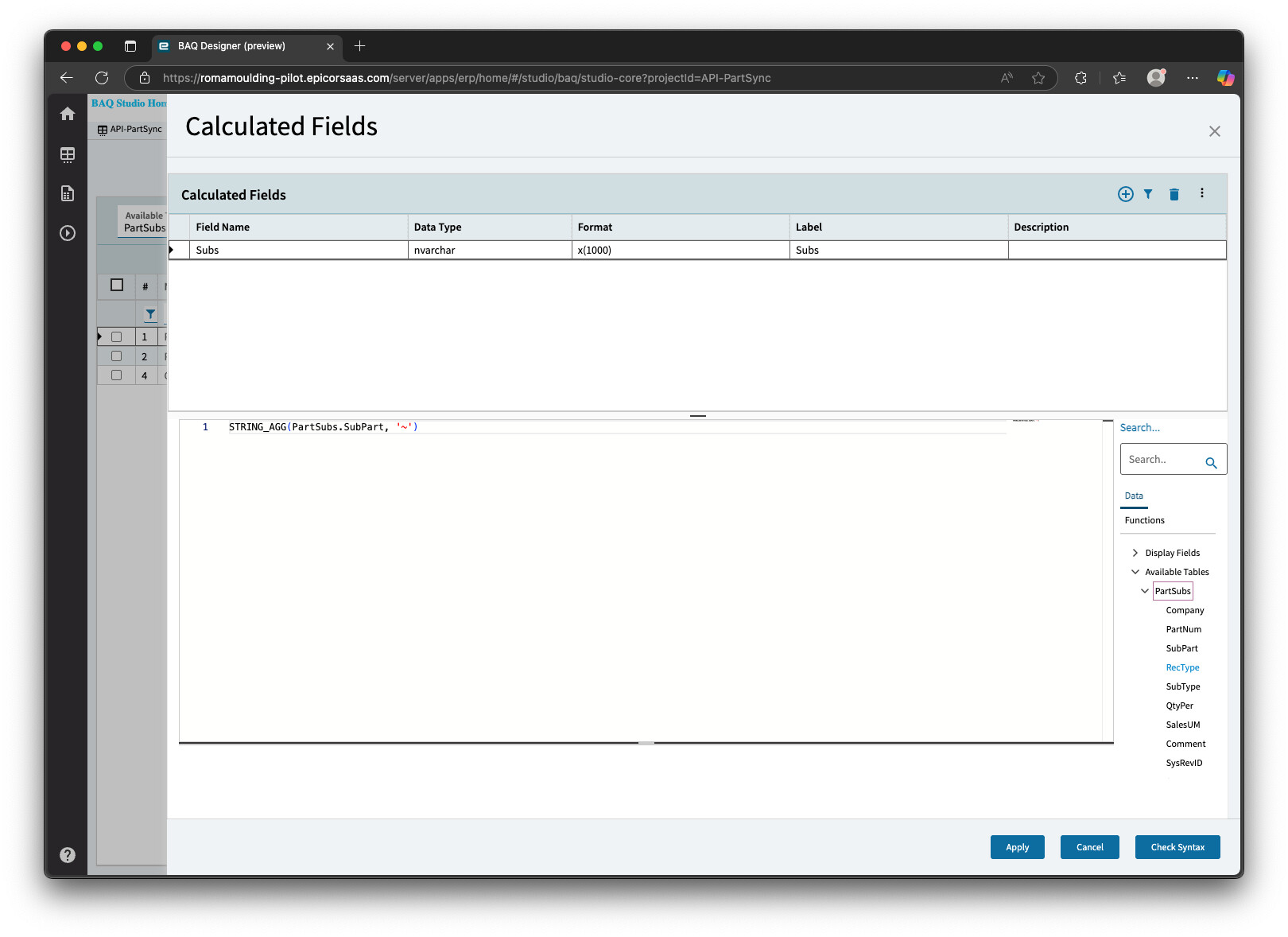
When you add your field to the calculated field, find it in the menu and double click it to add it. Did you add that table more than once? If you did, it might have an alias on it.
Again, show me what you have, and I can probably see what you’re doing wrong.
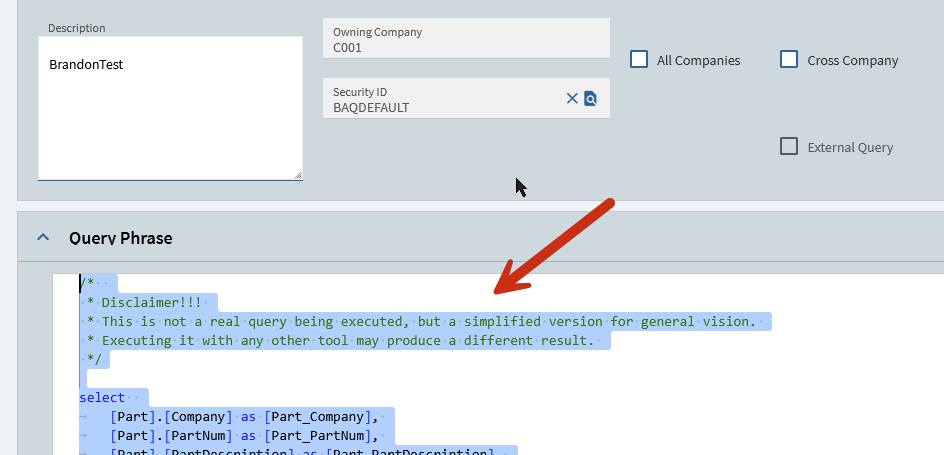
/*
 * Disclaimer!!!
 * This is not a real query being executed, but a simplified version for general vision.
 * Executing it with any other tool may produce a different result.
 */

select
	[Part].[Company] as [Part_Company],
	[Part].[PartNum] as [Part_PartNum],
	[Part].[PartDescription] as [Part_PartDescription],
	[subParts].[Calculated_Subs] as [Calculated_Subs]

from Erp.Part as [Part]
inner join  (select
	[PartSubs].[Company] as [PartSubs_Company],
	[PartSubs].[PartNum] as [PartSubs_PartNum],
	(string_agg(PartSubs.SubPart, '~')) as [Calculated_Subs]

from Erp.PartSubs as [PartSubs]
group by
	[PartSubs].[Company],
	[PartSubs].[PartNum])  as [subParts] on
	  Part.Company = subParts.PartSubs_Company
	and  Part.PartNum = subParts.PartSubs_PartNum
lol it would have been faster for me to write this query manually
/*
 * Disclaimer!!!
 * This is not a real query being executed, but a simplified version for general vision.
 * Executing it with any other tool may produce a different result.
 */

select
	(STRING_AGG(PartSubs.SubPart, '~')) as [Calculated_Subs],
	[Part].[SysRowID] as [Part_SysRowID],
	[Part].[Company] as [Part_Company],
	[Part].[PartNum] as [Part_PartNum],
	[Part].[PartDescription] as [Part_PartDescription],
	[SubParts].[Calculated_Subs] as [Calculated_Subs01]
from Erp.Part as [Part]
inner join  (select
	[PartSubs].[PartNum] as [PartSubs_PartNum],
	[PartSubs].[Company] as [PartSubs_Company],
	(STRING_AGG(PartSubs.SubPart, '~')) as [Calculated_Subs]

from Erp.PartSubs as [PartSubs]
group by
	[PartSubs].[PartNum],
	[PartSubs].[Company])  as [SubParts] on
	  Part.PartNum = SubParts.PartSubs_PartNum
	and  Part.Company = SubParts.PartSubs_Company
where (Part.PartNum = @partnum
and Part.ProdCode = 'Moulding')
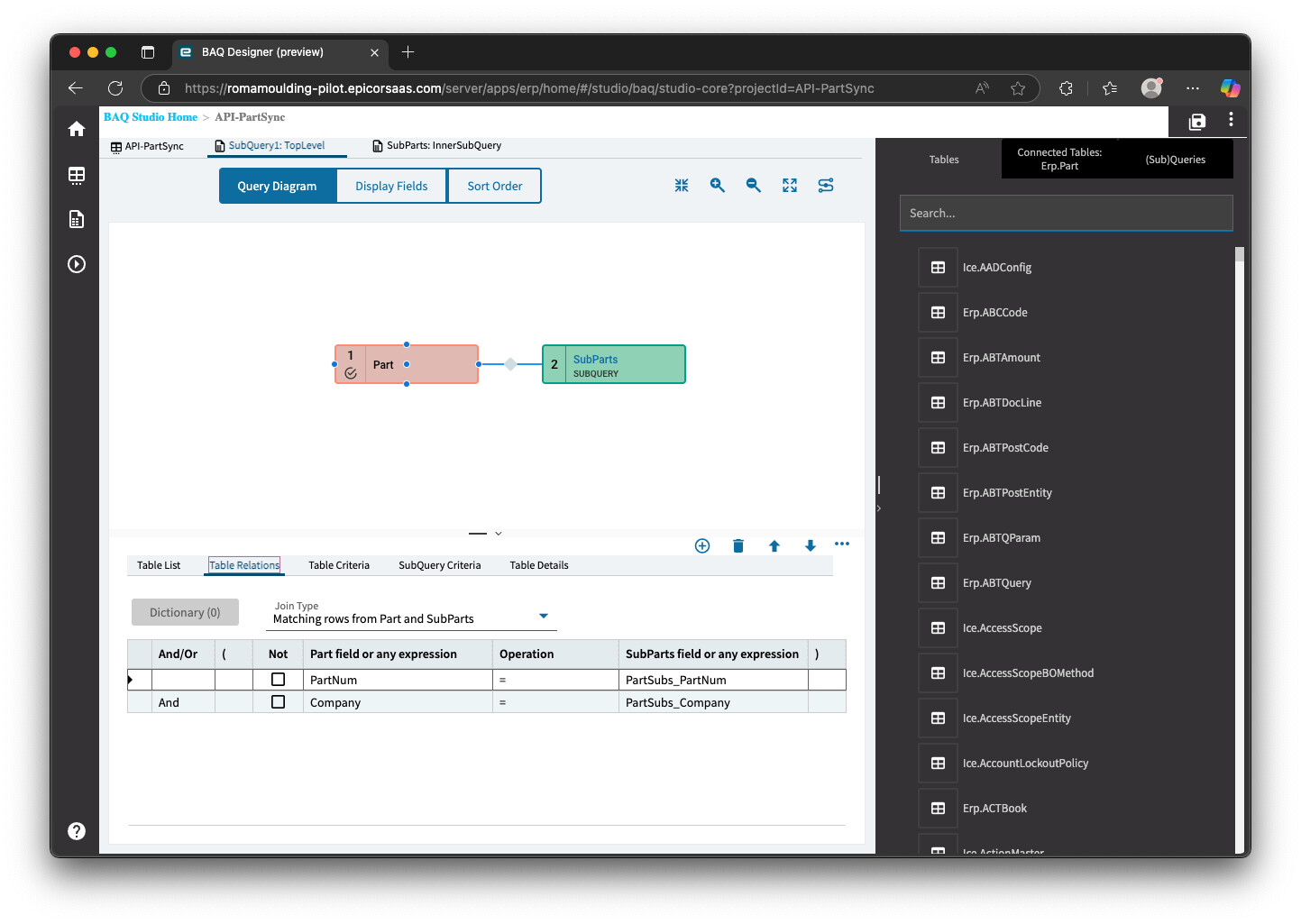
Technically, you don’t need this to be a subquery either. You can do it all in the top level, (like you were trying), you just need to bring the partSub table into the top level. Obviously depending on what your end goal is.
Performance would be a factor here. This BAQ is used frequently and ultimately it comes down do if the subquery aggregation or join is fastest. I suspect the subquery would be worse for when I’m searching for one part (since it has to aggregate the whole table and combinations before joining).
Where are you using the BAQ? It’s a pretty simple one, and I can’t imagine the minute difference being noticeable anywhere unless you are running it multiple times in some sort of automation.
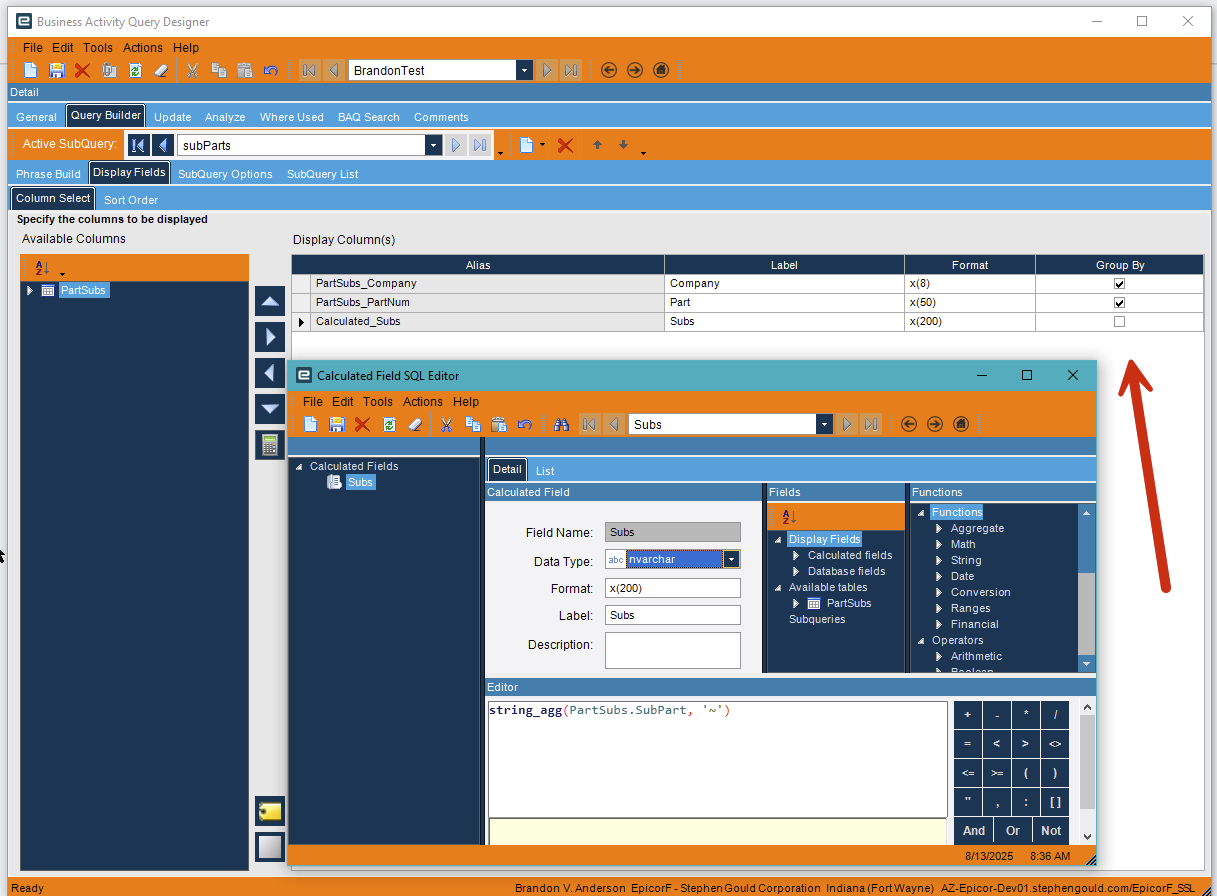
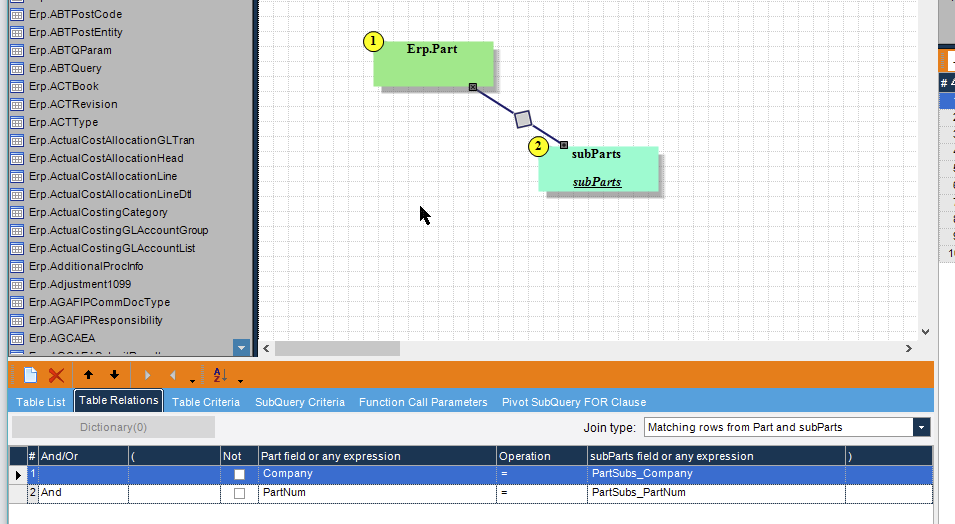
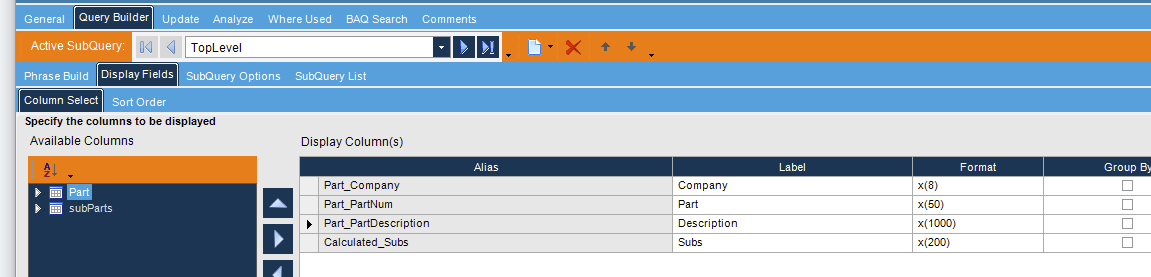
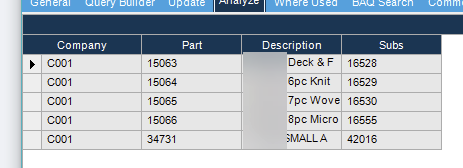
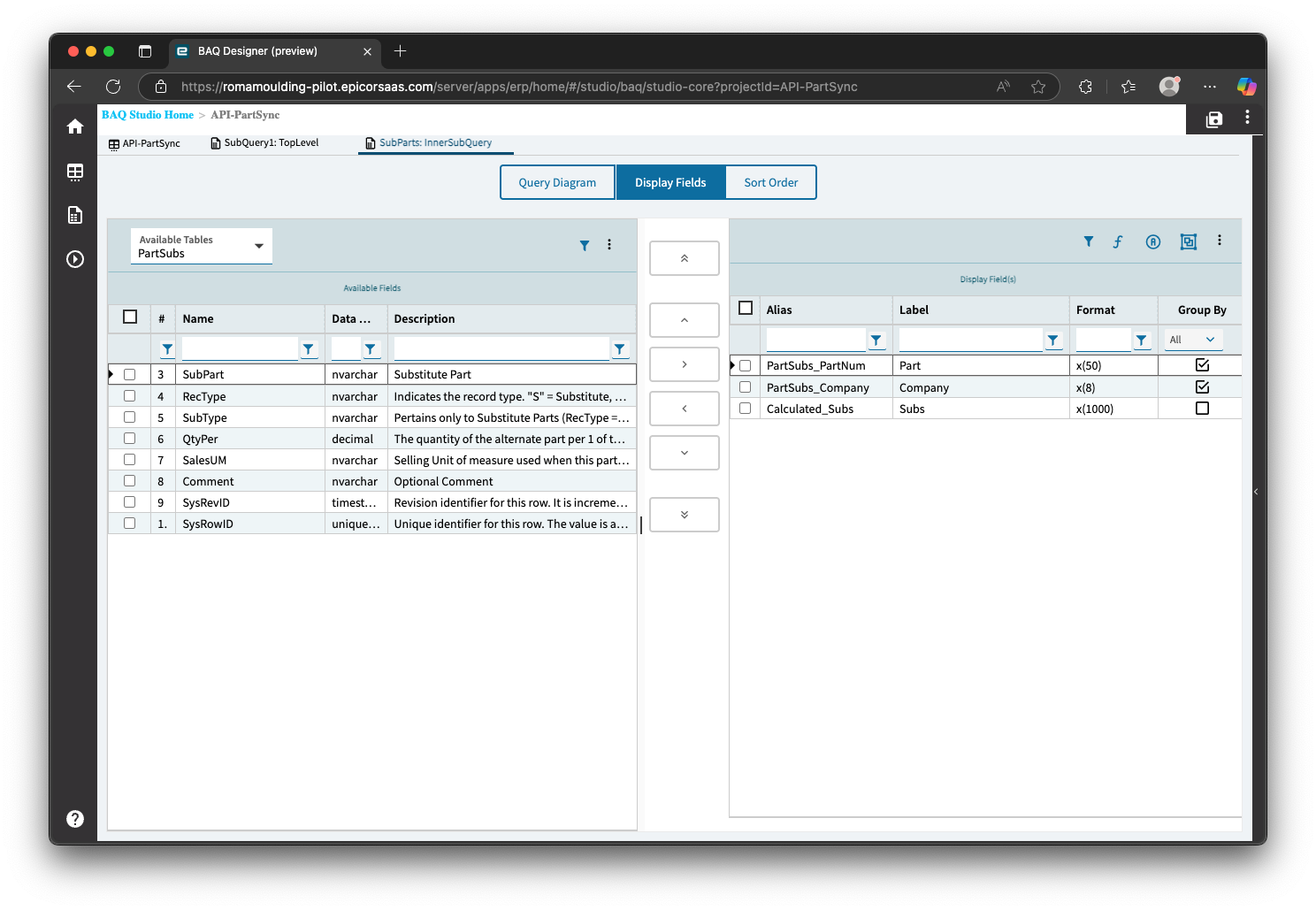

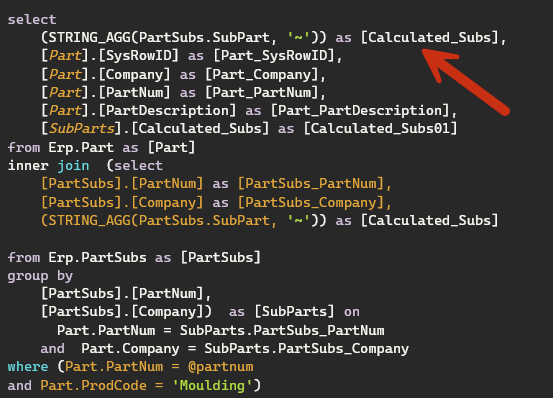

 thanks for catching my stupidity bahaha.