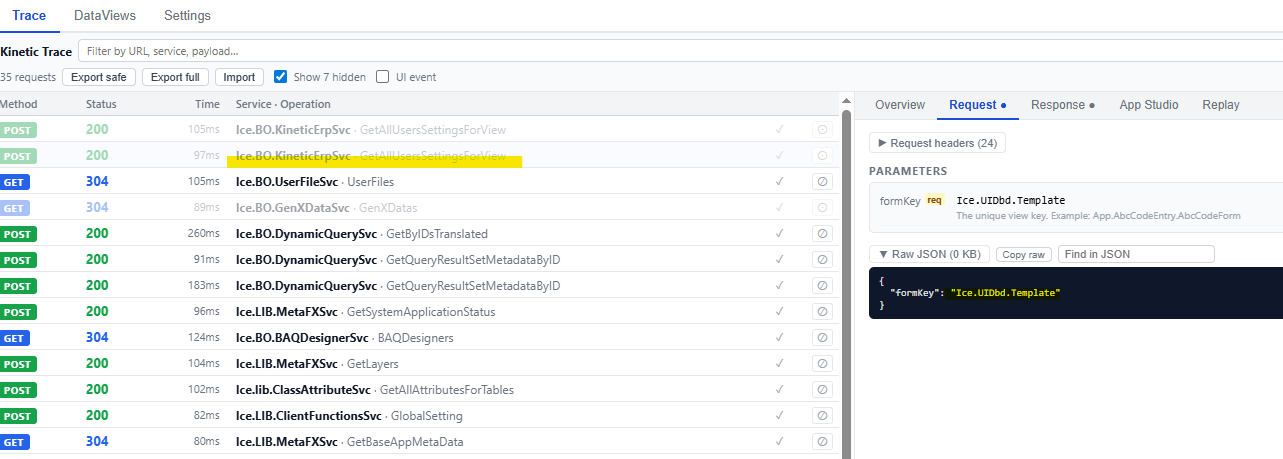
Version 2025.2.16, Public Cloud
I’ve been wrestling some App Studio behavioral issues in recent weeks and they’re seemingly fixed by launching App Studio in a new tab.
The two main issues I’ve been encountering, both intermittent (more often than not, but not 100% of the time):
-
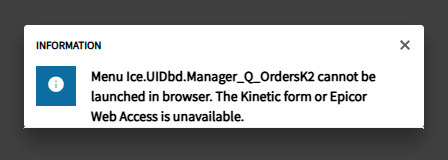
Issue 1: Error opening a custom kinetic dashboard for edits, on both the base and a layer. I get the error and I am unable to open the app. Error: “Menu Ice.UIDbd.Manager_Q_OrdersK2 cannot be launched in browser. The Kinetic form or Epicor Web Access is unavailable.” Which is weird because it seems like the error is implying that the system is resolving my custom kinetic dashboard to Classic? And the published dashboard opens with no error; this is only in App Studio
-
Issue 2: Customizations not reliably showing up in App Studio for certain apps. We’ve added a bunch of custom buttons to MES. The buttons are present on the published screen, but when I open or preview the layer in App Studio, they’re gone. I can’t edit them or even see them.
I tried clearing cache, different browsers, incognito browser, and different Epicor accounts, but nothing fixed either issue.
What fixed it: launching App Studio in a new tab. If I open App Studio in a new tab, the customizations are there and the error doesn’t occur on either base or layer. Both issues, on the two different apps, are resolved reliably. If I launch in place from the menu or my home page, I encounter both of issues on their respective apps.
Seems like open in new tab forces something to happen. Maybe something that breaks the application wizard? The wizard only shows up for me if I don’t open in a new tab… which implies to me that different things are happening behind the scenes depending on if you launch in place or launch in a new tab.
Anyone else seeing strange App Studio behavior if launching directly from the home page or the menu rather than opening in a new tab?
And is “always open App Studio in a new tab” just accepted best practice I never picked up on?