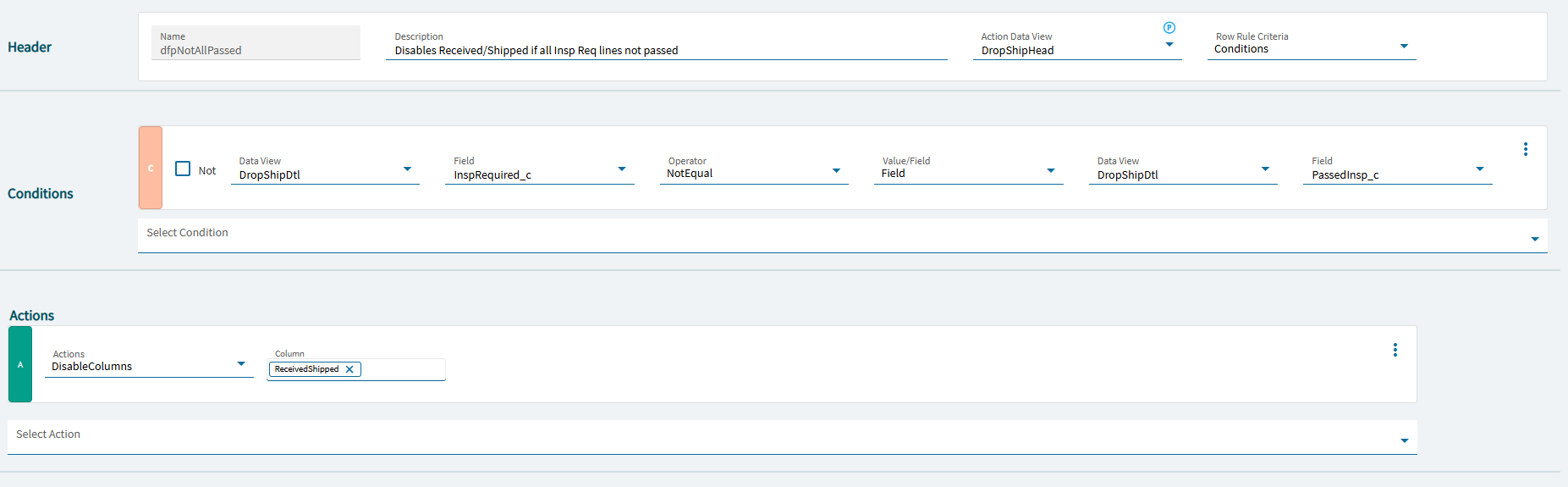
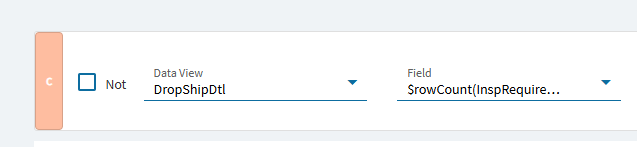
I’ve got a data rule for Drop Shipment Entry to set the DropShipHead.ReceivedShipped disabled based on the condition of two columns in the DropShipDtl dataview that I need it to evaluate all rows at once.
Currently it works according to whichever Drop Ship Line row I’m clicked on on the header, but I need it to work row-selected agnostic.
I was afraid of that, because then I have to it trigger in a multitude of scenarios. It–for me, at least–can be really hard to find the right trigger for events.
I have no doubt I can use an event to find the rows I want, then set the field I want to disabled/read only.
The struggle with that is then what triggers that? It’s not going to be just one thing. I need it to “just be” (i.e. how a data rule works) not fire off some behaviors, if that makes any sense.
If True: property-set the ReceivedShipped component to disabled = true If False: property-set the ReceivedShipped component to disabled = false
~*~
Then you’ll need probably a number of events to act as triggers:
After GetByID (for record loading) → event-next your master event
ColumnChanged_DropShipDtl_InspRequired → event-next your master event
ColumnChanged_PassedInsp → event-next your master event
(([CashBHed].[$rowCount] <= 0) OR NOT (%StatementPosted%)) AND ((([CashBHed].[$rowCount] > 0) AND %StatementImported%) OR ((([CashBHed].[$rowCount] <= 0) OR NOT (%StatementImported%)) AND ([CashBDtl].[$rowCount] > 0) AND (%LineIsCleared% OR %LineIsMatched%)))"
what is %StatementPosted% ? Maybe sysVariables dataview? Haven’t looked at the app but perhaps check it out. Might just need to add a sysVariables Dataview and then yeah set it like Dave shows or maybe that app has cluse on the ootb trigger pattern(?)
So this seems to work for loading the screen. However, it appears that the property-set widget is a transitive thing, because as soon as I refresh the screen or navigate to a line and back to the header the disabled property is back to false.
So, do I…
A) Keep creating trigger events to call my master event for every single case that causes it to revert (assuming I can even determine which all scenarios those are… this is why I desperately wanted this to be a data rule)? or…
B) Instead of setting the property in my master event do I do a row-update on TransView.MyWhatever and drive my data rule off that?
I’m thinking the latter and going to give it a try, but open to ideas.
I personally didn’t need any triggers on the Add New because by the point I have an inspector doing their thing all of that has been disabled after the drop ship pack creator marks it as ready to go. And the creator can’t fill in the inspection fields nor mark the pack as received/shipped.