Application Studio Condition behaving strangely with Integers

The first dialog box is showing Attachments: %OrderHedAttch.count% - this works

The condition widget has “{OrderHedAttch.count}” === “0” based on the structure in the help. It always goes to the fail dialog box.

I’ve also tried removing the quotes and no dice, it always goes to the fail dialog box no matter if the count is 0 , 1 or more.

Try (2) ==

(3) equal signs is a strict equality and will fail if one is an int and the other a string.

But (2) equal signs is a loose equality, so 1 == “1”

Worth a shot.

Thankyou, I agree worth a shot.

I tried that after right I posed

All of the following conditions always go to the failure dialog box:
“{OrderHedAttch.count}” == “0”
“{OrderHedAttch.count}” == 0
“{OrderHedAttch.count}” === 0

Trying each with both scenarios. Where the order has attachments and where it does not.

The dialog box that shows the counts is working but the condition is not.
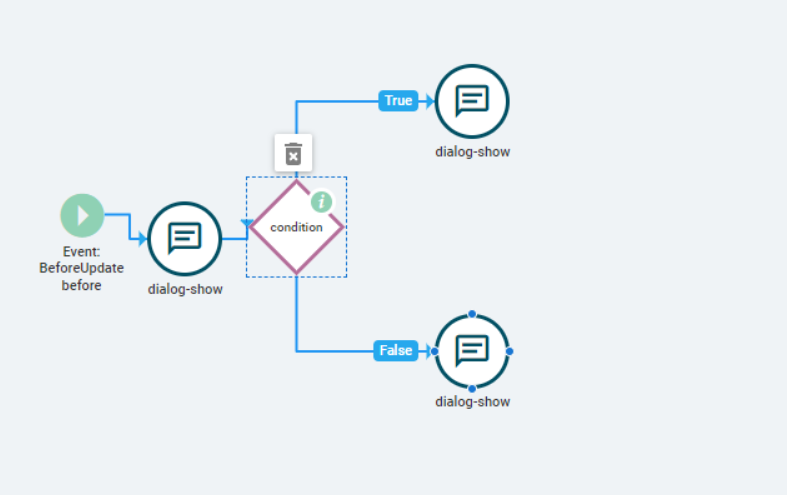
If I have to write a function that will be hard to explain ha

Hi,

Try changing your condition expression like this instead:

%OrderHedAttch.count% === 0

.count and .hasRow uses %%

%OrderHedAttch.hasRow% === false

That did it. Thank you!