I’ve been enjoying Application Studio but there are some things that doesn’t seems possible right now. For example, I would like, when clicking on a button, to reorder the grid columns as I wish and show / hide certains columns so the layout is always the same, even if the user customized their grid
I know that you can do some changes with the property-set event:
Enter the component id
In props, enter: gridModel.columns[0].hidden
Value: false
That hides the column at index 0
However, that assumes that the column is always at the index 0 (or whatever index I put there). But if a user drags a column to be the first column in their grid, the column at index 0 changes. So, there doesn’t seems to be a way to say ‘I want to hide column JobNum’ for example
I can’t think of any way to do it via Application Studio because the property-set doesn’t even work if I put variable in there (gridModel.columns[{sysGlobalVariable.index}].hidden where index = 0)
Just tried it in one of our layer and unfortunately it doesn’t work. I don’t receive any error and I tried changing the “ to " or ’ but nothing worked for me
I tried and found the same. Firstly, the PropertyName is static and doesn’t get evaluated using the expression language so that’s out. Then I tried other methods here, but reasons…
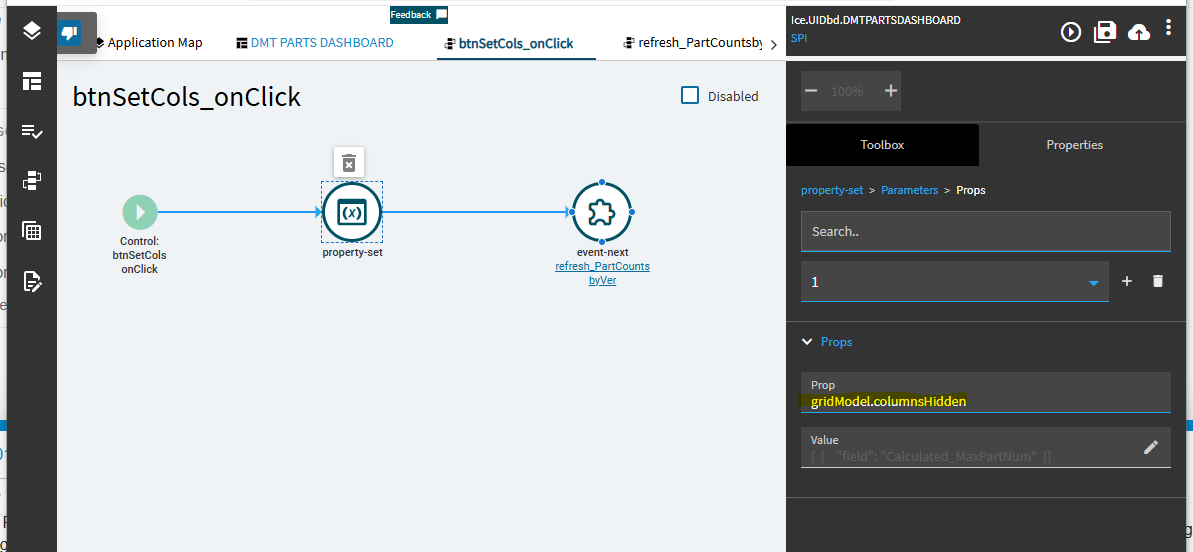
For hiding columns you can set the gridModel.columnsHidden property to an array, then refresh the grid like so: