Hi there,
I tried and found the same. Firstly, the PropertyName is static and doesn’t get evaluated using the expression language so that’s out. Then I tried other methods here, but reasons…
For hiding columns you can set the gridModel.columnsHidden property to an array, then refresh the grid like so:
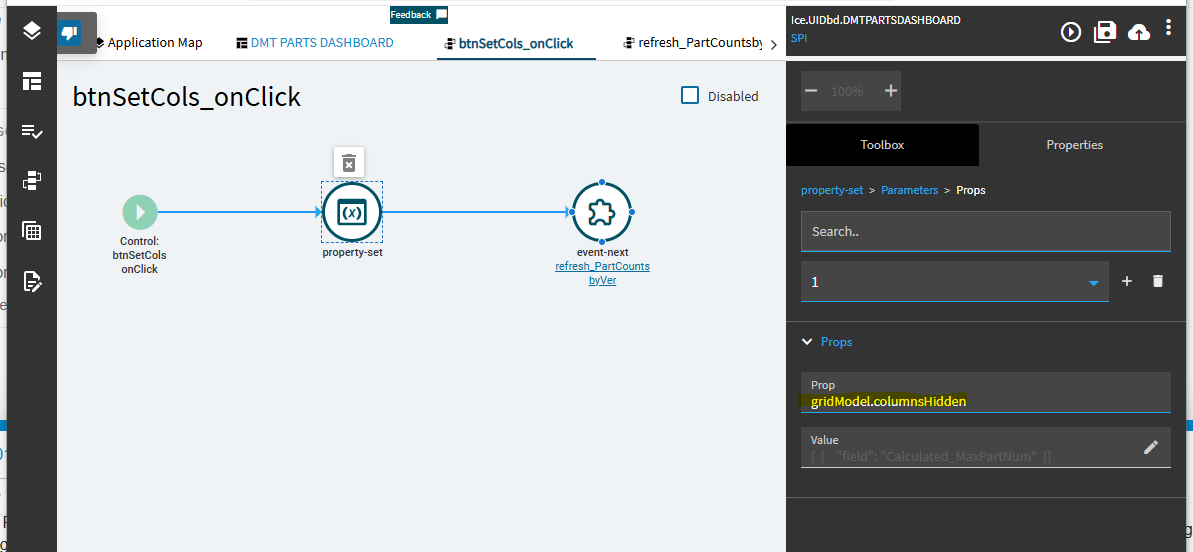
[
	{
		"field": "PartNum"
	},
	{
		"field": "JobNum"
	}
]
For reordering and changing the title, I think the only way is to overwrite the entire gridModel.columns array.
HTH,
Josh