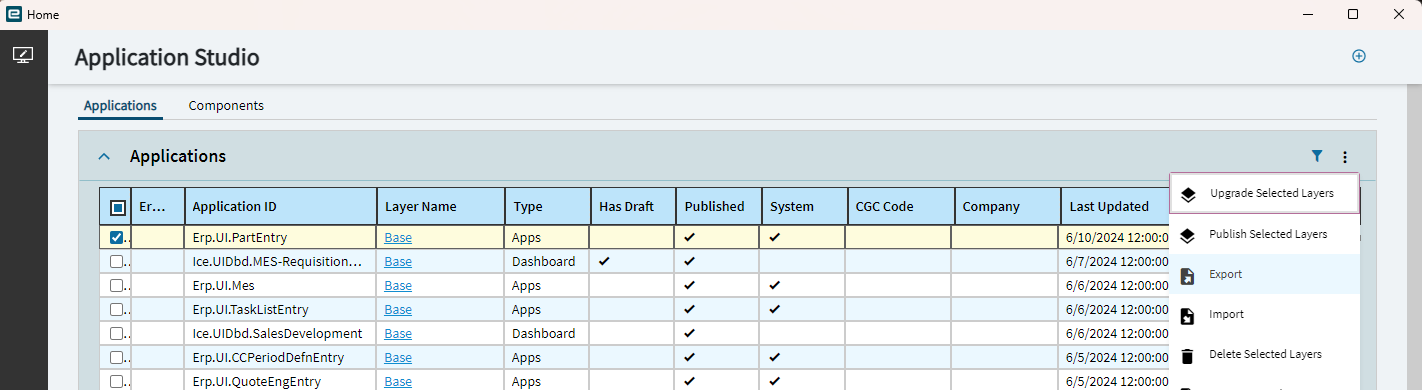
Hi All,
We are migrating from 2022.2 to 2024.1 and we are getting orphaned components on a number of screens.
I am planning to work on orphaned components in 2024.1 and save all of those under their current names.
How can i retain the work done in 2024.1 for application studio layers and when the database is migrated, I can import all the application layers?
dcamlin
(David Camlin)
2
You can export/import app studio layers via Solution Workbench.
dcamlin
(David Camlin)
4
Just remember that “importing” them doesn’t necessarily mean they’re turned on for a given menu item. You may need to do this in Menu Maintenance.
3 Likes
Hi @dcamlin
I did create a solution for it but it did not work. For testing purposes, I did the following:
- Created a solution for Job entry screen.
- Made some changes to the same layer and published it
- Now I wanted to revert back the layer to the one in the solution, so i installed that solution, but that did not work.