Edit: I guess I should add some more context since you’re new, lol.
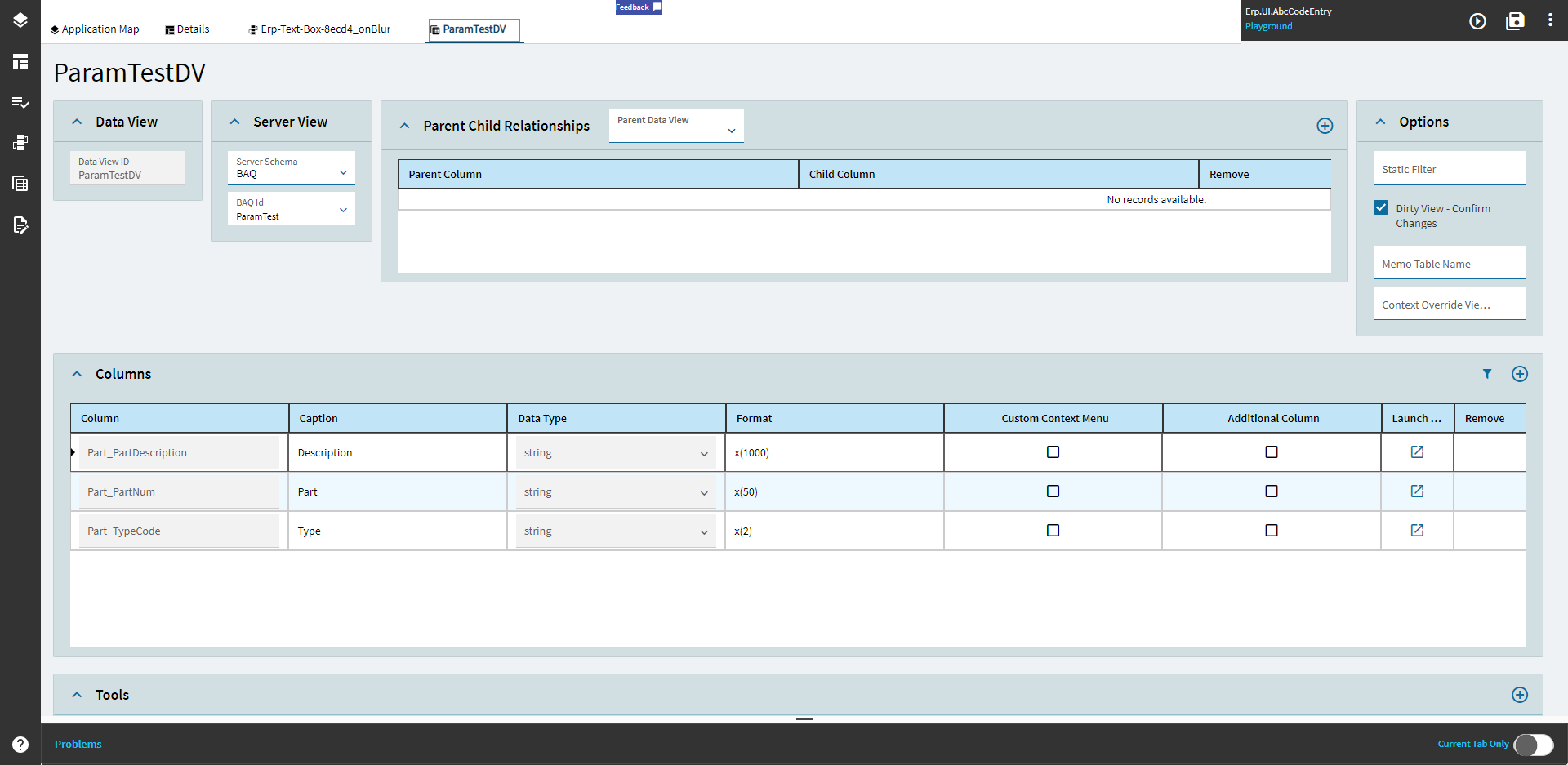
Create a BAQ Dataview to hold the results of the BAQ
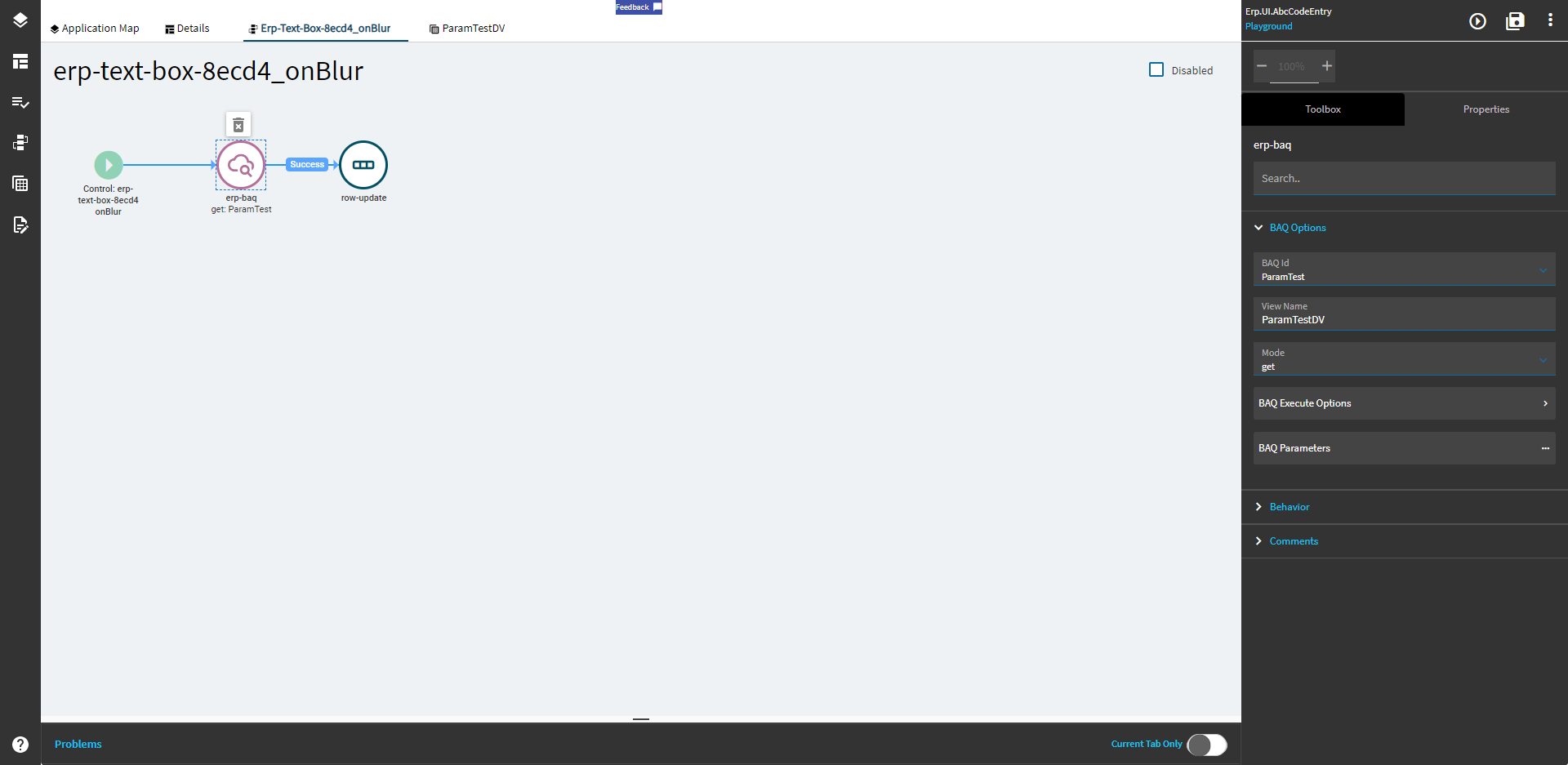
Create the onBlur event from your textbox and load up the BAQ in GET mode.
Assign it to a dataview as well, so the data has somewhere to go. I suppose, technically, you could probably use ActionResult, but setting it to a defined dataview makes it easier to follow along and understand.
Set the parameter to be {DataView.Column} which is dependent on what you set the epBinding to for your textbox
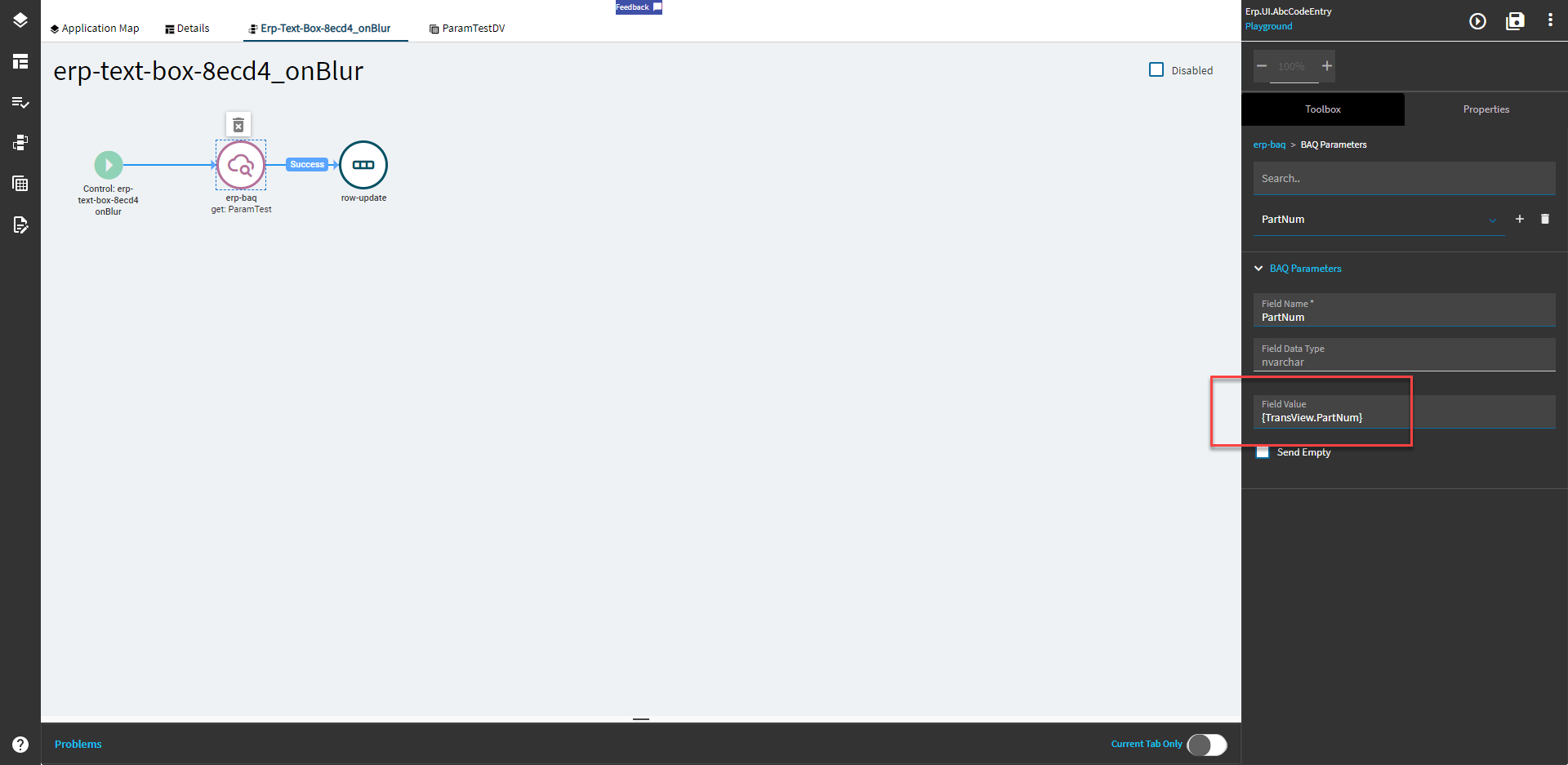
I’m using TransView.PartNum. TransView is a runtime view that gets created on the fly. If you have a defined dataview, that’s fine too.

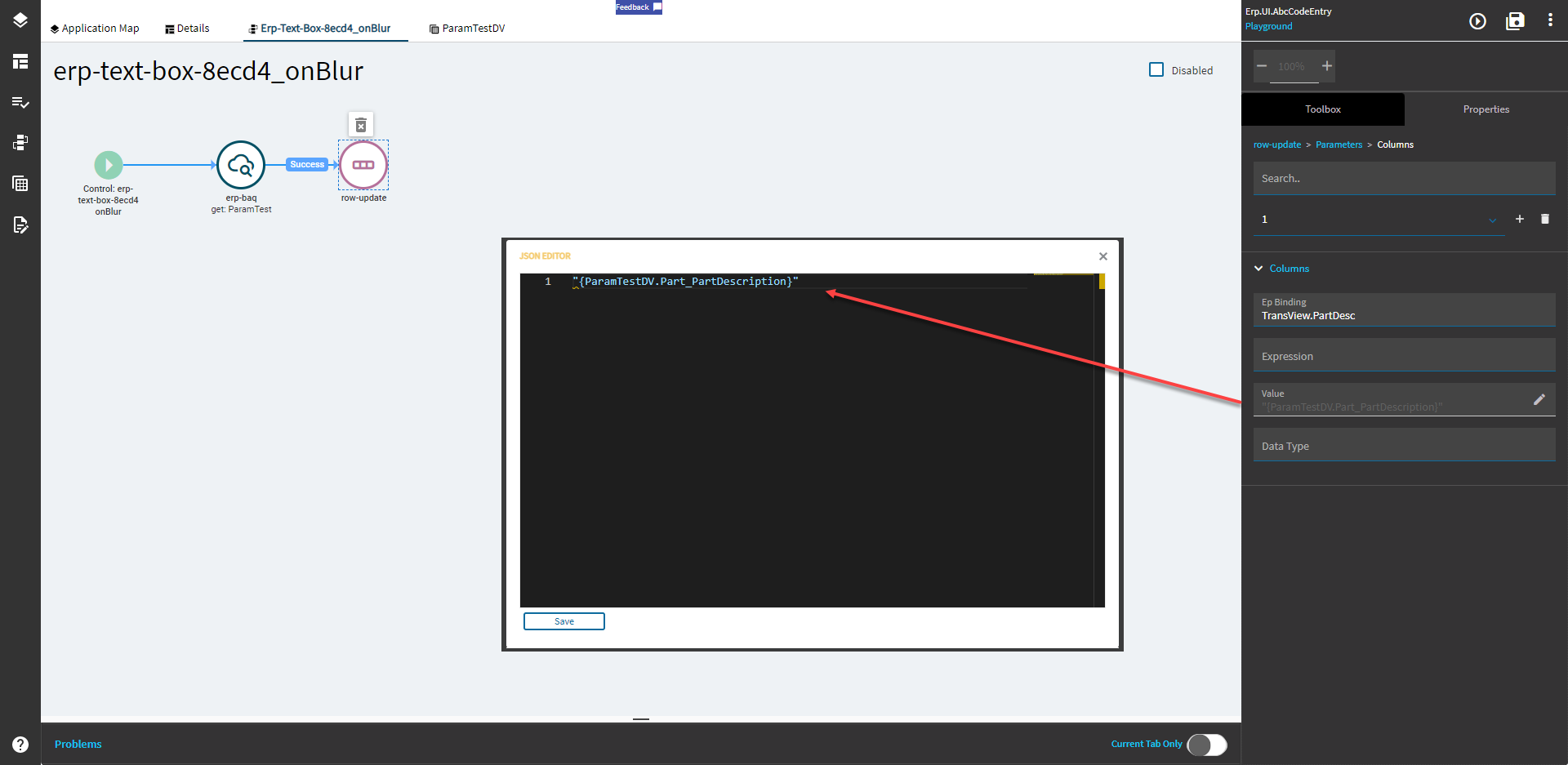
Not sure what you’re doing after the BAQ runs, but in this instance, I’m setting the result of the BAQ to the field TransView.PartDesc which is bound to the textarea below the textbox.
Results!
