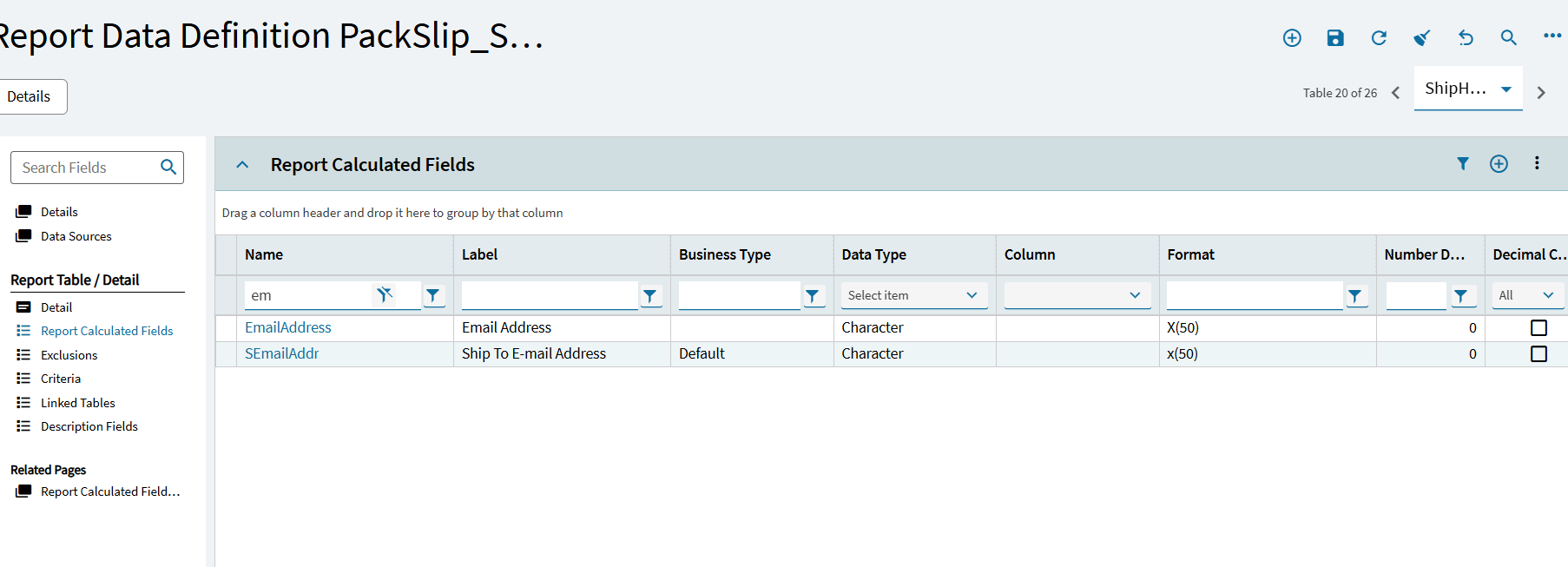
I have created an APM to email pack slips to our customers. I can see that in the ShipHead table there is a calculated field for email address (In fact there are 3 different ones see below) I have flagged the contact against the customer as the primary shipping contact but everytime I run the routing the email address in all these fields is always pulling through blank. Is this a issue/bug or am i doing something wrong? I want it to use the contact from the customer when ticked as primary shipping.
Hi John, the bill to on the ship to section of the order is set with the contact who is also down as the primary order and ship contact for that customer. I thought it pulled the email through from this?
Hi Luke,
Even though you can see the desired email address in the primary table that is used to generate the form, have you confirmed that the same field is actually included in the Report Data Definition for the form? If not, then I suspect that you will find that the field actually is not included in the RDD, as non-sensical as that may seem. In that case, be glad, 'cause you now have the opportunity to enjoy copying and modifying the RDD! After you’re finished with that fun, please consider voting for idea #363 (Modernize Report Data Definitions to include contact email addresses for all externally distributed forms) in Epicor’s Idea Portal.