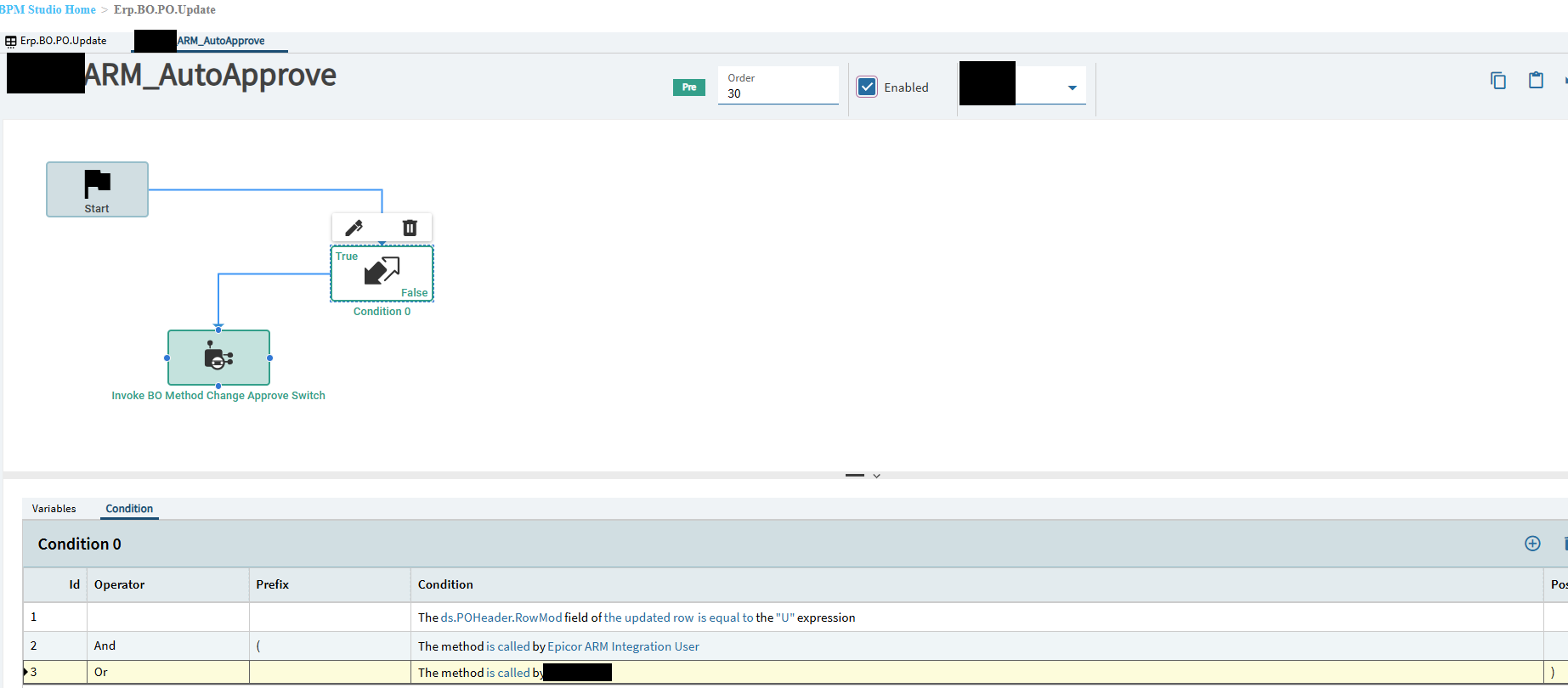
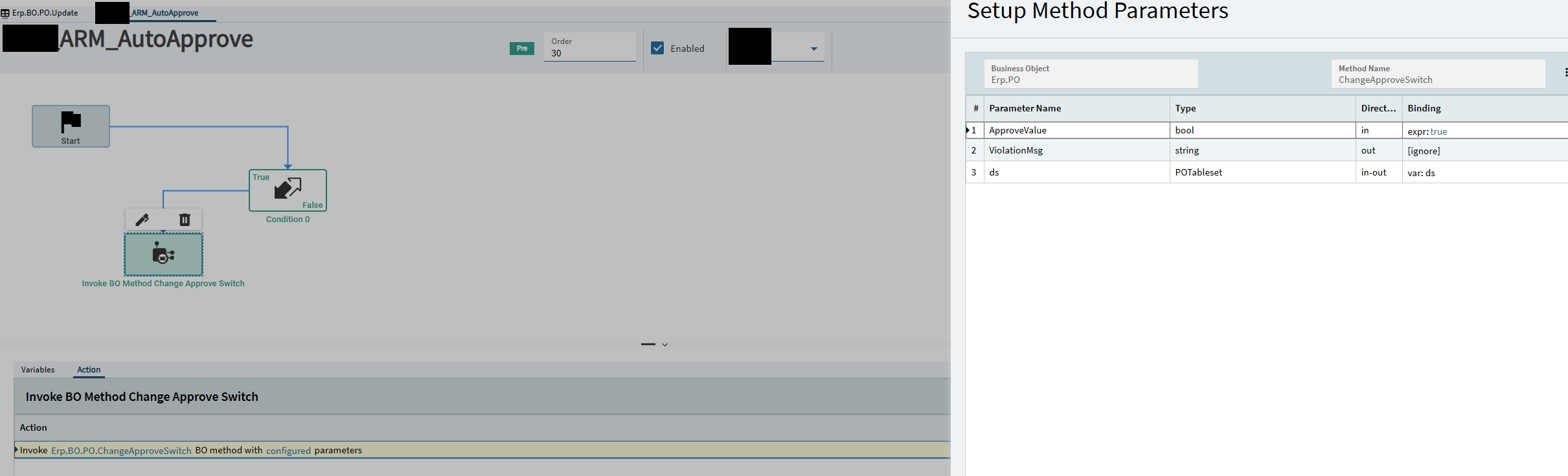
Hi, I wanted to share this with everyone. We use ARM (Advanced Requisition Management) and have encountered issues with purchase orders NOT being automatically approved after they are created in ARM. The BPM itself is simple, but it saves our users from having to go back into Epicor and approve the purchase order after creation. I couldn’t find this BPM anywhere, so I am sharing it here.
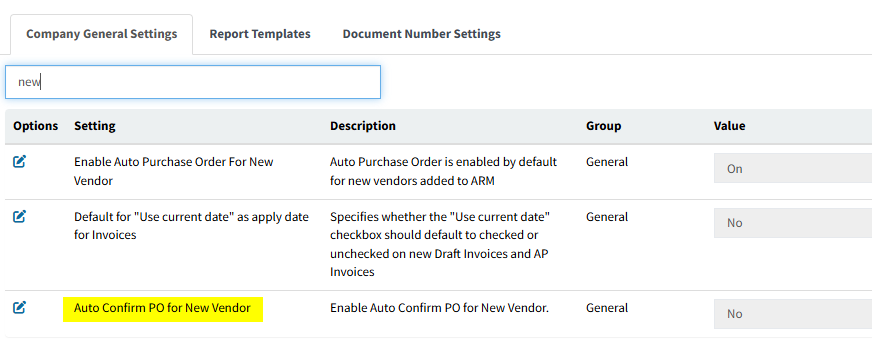
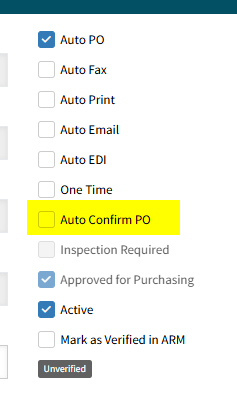
The configuration in ARM worked to auto-approve and confirmed, but not just auto-Approve. We spoke with our ARM representative and were told that we needed to create a BPM for Auto-Approve only.
Yeah, we had it set up properly and it still did not work. Like I mentioned above, we had to get ARM involved and they told us we needed a BPM. I posted this just in case anyone else ran into the same issue, but I appreciate your response
No, we didn’t seem to need any additional BPMs outside of the standard ones. We did have one of our own BPMs cause a problem with ARM, we tried to have some filtering on part classes to keep the list within Epicor smaller for setting up parts. That disrupted information going to ARM. If you have other BPMs on that same method, it maybe worth turning them off to confirm it’s not something else.
 I posted this just in case anyone else ran into the same issue, but I appreciate your response