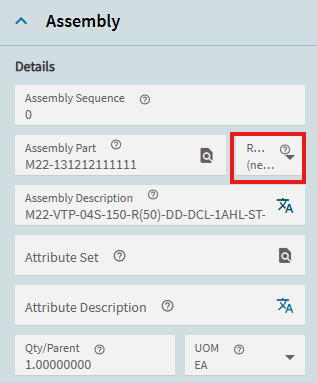
ASM 0 shows approved revision, but it did not bring in the Materials from the BOM

I am trying to figure out why ASM 0 in Job Entry shows the approved revision for the part we are pretend manufacturing (in our Pilot environment), but the Materials didn’t come thru from what was on that approved revision.

Since Material didn’t show we received error “No Assembly or Materials to Mass Issue for Job ### and Assembly No 0.”

It makes sense that we received this error because there were not materials shown on the job, but why didn’t it pull that information from the BOM and why does it show the approved revision in the Assembly card?

Sorry for the list of questions… just lobbing some things out to try to narrow down potential root cause.

  • Are the materials on the method Pull or Plan as assembly?

  • Assume the materials on the method have quantities/parent?

  • Were the materials on the method set to a particular Related Operation which got deleted/changed on the job?

The materials on the method are neither set as pull or plan as assembly.

Qty/Parent is set as 1 ea for all materials on method

Materials on method are not set to a particular related operation. Shows related operations as 0

Do you have more than 1 approved revision?

No, only one approved revision for this part

Did MRP create the job or was it created manually?
if Manually, did you get details to build out the job?

We did this manually. I’m not sure about the get detail part. Will test that out. Thank you!

Is the Effective date of the approved revision in the future? I’m not sure if this would cause the noted behaviour but it’s a quick check.

Get details builds the BOM.

Spoke too soon. The revision was not approved that is why I couldn’t get details in Order Job Wizard screen.

I have some more information.

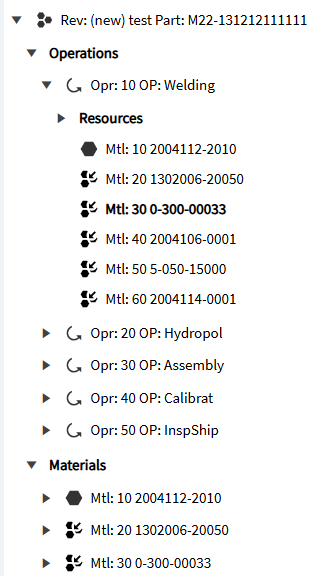
The revision has been approved, and the revision shows Operations and Materials in Method Tracker. The Materials in the Method Tracker are all Assemblies that have two or more parts to create that material.

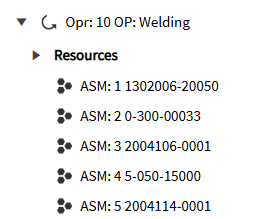
However, when we create a Sales Order and create a job from that sales order and select Create Job, Get Details, Get Schedule and Release the Job does not show any material and rather shows the material as an assembly under its related operation.

that is controlled by the settings of those parts on the method. They are most likely flagged as view and pull as assembly.

Ah, yes they are set as Pull as Assembly and View as Assembly.

So if those check boxes are set then it seems that when we are issuing material in MES Data Collection, it doesn’t show any material to issue…even though there are materials.