Hello Everyone,
I am facing an issue related to Serial Number Assignment in Epicor, and I am looking for a more efficient solution.
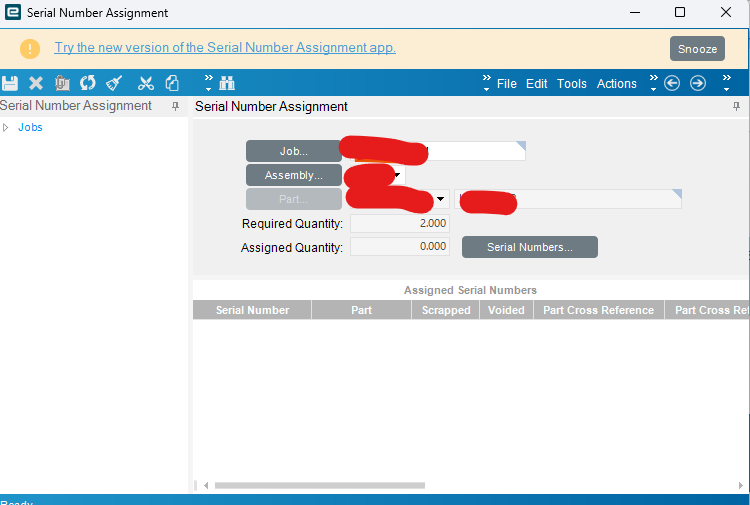
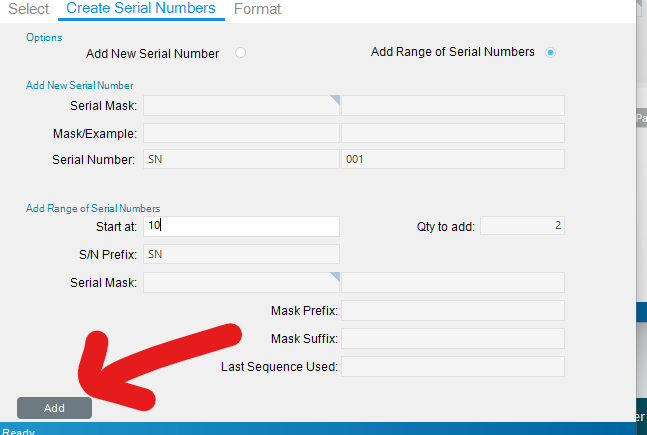
When we assign serial numbers manually inside Epicor, the system automatically creates new serial numbers based on the quantity.
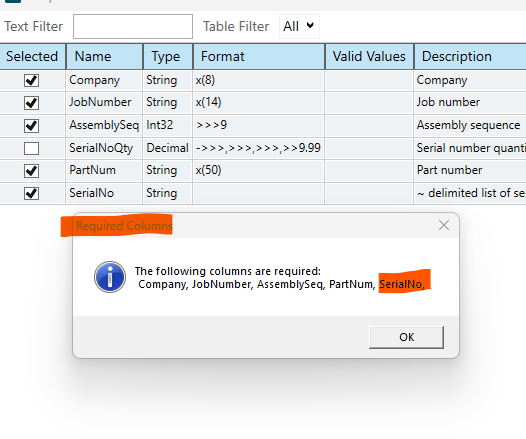
However, when we try to do the same using DMT, we must explicitly specify each serial number, which becomes a challenge.
DMT
Business Scenario:
- In our company, the same part numbers are used in repeated job releases based on requirements.
- For a single order, we may create 10–15 jobs, and each job can have 150–200 sub-assemblies.
- We have to manually go into each assembly and assign serial numbers one by one.
- This process is very time-consuming and error-prone.
Problem with DMT:
- DMT requires us to specify exact serial numbers.
- To do that, we must first manually find:
- The last serial number used for each part.
- This again becomes a manual and time-consuming process, so DMT does not really help in this scenario.
Requirement / Question:
Is there any way (standard Epicor functionality, BPM, customization, or DMT enhancement) where:
- I can provide only:
- JobNum
- AssemblySeq
- Quantity
- And Epicor should automatically assign the next available serial numbers, similar to how it works during manual serial assignment?
Any suggestions, best practices, or examples would be highly appreciated.
Thanks in advance.