We are looking to use the automated fulfillment rules to allocate sales orders as an initial step, then pick release at a later stage once the order is fully allocated (we have orders with large numbers of lines).
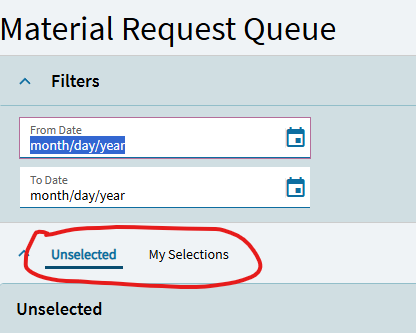
I have successfully created the automated fulfillment rules to do this, however when I run the second rule to ‘release to pick’, the STK-SHP material queue records are created, but then disappear shortly after!
I can see in the log that the releases are successfully released, and see them in the material queue initially.
The unselected queue entries are visible to everyone. One a queue entry is selected by a user, or assigned to a user or group VIA the Material Queue Manager, the queue entry moves over to the ‘My Slections’ tab for the user(s) the queue entry was assigned to or selected by, and you won’t be able to see it anymore.
This might be what is happening. You can view all queue entries, no matter who they are assigned to, in the Material Queue Manager.
is it possible that your 1st automated fulfilment rule that does the allocation and not the picking, resets the allocation/picking? so you could exclude the ‘in picking’ records there.