We have a BAQ that access what I believe are intermediate tables (TransGLC, GLJrnDtl). When we try to run the query nothing happens. No data is returned, there are no error shown in either the BAQ or on the application server event log, nothing. The buttons on the bottom of the Analyze tab become enabled. It says Executing Query on the status bar at the bottom of the form.
I have set the timeout to 600 as suggested in other articles but nothing seems to work. We have also adjusted the timeout settings on the application server as well.
What is going on with this?
Check the app server event viewer. It could be a time out or some other sql error like a divide by zero or invalid cast in a join.
Double check your joins and conditions. I can’t tell from your description if it’s returning zero rows or is stuck trying to return a billion rows, but the joins would be my first place to look regardless.
Throw in a Where Clause on the 1st table in the query on Company = @CurrentCompanyID and see if that runs the query, if it does then its a SQL Indexing Issue, which we actually just ran into @jgiese.wci and I, where without it the query would run for 20 minutes our was related to PartPlant table, which didnt make sense but the SQL Plans use totally different Indexes and one is fast, other one is extremely slow due to epicor injecting a CROSS Apply on SysCompany because PartPlant is related to Plant Security.
We’ve seen Queries break more and more in 11.2.200 FYI @JeffLeBert with all Trace Flags enabled as recommended.
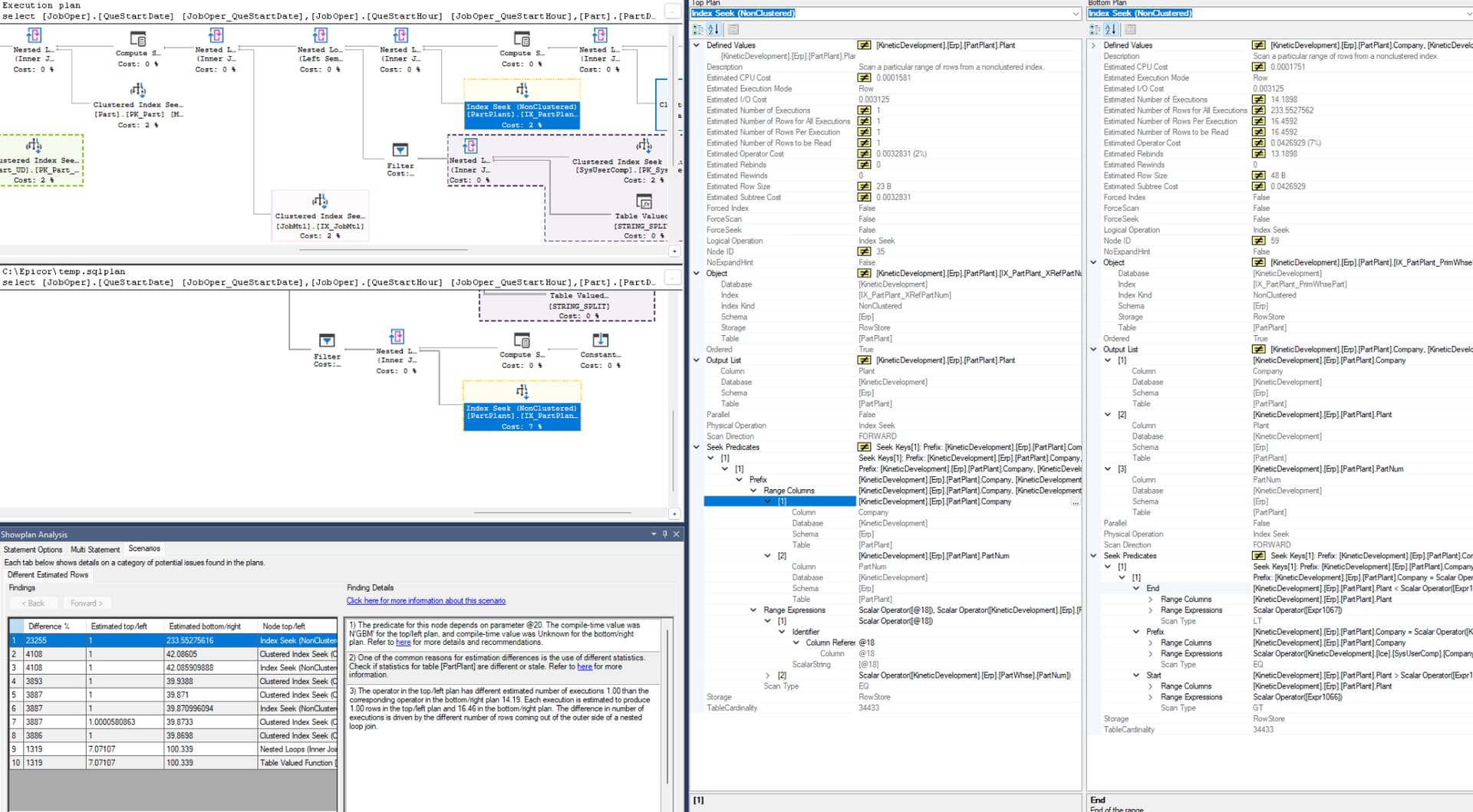
I said this before and I’ll say it again… Epicor should totally revamp all their SQL Indexes  with a magnifying lense. As soon as you run MRP it all is fragmented like 99%.

Left: Added Company to Where Clause
Right: No Company since its not a Cross-Company BAQ
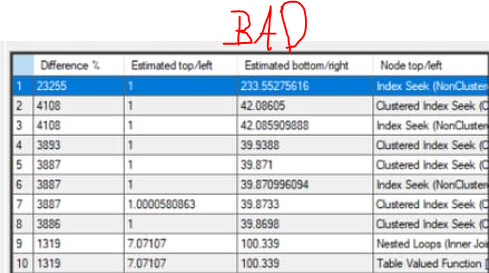
PS: Also the opposite is true, we had a Sub-Query with Company in the Join Relationships being slow, once we removed Company it was fast related to JobHead → JobProd.
4 Likes