Yes, I actually figured it out. I’ll document so others can see:
First, set up a new Process Set:

Second, create a new schedule on System Agent:
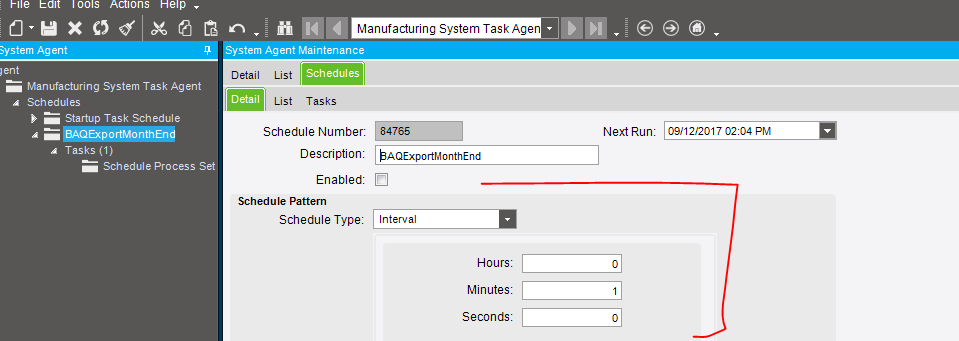
There are many schedule configurations but I did this at one minute just to verify it works.
Third, go to BAQ Export process and attach it to that schedule
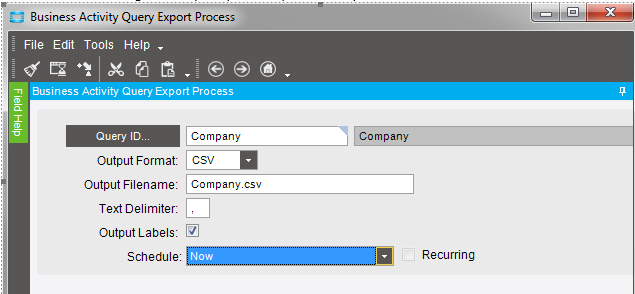
Output labels creates header labels.
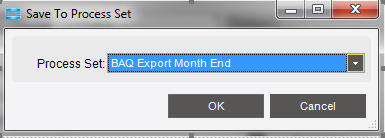
If you save this to a process set (second tool icon), you can attach to your schedule
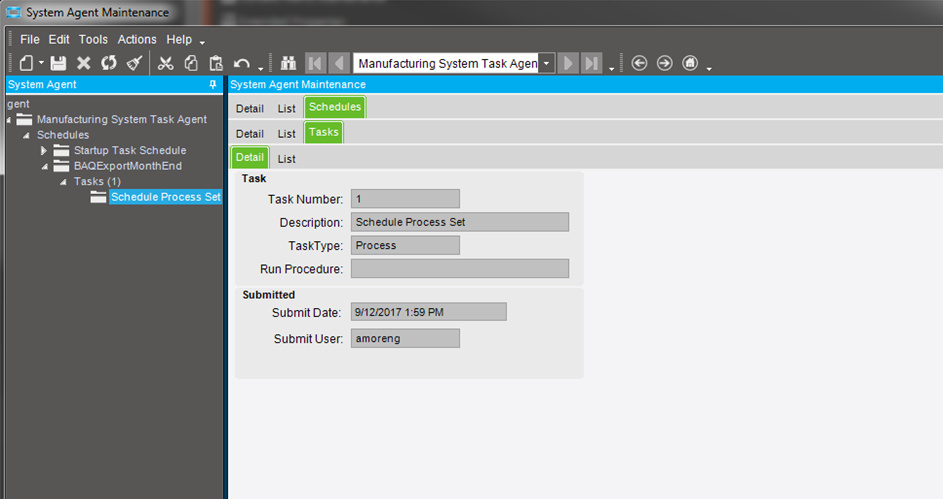
If you go back to your Process Set, you can see there is an attached task on it now.

Fourth, go to Schedule Process Set and hit submit to schedule this bad boy

You can verify it go scheduled by going back to the system agent and seeing the task there now.
The query results, at least with our configuration are located on the application sever under \servername\EpicorData\Companies\ {currentCompany}\Processes\ {userWhoSubmitted}
