Been following this topic and it’s been great at getting the BAQ data to load correctly but it’s bringing all columns through even though I’ve specified them - they look correct in design but when I preview the form it brings all the columns. Can anyone advise what I’m missing or if I need to design a specific BAQ with only those columns?
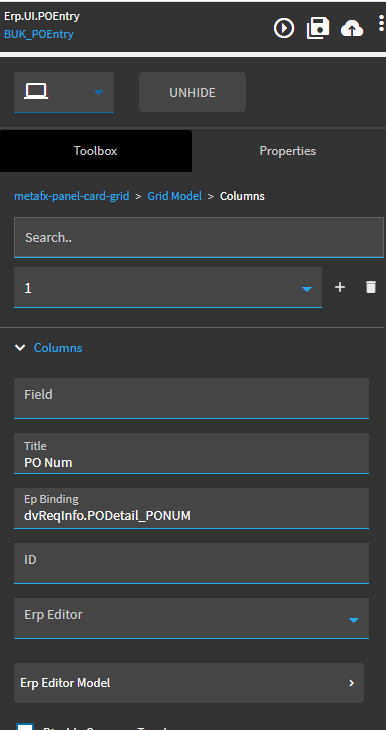
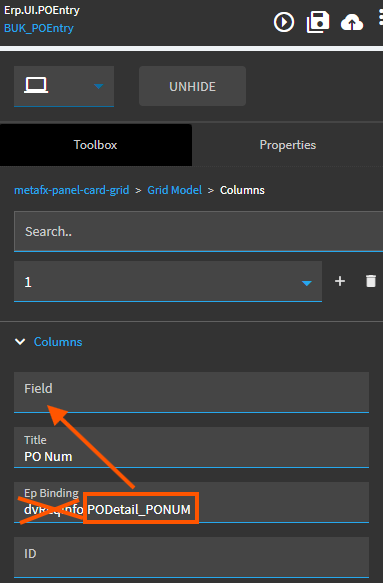
Also, not sure if you saw the note, but you do need to add the columns you don’t want and mark them hidden. You should note that even when hidden this way, a user can still unhide it through a personalization, so if you really don’t want someone seeing the data, remove it from the BAQ.
My understanding is
- the Dataview will have all columns in the BAQ
- the grid columns displayed, available, and requested depends on a hierarchy of viewOptions, providerModel, gridModel
All 3 have a columns collection and the inheritance is a bit murky.
From what I can tell, the ExecuteBaq builds a select list from gridModel.columns
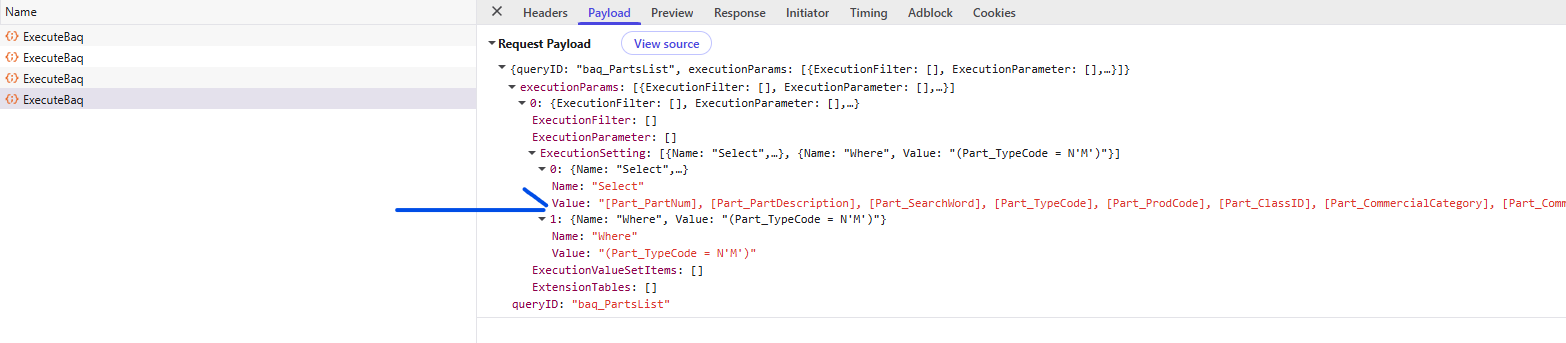
And Personalize doesn’t show columns removed from gridModel.columns.
So it should be fairly secure as far as the data not coming over the wire and users cannot add columns you don’t have in the grid.
Beyond that, viewOptions overrides providerModel, I think. But both use gridModel for select list. 
Huh, made me double-check because I’ve been doing it the fun way the past year or so.  You’re right though, I think my confusion might’ve come from using events to populate BAQ views rather than a grid / provider model.
Might help if any of this we’re documented. 
If it’s an updatable BAQ powered grid I think you need to have all columns in the grid but can hide the ones you don’t want to see
We’d need a 14-dimensional matrix to document cause n effect.

There is a nasty bug relating to this, if you did not include all columns on a uBAQ, any updated rows featuring a column not included in the gridModel.columns collection, but present and updatable on the uBAQ would null that column out on update. I really hope that one got fixed…
New grid, provider wanting, ground-up.
Thank you - this is now showing the columns correctly  It’s not an updateable dashboard but I do have some to do so will see how I go with the comments relating to that when I start on them.
Thank you everyone who replied - slowly learning as we go… takes me back to learning Vantage when we first moved to an actual ERP system!