I am creating a simple BAQ query listing the customer, part # and total sales by a date range entered by the user. I want to be able to see 2 additional columns: the previous years sales and the difference withing the same chosen date range.
I am stuck. I have somewhat limited knowledge of calcualted fields and any help would be appreciated!
Hello Vicki,
I would make a CTE that runs first with the same information, but for the table criteria us the do a dateadd to the parameters, then use the “specified expression” for the filter value use this formula “dateadd(year, -1, @start_Date)”
You would then have to join in the CTE to the top level query and use the “total sales” column from the CTE for prior year. To do the difference you can make a calculated field that is just the current year field - prior year field.
Hope this helps!
Evan
1 Like
Evan,
Thank you for the quick response. I am very new to this, and having a little trouble understanding what your suggesting I do. I am wanting another column with the prior years sales within the same date range in my result.
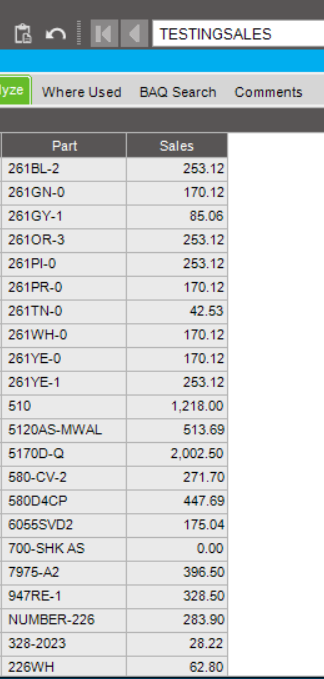
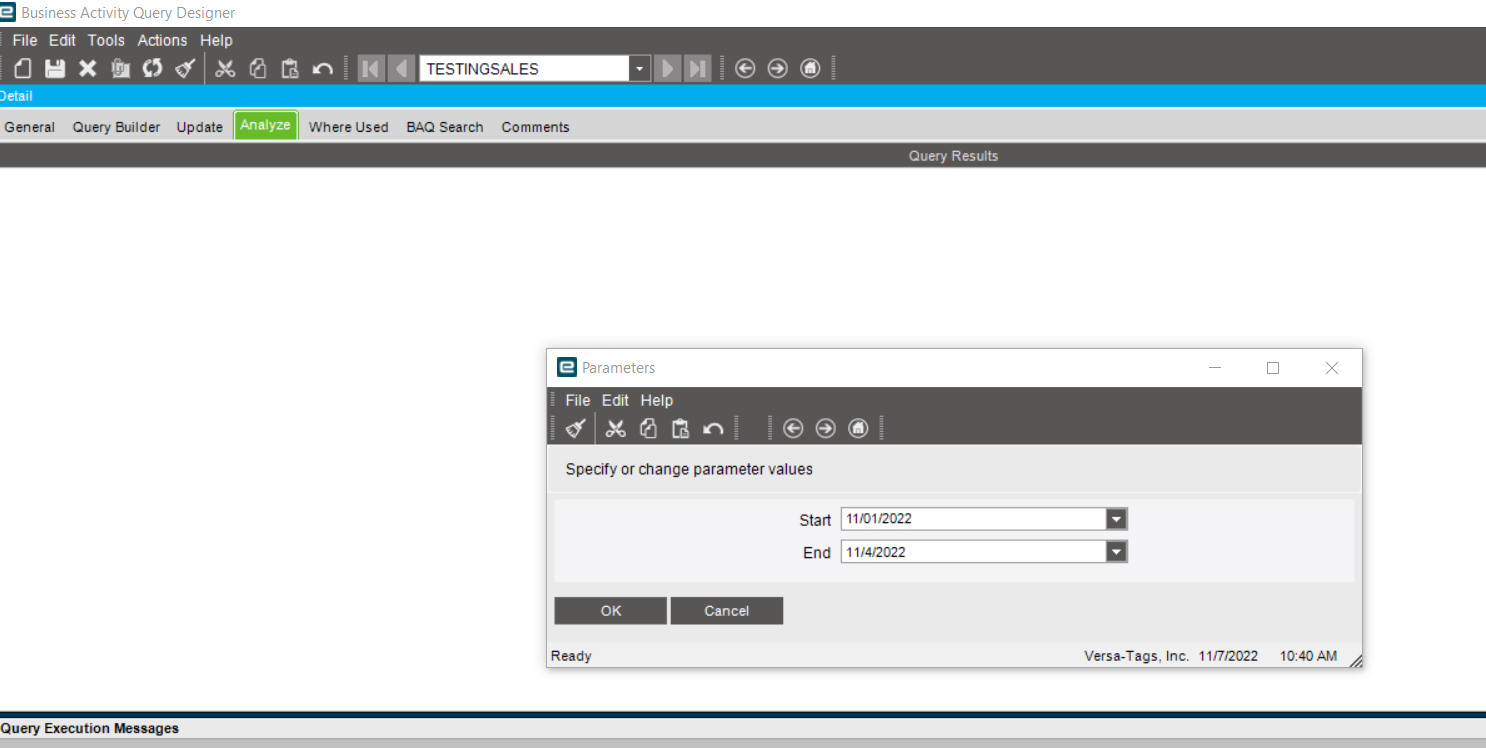
I am attaching snips to show what I have so far.
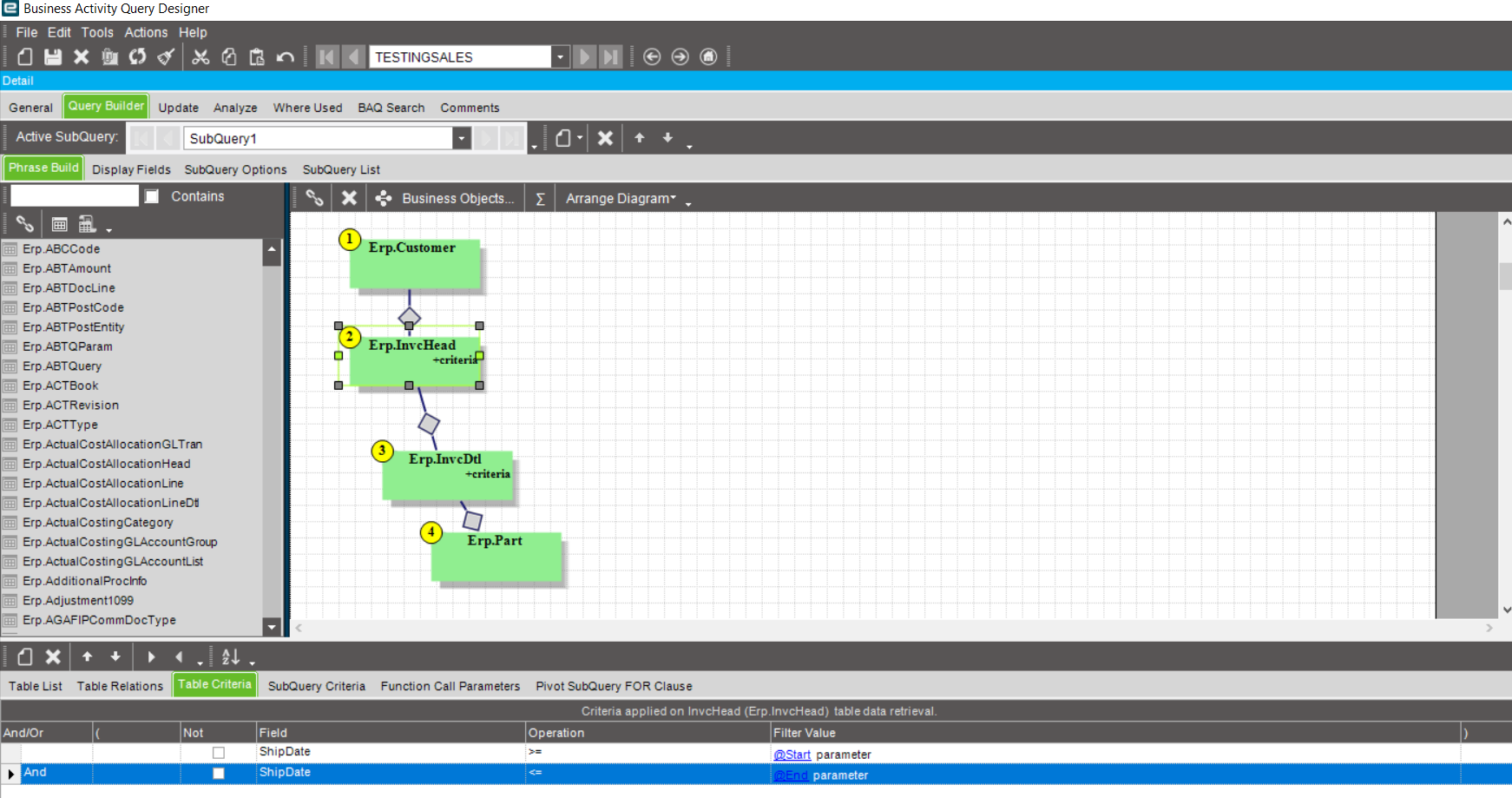
If you use the criteria ShipDate>=@Start and ShipDate<=@End you won’t be able to get previous/next years as it will limit the BAQ result to just the period you selected there. So you need to extend that to 1 year in both directions. In your criteria there, use an expression instead of parameters. You will have something like:
ShipDate >= DateAdd(year, -1, @Start)
ShipDate <= DateAdd(year, 1, @End)
You would then need 3 calculated fields that show the 3 periods: previous year, current and next.
Current should be like sum(case when ShipDate between @Start and @End then YourSalesValue else 0 end) - in case you used group by.
What I am suggesting is to create a CTE (Common Table Expression), and then join to that table. This means that you will be making a query that will create a table, then join that table to the main query you want to display.
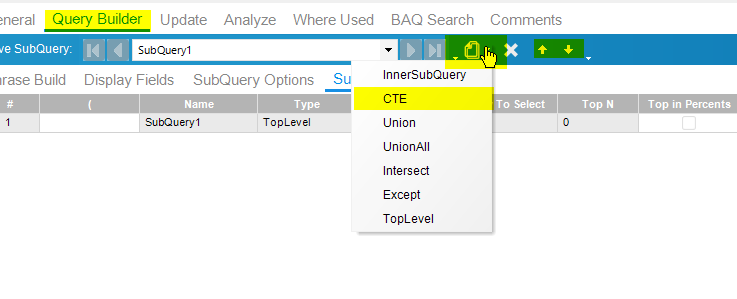
How to do that is to go to query builder->Add Subquery->CTE (you will need to move this to the #1 position on the subQuery list with the arrows next to add/delete)
Once you have the CTE created and in #1 position, recreate the same layout you currently have in the phrase build. (including the display fields)
Instead of using the filter value “specified parameter” use the one called “specified expression” for the CTE.
When you click on “specified” the expression editor will pop up, that is where you will enter the “dateadd(year, -1, @start)" (replace @start with your parameter).
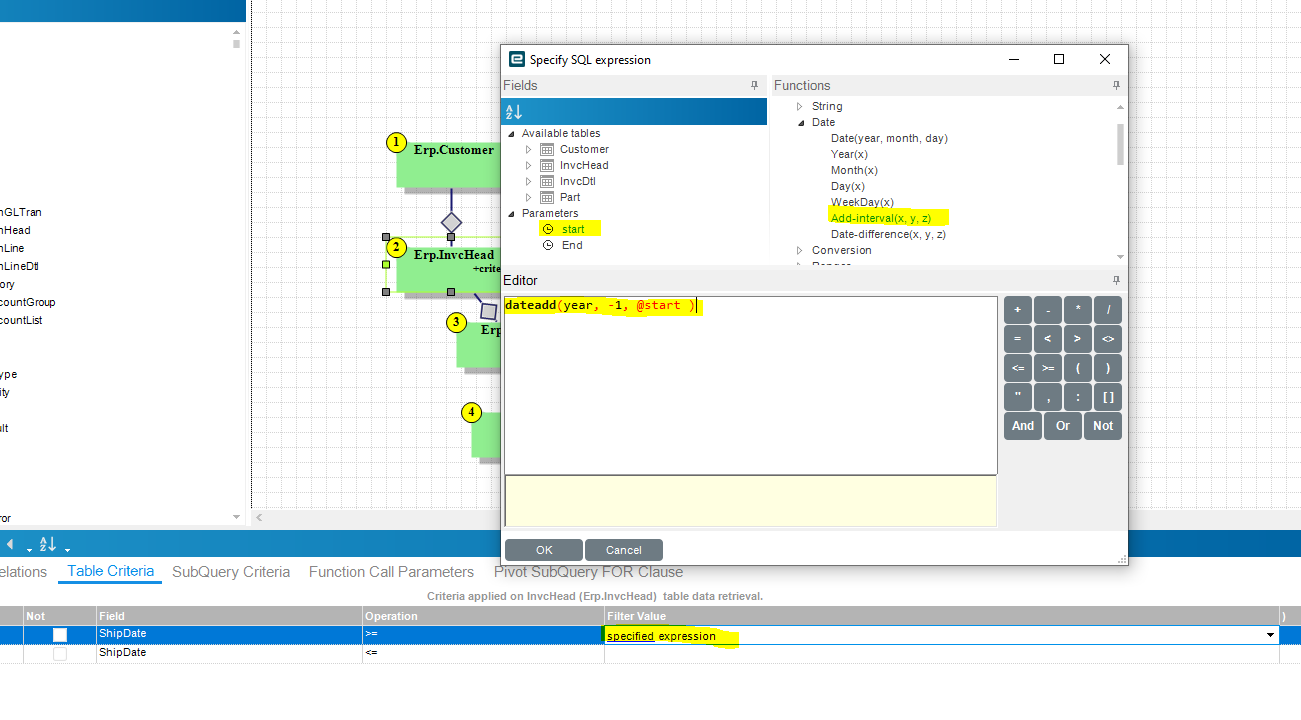
What this will do is run the CTE with the same time period, minus one year, as the original query.
Once that is done, you will be able to go to your “toplevel” query (SubQuery1) and add the CTE in as a table.
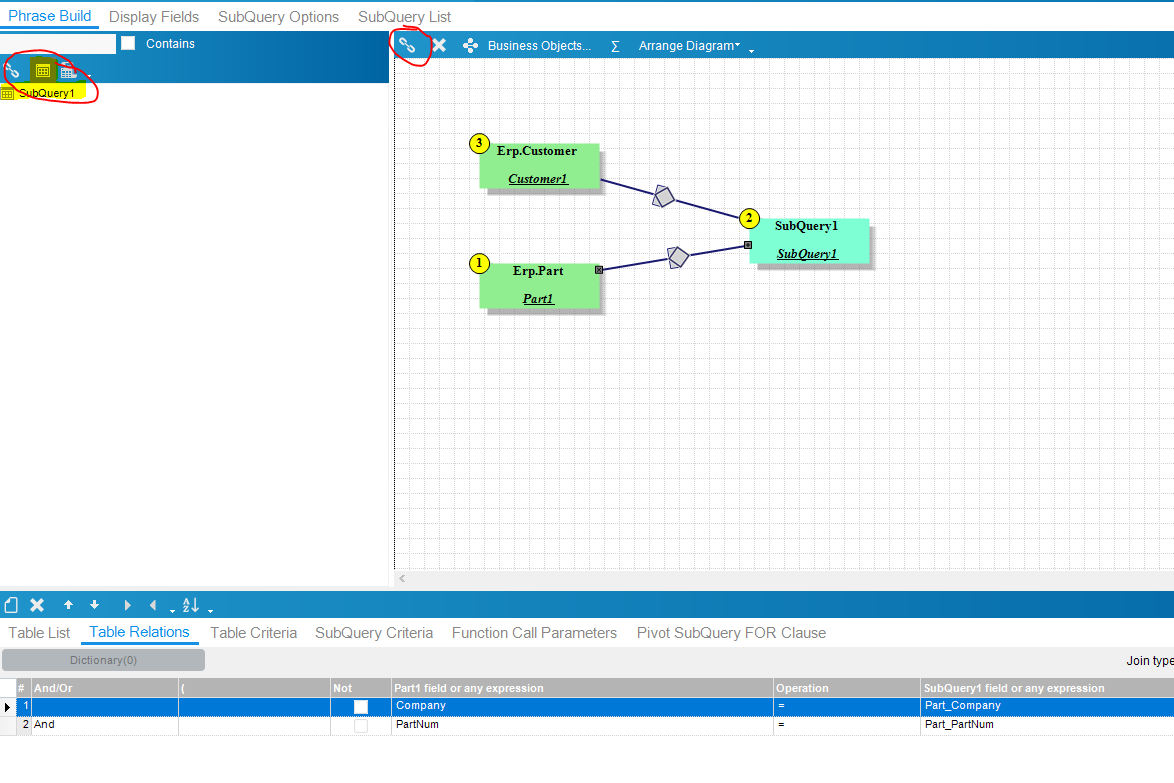
use the link looking tool to add a connection (click the button then click the first table you want to join then the second table)
In table relations, match the fields together that you want to match and change the join type to “all rows from table in your query”. The connection should change to look like the ones in the picture.
-Evan
1 Like
I was able to recreate this and get what I needed. Thank you for your help, it was truly apprecaited!