Makes sense with your RDD report that is BAQ based. I do see the RDD with the description “Report used by BAQReport…” with the Report Type ‘SQL Server Reporting’. If an RDD exists for that BAQ, is it a RDD based BAQ report already but I am still seeing the BAReportResult only in the report’s dataset.
If I create the BAQReport through BAQ Report Designer and save it, it automatically creates the Report Style and the RDD. Is this not the correct steps or do we need to manually create it through the Report Style and not through BAQ Report Designer?
BAQ report designer is not use when creating reports from BAQ based RDDs. RDD is created manually by adding the BAQs. Then you create Report Style and link it to the RDD. In the report style under Action you will use “Create SSRS report”. This will create a report in you Custom reports folder on the report server. From thereon it is just like any other SSRS report you can design the way you want it.
Does all the joins in the BAQ come over or do you have to manually re-add those tables into the RDD also and in the Report Builder sql expression? I didn’t see any of the tables in the RDD when I manually added the BAQ.
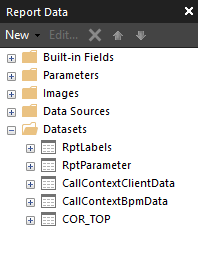
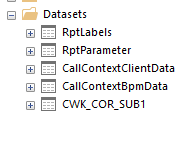
They will come over. You only add the BAQ in RDD and nothing else. When you go to design the SSRS report you will see all the tables and fields. Each BAQ will appear as a separate Data source.
Hello Fernando,
We are also a SaaS customer and I am also trying to build a custom SSRS report using an RDD and multiple BAQs. I would like the first BAQ to be the main report and the other BAQs to be subreports.
Error: Subreport could not be shown.
Path that I have taken:
Created RDD with the multiple BAQs
Created the Report style and created the SSRS report from the report style
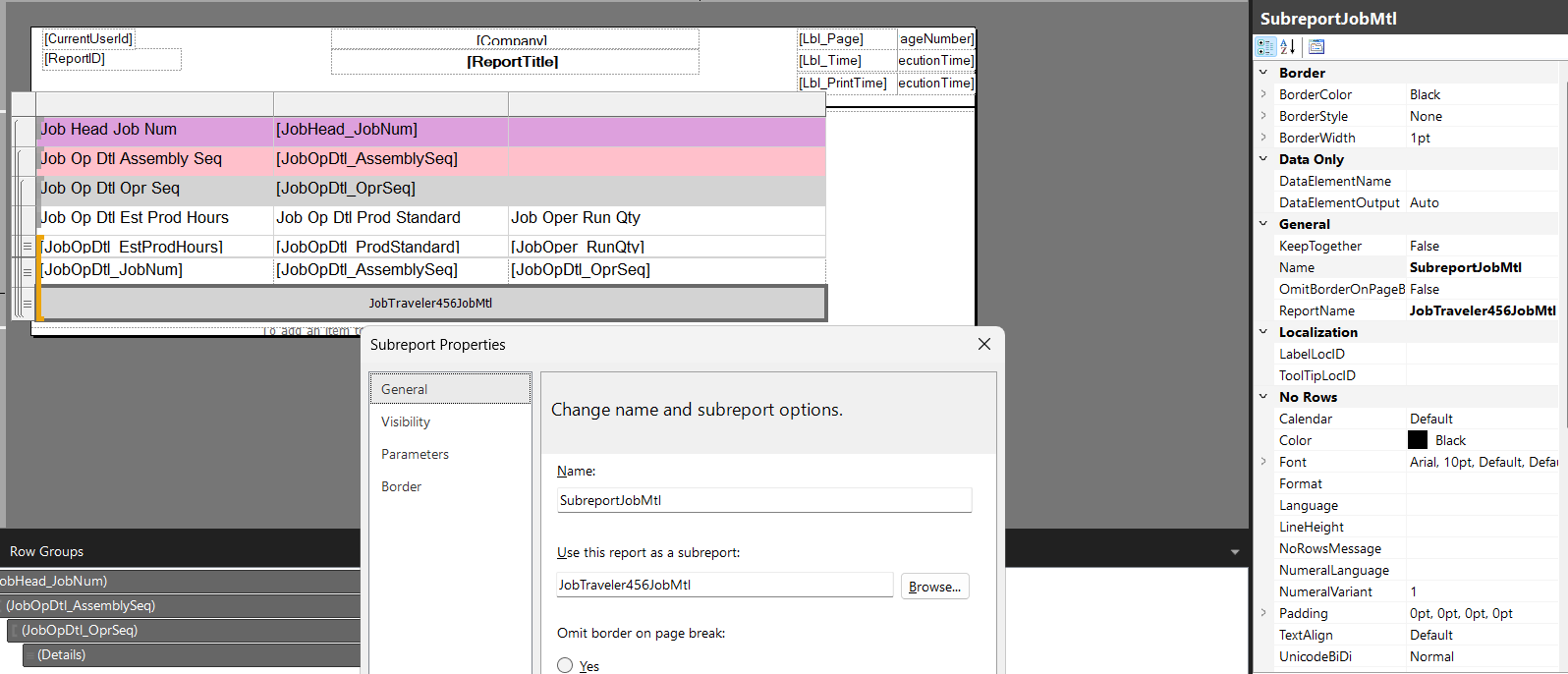
Copied the 1 report into multiple reports. The copied reports will become the subreport.
Built the first subreport with the first copy of the main report.
Added parameters and filters to the dataset of the subreport
Added the parameters to the main report in the Subreport parameters screen.
Tested the report and received the error that the subreport could not be shown.
When I try to trouble shoot, I try to get as much visibility to my problem as possible. On the main report, I tried to display my parameters. When I tried to display the parameter values I received this error:
Then I tried to go back to the smallest basics. I made the subreport a text box and deleted the parameters in the main report and subreport (removed steps 5 and 6).
As of right now, I can not even get a simple text box to show as a subreport.
Heide, I wonder if the subreport is actually in the SSRS directory. If you created a report style and put the path as the path to your subreport and tried to run that by itslelf, does it work?
In other words, if you created a second report style for your BAQ report and copied every field that your original report style has EXCEPT the path, and instead of the original path, you put the path to your subreport. In this way you can select the new report style and try to run it, which should, in theory, run your subreport, right? My though process behind this is, if you can’t run the subreport straight up, your main report won’t be able to either. This should confirm the report works. Maybe you have already validated this and explained that… if you did, I’m sorry if I misread it.
Thank you for replying. We are a SaaS customer and I do not have access to the server. When I work on SSRS reports I am not able to run the report (in both Microsoft Report Builder and Visual Studio). To test reports, I have to upload the report and then run it in Epicor. How would I just run the subreport by itself? I do not know how to do this and will need an explanation.
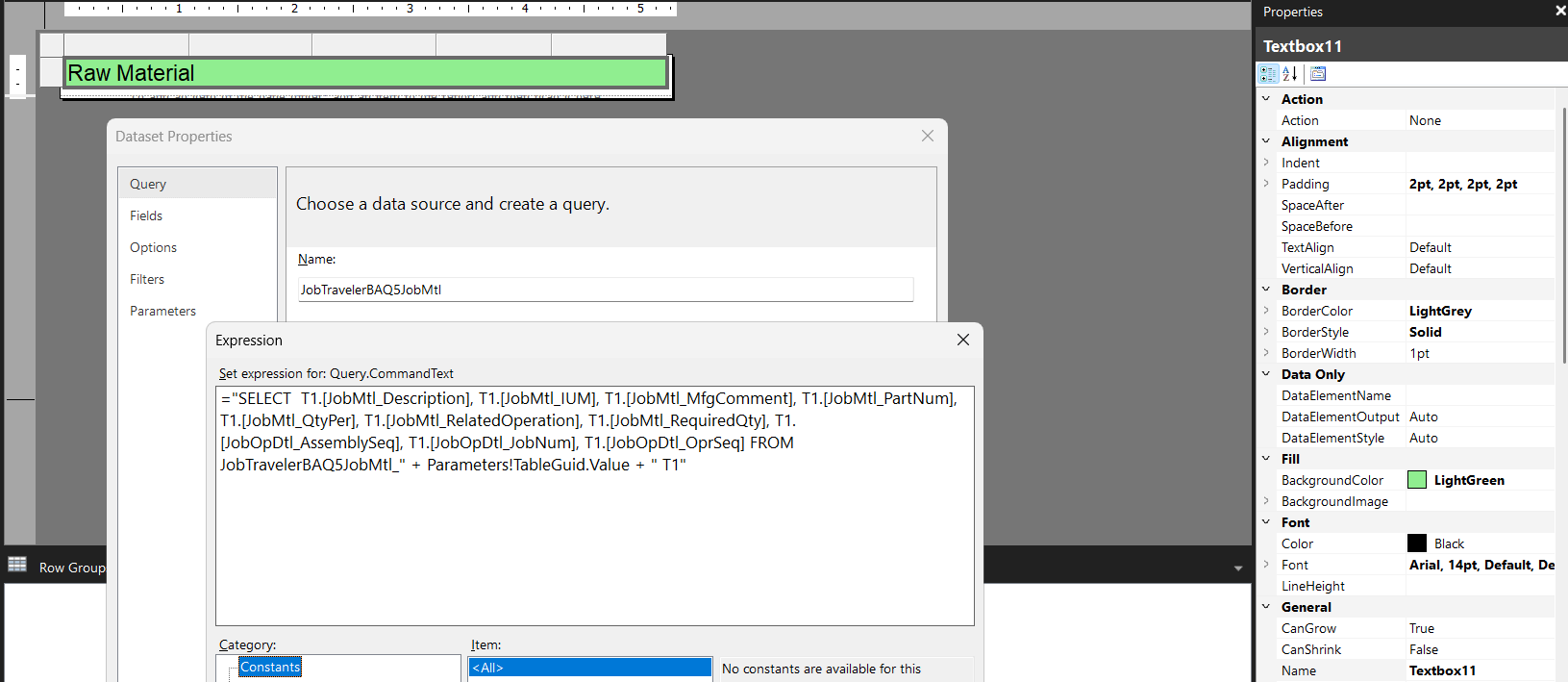
Its been a while since I added any sub reports with SSRS but if I recall correctly, I could have sworn I had to open the copies of the rdl files in Notepadd++ and fix some of the names of the BAQ and dataset’s.
All the steps you mentioned look right to me but after you made copies of the main report into multiple reports, I think you need to edit the XML in the rdl file so its pointed at the correct names of the sub reports and BAQs.
Apologies, Again its been a while but I remember having to spend a while combing through the XML and trying different things until I got it to work.
Same thing on the XML for both (Note, you’ll also need to delete the fields on the report that were copied over and add the correct columns for the Sub Report BAQ)
Main Report: </DataSet> <DataSet Name="COR_TOP"> <Query> <DataSourceName>DataSource</DataSourceName> <rd:UseGenericDesigner>true</rd:UseGenericDesigner> <CommandText>="SELECT T1.[Table_ColumnName] FROM COR_TOP_" + Parameters!TableGuid.Value + " T1 "</CommandText> </Query> <Fields>
Is that how it looks on your set up as well? Next thing I would check is the parameters and RDD set up. Then maybe what @utaylor said and start doing a process of elimination and try to get the main report to run by itself to confirm it works.
Fernando, I’m going to be honest, I’ve never tried to make a sub report in a BAQ report, but just based on what we know about SSRS reports so far I’m trying to use logic to ensure that the subreport even works, before I try and figure out the rest.
simply making a report style for the subreport (if they use the same RDD) would let us know that the subreport works.
Agreed, that’s how I would approach it as well. Verify the main report works first, then get the sub report to run on its own, and at that point you can start to combine them.
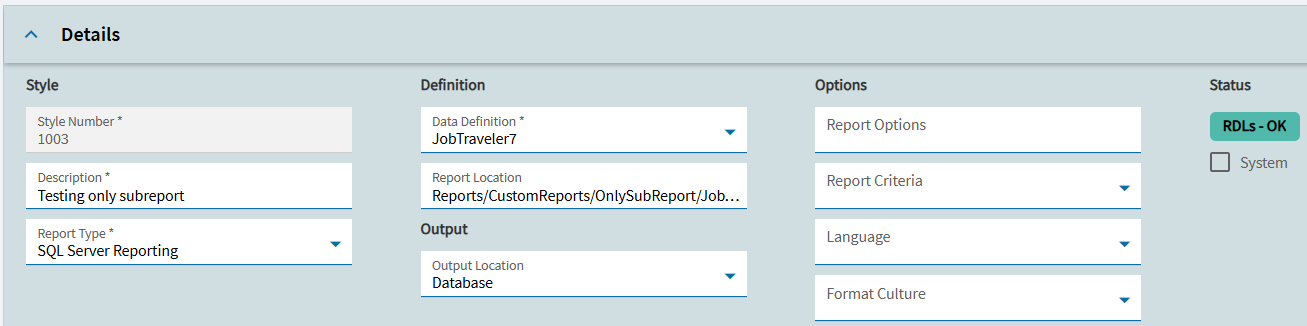
I created a new report style to test if the subreport would run as a stand alone. It ran.
At first when I created the stand alone subreport, I used the subreport name JobTraveler7JobMtl. As a SaaS customer, Epicor creates the Report Location Path. My path is Reports/CustomReports/OnlySubReport/JobTraveler7. The JobTraveler7 file name comes from the Report Style Report ID. When I tried to upload the file name JobTraveler7JobMtl, I received an error “no report found in the specified locations”. To resolve this error, I renamed my subreport to JobTraveler7. This allowed me to run the subreport independently and to test that is ran.
No. The main report is named JobTraveler7. The subreport is named JobTraveler7JobMtl. I was unable to run the subreport as a stand alone without renaming it to the main report name.