@sfrank I’m guessing this is what you mean. Keep in mind, I’m not an expert but these are working for us.
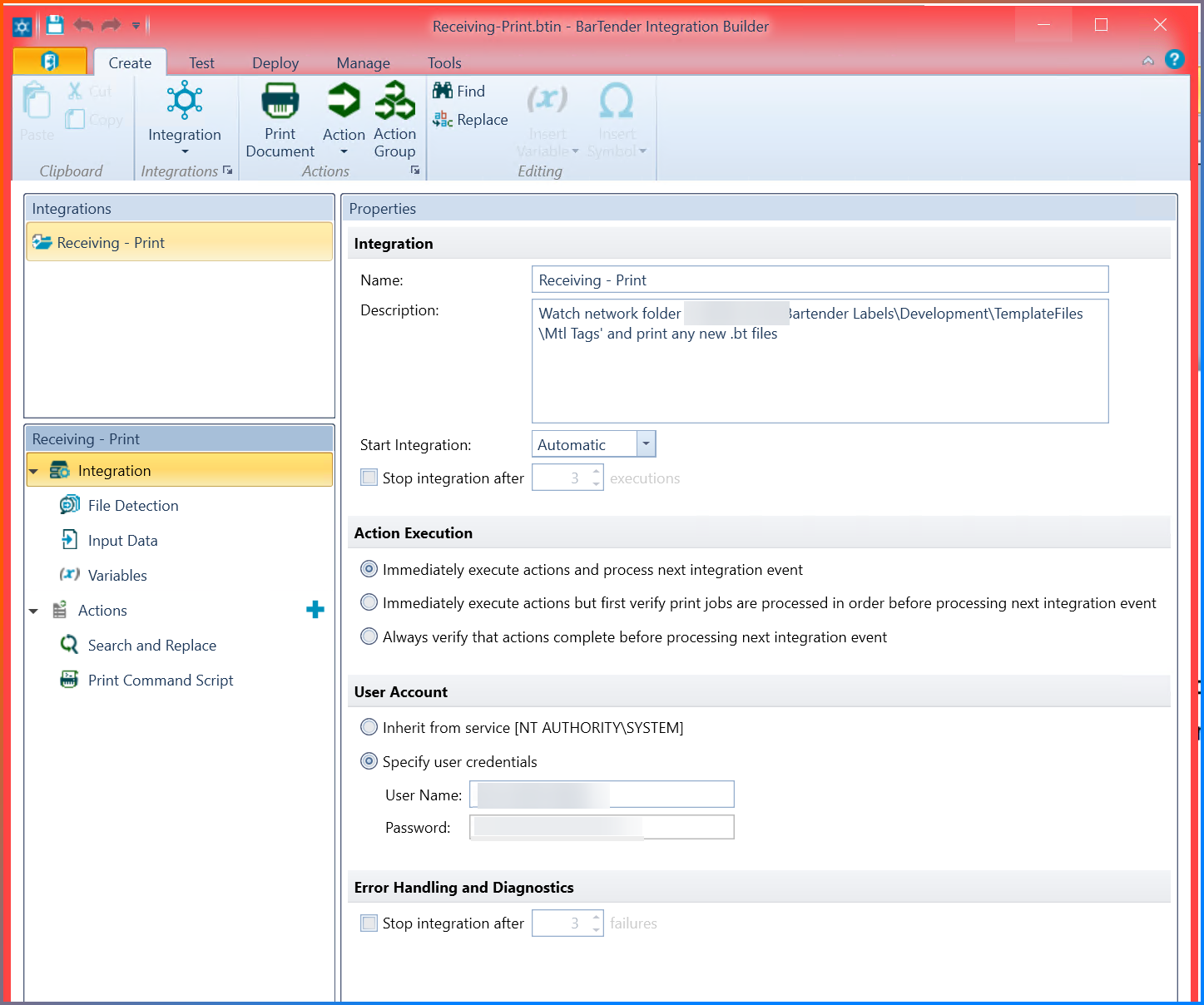
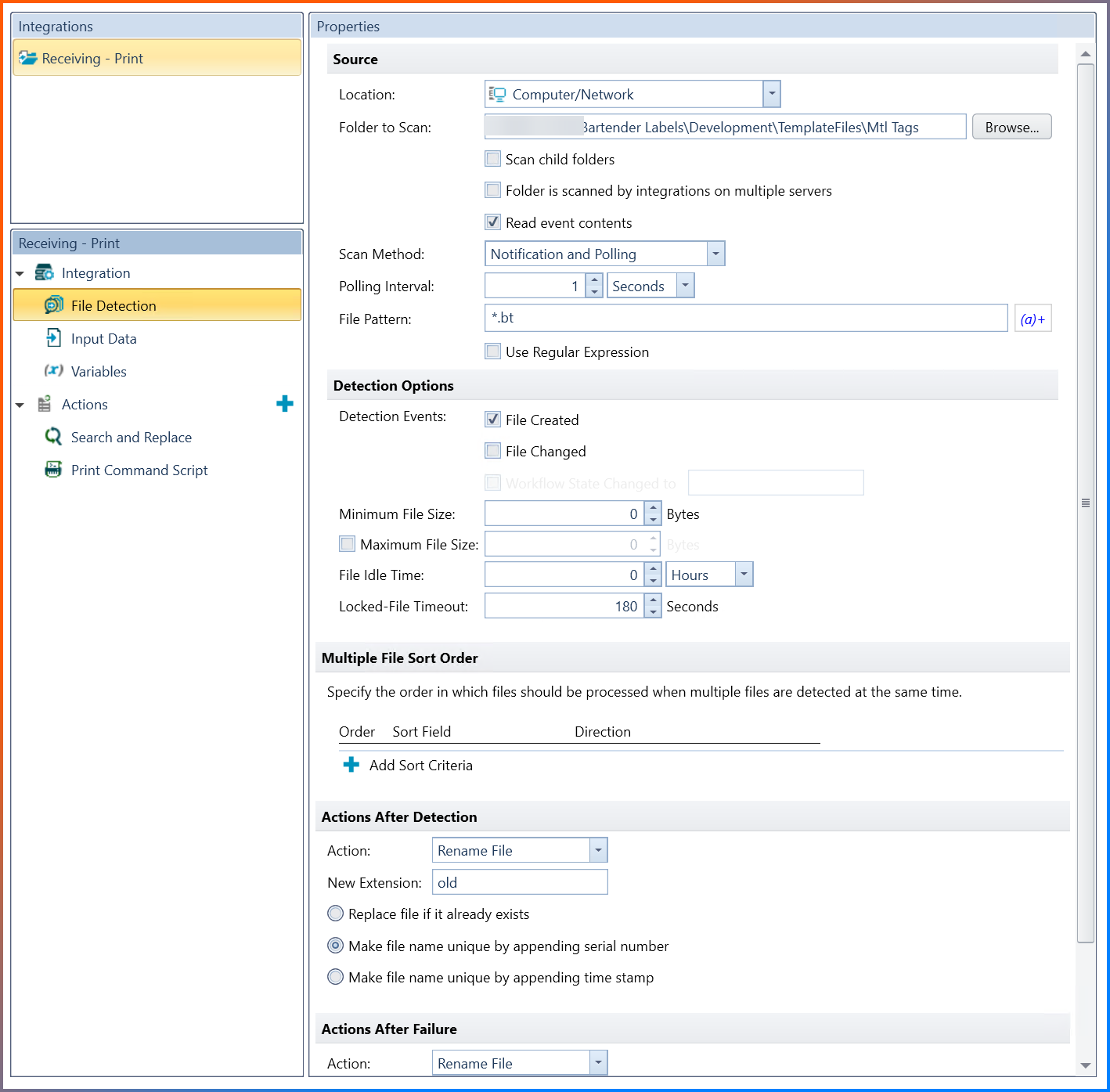
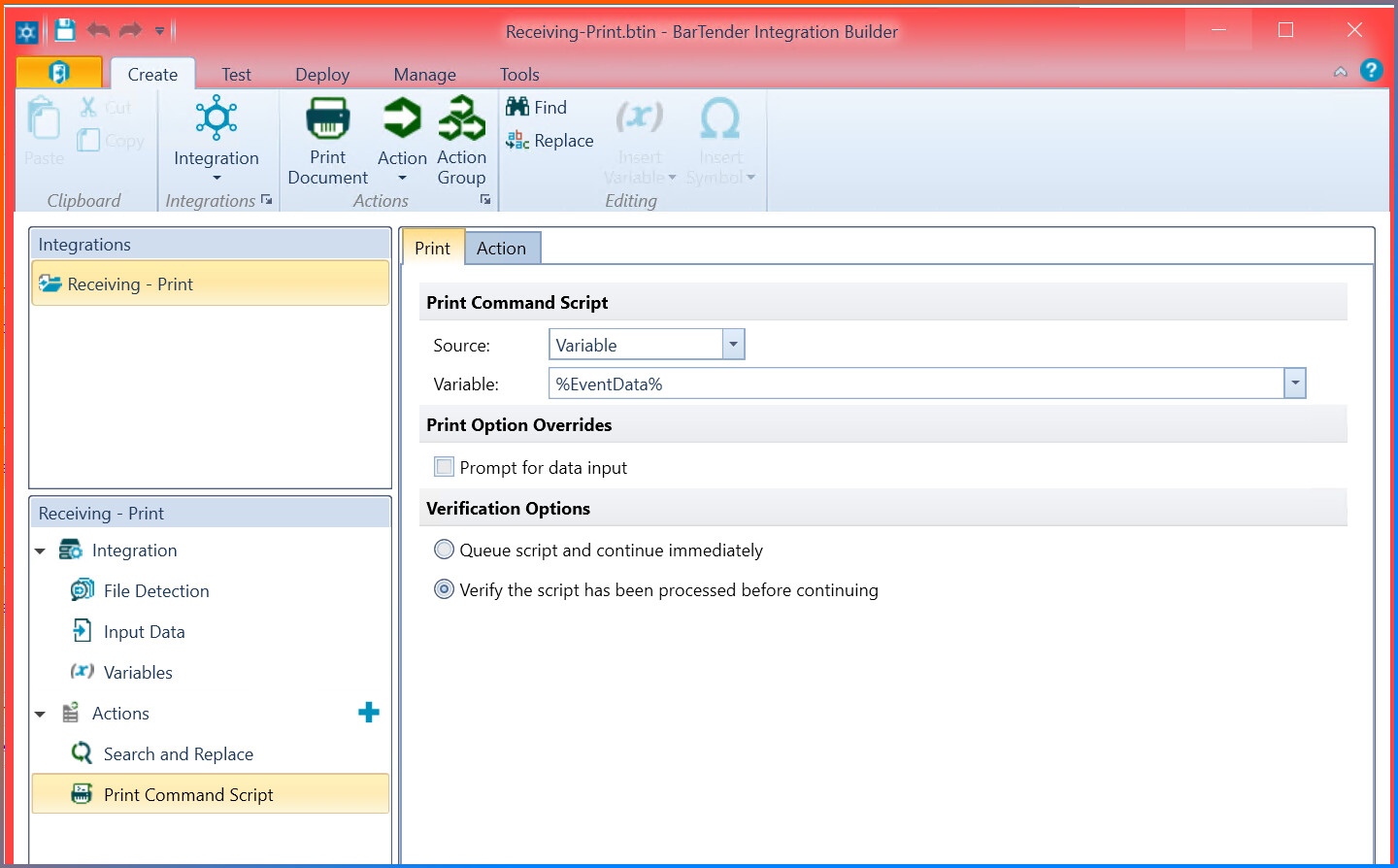
Has anyone else that was struggling with this made any progress?
Epicor seems to be generating the .bt file (command script + data) for me just fine. And the .btw file (label design) was initially setup with a .bt file that I converted to a .txt file without the leading rows (from %BTW% to %END%). The label prints okay when I use Print Station.
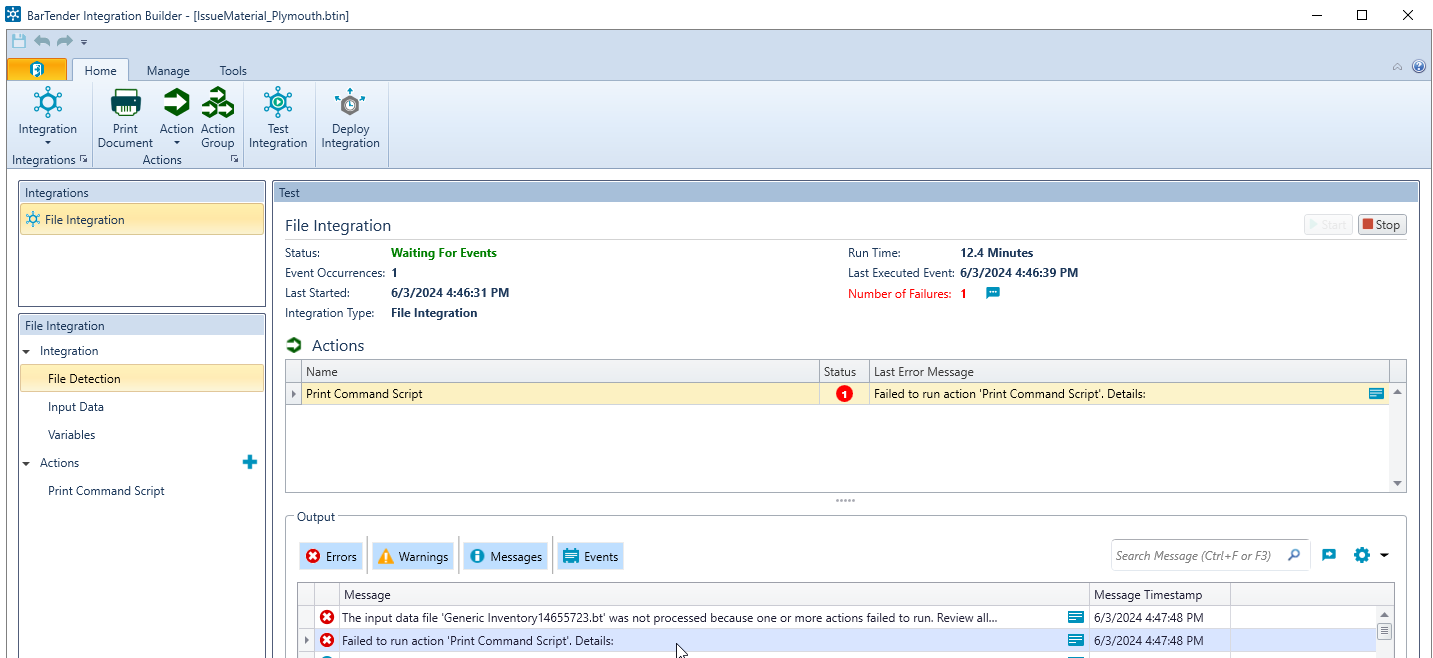
But Integration Builder just gives a vague error.
The command script itself is basically out-of-the-box.

I’m not sure where to go from here. It’s driving me nuts! Any ideas would be so very much appreciated!
When you click or mouse over that error it should give you more information.
@ErpJohn, What version of Bartender are you using? There is an issue in the early versions on 2022 that error if you have the DBTEXTHEADER in the file.
Hey @amurdock ,
Thank you for your reply. We’re using version 2016 R8. I’m hopeful now, but the Search and Replace action doesn’t seem to be removing that parameter. The file still has /DBTEXTHEADER=3 in the command after the action runs. Do you know what I might be missing?
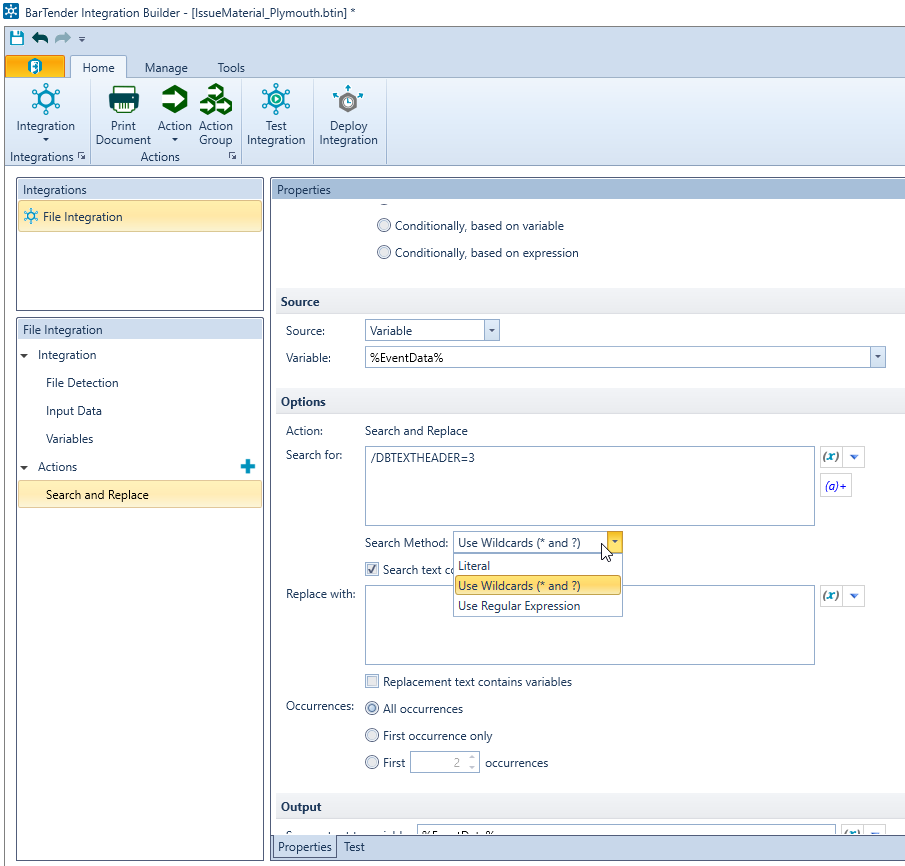
I don’t know if DBTEXTHEADER was in issue in 2016 R8, I think the issue was introduced in 2022, but I know it is fixed in 2022 R8
You can disregard my last question. I just realized it isn’t replacing the text in the file, it’s replacing the text in the EventData variable.
The print command is still erroring out and doesn’t provide any details when I hover over it or open the window. But I think there might be a permissions issue, based on the windows event logs. I’ll see if it works after we resolve that issue.
Thanks again!
Did you ever figure out this generic error? I am having the same issue with BT 2016 R8. The file integration is working, but the print action fails every time with no description about why.
Windows log error indicates corrupt system files, but this is my live E10 server so I really hope that’s not the case.
1 Like
Justen,
Do you have any files that were printed in the last like week that were working and can you see any differences between those and the one you have now?
My company has never used Bartender to auto-print anything before. They’ve only ever used Print Station.
This is a first attempt to kick out a label using a data directive.
Oh I see, I was worried you were down and couldn’t print at all of a sudden.
I feel like there’s a guide somewhere on here, a post, that someone walked through what you are trying to do.
I have a video that I have been meaning to upload too.
80 million ways to use Bartender, and EpiUser’s have found 137 million.
5 Likes
Yes hahaha
It is certainly possible that I’ve missed a step somewhere, but I have everything working to the point that the *.bt file is sent from Epicor and the BT integration properly renames it to *.btw. The point where it fails is at the finish line - printing.
New info that might be important: I am not able to open the renamed .btw files in Bartender. Instead, I get a message that it’s not a supported file type. I am able to open .btw files that I have created in Bartender though.
hey Justen,
I stepped away from this project but I left off where you’re at. We’ve only used Print Station and this would be the first implementation, and it works up to the integration creating the file, but failed to print. I believe the printer was not on the network, and also not configured on the bartender server. And they didn’t want to put it on the network… so I couldn’t really do much about it. I think it worked with a different, networked printer when I tested, but it’s been so long I don’t recall.