I’m working on cleaning up some old user accounts in Epicor Kinetic and noticed we have quite a few that are no longer in use due to position changes or employees leaving the organization.
I wasn’t able to find any official documentation that outlines the “proper” way to handle these accounts. My understanding has always been that if a user account has associated transactions, it cannot be deleted, and the recommended approach is to disable the account and remove any associated security permissions.
Is this still the correct best practice in Kinetic? From what I’ve seen in posts about older versions of Epicor, this seems to be the case, but I’m wondering if there’s a newer or better method available in Kinetic.
The reason for this cleanup is that we’re preparing to implement Epicor Identity (IdP) and ultimately want to have things organized before that happens. For those who have gone through this process, what has been your experience with connecting Epicor IdP to Azure AD? Any tips or lessons learned would be greatly appreciated!
AFAIK, this is still the way, the same thing applies to Employees, Parts, etc, once there is a transaction in the DB against it, it cannot be deleted, only disabled/made inactive.
I don’t know if Epicor has anything official but we mark disabled. That prevents any use of the account. But retains the account for any associated records. We also mark the associated employee inactive.
We created a quarterly ticket in our ticketing system to disable unused accounts. As employees leave, our HR manager will also send a ticket in to disable all of their accounts (in AD, Epicor, other software, etc.).
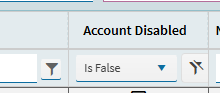
For the quarterly ticket, we go to User Account Maintenance where we have an added column for LastLogonAttempt. Sort by that and filter by Disabled equals false. Go down the list and mark any unused accounts to Disabled and remove security permissions.
This is how they get disabled here. As part of the HR offboarding a ticket gets created in our IT ticket system. As part of a checklist their Epicor user account and employee record get disabled.
This is also how new users and employees get created. There’s a step in the HR onboarding where a IT ticket gets created with all the info we need.
We follow the same as above, with the added step of adding ‘ZZ_’ in front of the users’ name. That way when a list of users is shown (in Menu Security Maintenance for example) the ‘ZZ_*’ users can be sorted to the bottom.