Thank you both!
I am looking for it to just show me parts that are compromised of 5 digits.
Thank you both!
I am looking for it to just show me parts that are compromised of 5 digits.
In this case you need a filter like Brandon said. Don’t use the right/left, that’s just for truncating. You can make a calculated field that spits out the number of characters in the part number. Call it PartLength or whatever.
len(Part.PartNum)
Then filter on this calculated field. Something like PartLength <= 5.
Thank you both very much!
Is there a way to have a prompt for a search for a specific part number?
At that point, you will want to put that in a dashboard, add a dashboard tracker , hen put that dashboard on a menu item for your users to see it that way. You can filter by whatever fields you have on your tracker. You don’t want your salesman in BAQ entry to run this.
Yes, go with @Banderson. If you just want to test it, go to your BAQ Action > Define Parameters. Parameters are those popup boxes that make you enter a value before running. In this case you create a new parameter to store the part number the user inputs, call it myPartNum. Then in your table criteria for your part number, change the part number filter criteria to the parameter you just created.
Is there a way to make it such that if I put no part number in it, it returns the whole list instead?
The dashboard does that naturally.
It is not happening on my dashboard. I will open a ticket with Epicor. Thank you!
Then you did something wrong. Can you show us what you did?
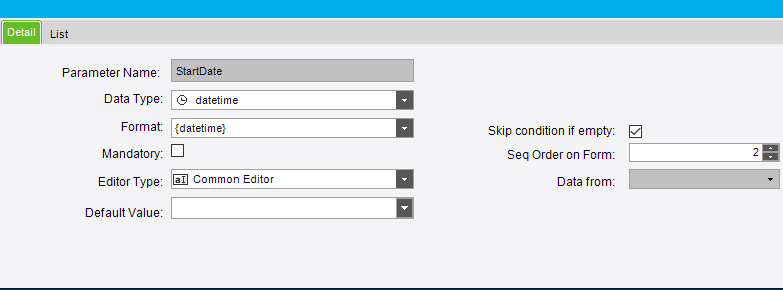
I think I found out. I had to check the box for “skip condition if empty” when making the parameter.
If I were you, I wouldn’t use the parameter. That pop up is annoying to the users. Remove the parameter altogether, then in your dashboard, add a tracker view. Select the filters you want there and set them up. Parameters are occasionally required, but shouldn’t be for what you are doing.
Thank you both for your help and advice.
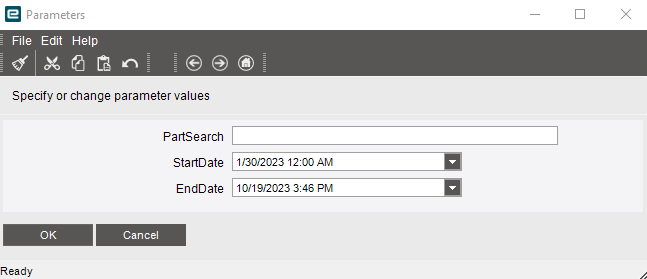
I do want to set up a date search for myself in the BAQ.
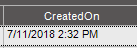
It is using the CreatedOn field, but nothing is showing up when I put a date in. I think it might have to do with the fact it is using not only the date but datetime.
Hello,
I removed the parameters and added trackers instead.
Still having an issue with searching by date. Is it because it wants a specific time, I imagine?
You can’t use “Equals”. Start needs to be greater than or equal to and end needs to be less than or equal to.
That would make sense… Thank you!
Remember, computers follow instructions REALLY well, but they will follow instructions EXACTLY. So make sure you don’t every assumes it knows what you “mean” only what you say. This fun video highlights this exactly.

Computers are GREAT with Yes and No.
They really SUCK at Maybe and Sometimes.