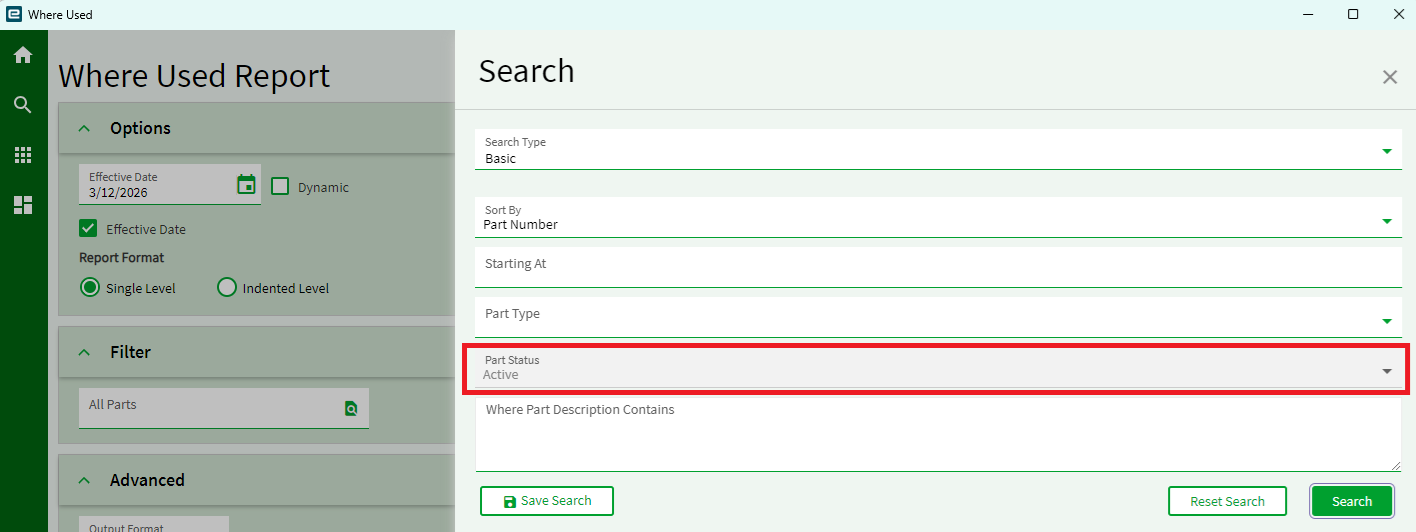
I am currently using the BOM where used report and the part number filter only allows ACTIVE parts why is this greyed out? surely you may need to find out where part was used even if it is INACTIVE???
That’s interesting. What if you temporarily make the part active then run the report and inactivate it again?
2 Likes
Yes I understand I can do that but think it could get overlooked and not made inactive again. I was given a task to look at over 500 parts and where those 500 part are used. I used this report to look at all Parts in the system it took awhile to run. Once the data was complete in True fashion the Excel spreadsheet was a complete mess not sorted the way any sane person would want to view it.
I actually used Copilot to sort that data and it worked great.
But I would like to be able to select Active/InActive or ALL.
Maybe someone knows how I can modify the search feature perhaps in Application Studio??
It looks like it is in this event:
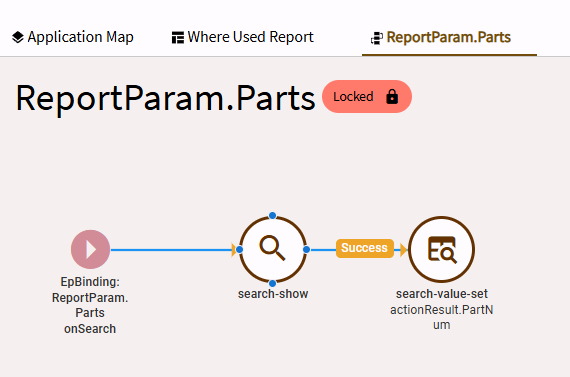
And drilling down into the properties, you get to:
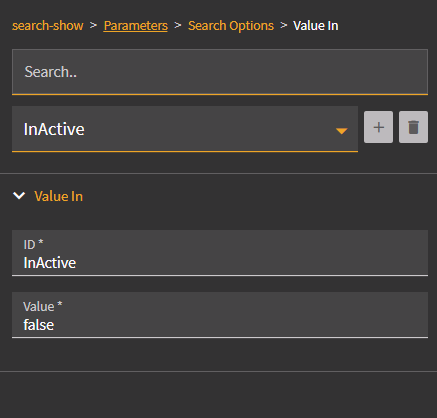
Since this event is locked, you can’t modify the values. My vague recollection is that you need to copy the event to a new one, edit the values as needed, and then reference that revised event (in place of the old event) in the properties of the Part lookup text box.
1 Like
Thanks for the advice, sounds little more complicated than my knowledge on the system.
Much appreciated