Heads up, I’ve found that if you are on Epicor version 10.2.400.5 and you have .net 4.8 installed, the BPM Condition widget, with 2 or more conditions, will throw an application Error anytime the focus moves from the widget or the condition rows to something else in the designer. Be aware before installing .net 4.8.
Also happens on 10.2.300.15.
At least I’m not crazy.
Hi all,
pretty much everytime I am in BPM designer get “Object reference not set to an instance of an object” error when switching from Condition box to any other box. Happens to all the BPMs in both Data Directive and Method Directive. Also happens to my coworker as well. Doesnt happen if I access Epicor from via RDP
Soemtimes it happens once, sometimes i have to click ok 4 - 5 times for it to go away. But it pops up again when i switch from one box to another.
Any idea?
Details of the error:
Application Error
Exception caught in: Ice.UI.Bpm.Core
Error Detail
Message: Object reference not set to an instance of an object.
Program: Ice.UI.Bpm.Core.dll
Method: OperatorSelectionChanged
Client Stack Trace
at Ice.UI.Bpm.Designer.DesignSurfaceViewModel.OperatorSelectionChanged(ComboBox source, SelectionChangedEventArgs args, DesignSurfaceView view)
I get that issue as well. I have no idea what causes it. What version of Epicor are you on?
We are 10.2.100
Brett
The stack trace indicates that there is no data on the combo(drop down) box
If it’s repeatable, please report it to support.
I wonder if this is the cause…I have .Net 4.8 on my machine so it would explain my issue.
Brett
I have an open Case with Epicor. I gave the agent some more information and the agent is supposed to be looking into it more today. If it helps anybody else, here is the case # CS0001596505. I strongly encourage others that have the problem to submit a case.
So I am trying to add a second row to a criteria widget, and the darn thing throws an exception whenever I click off of the condition. Has anyone seen this before? If there is only one row, it works fine, as soon as I add another, exception city.
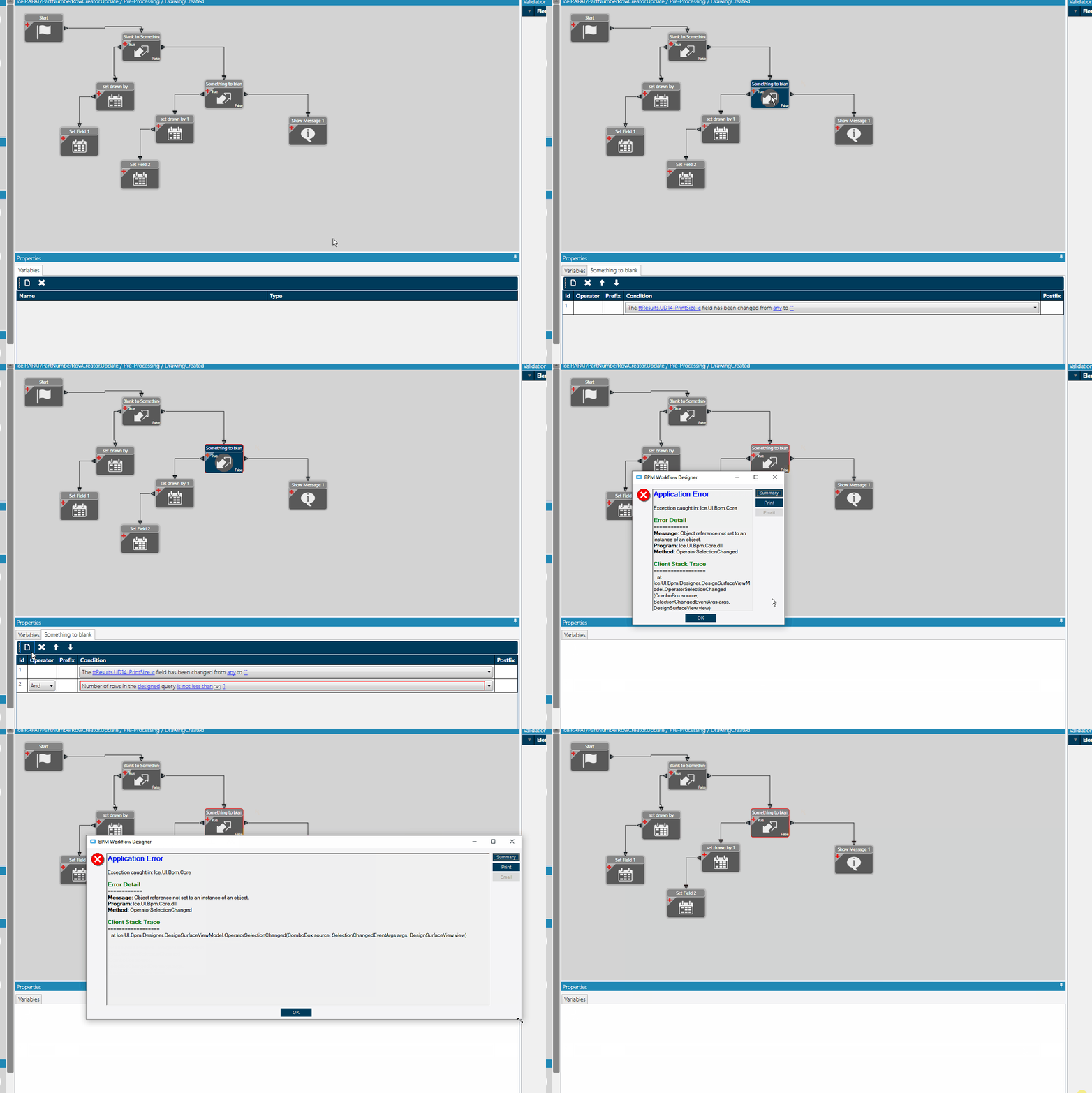
Do you have .NET 4.8 installed?
https://www.epiusers.help/t/error-in-bpm-designer/57452/5?u=tsmith
I will take a look, that is the exact error.
Definitely the same symptoms - perhaps stick a reply on that post to see if it was reported to Epicor Support, and whether there is any update?
I checked and I in the .Net 4.8 update. I checked with another computer that hasn’t run the latest windows feature update yet, and that one works fine.
I also submitted a case. # CS0001636935
1 Like
I merged all of the topics since it’s the same thing.
1 Like
thanks @Banderson
Issue has been accepted by development under Problem Number PRB0214898
3 Likes
I have submitted this to Epicor… the tech was unable to replicate the issue and i was told nothing can be done…
I’m on 10.1.600.37 and I’m getting this too.
Has there been any resolution?
Does this make the BPM fail, just cause it throws the error?
Ben
Is just a UI Error. if you ingore it everything else works.
2 Likes
They say it’s completed, but I think the fix is in a future version of epicor.
1 Like