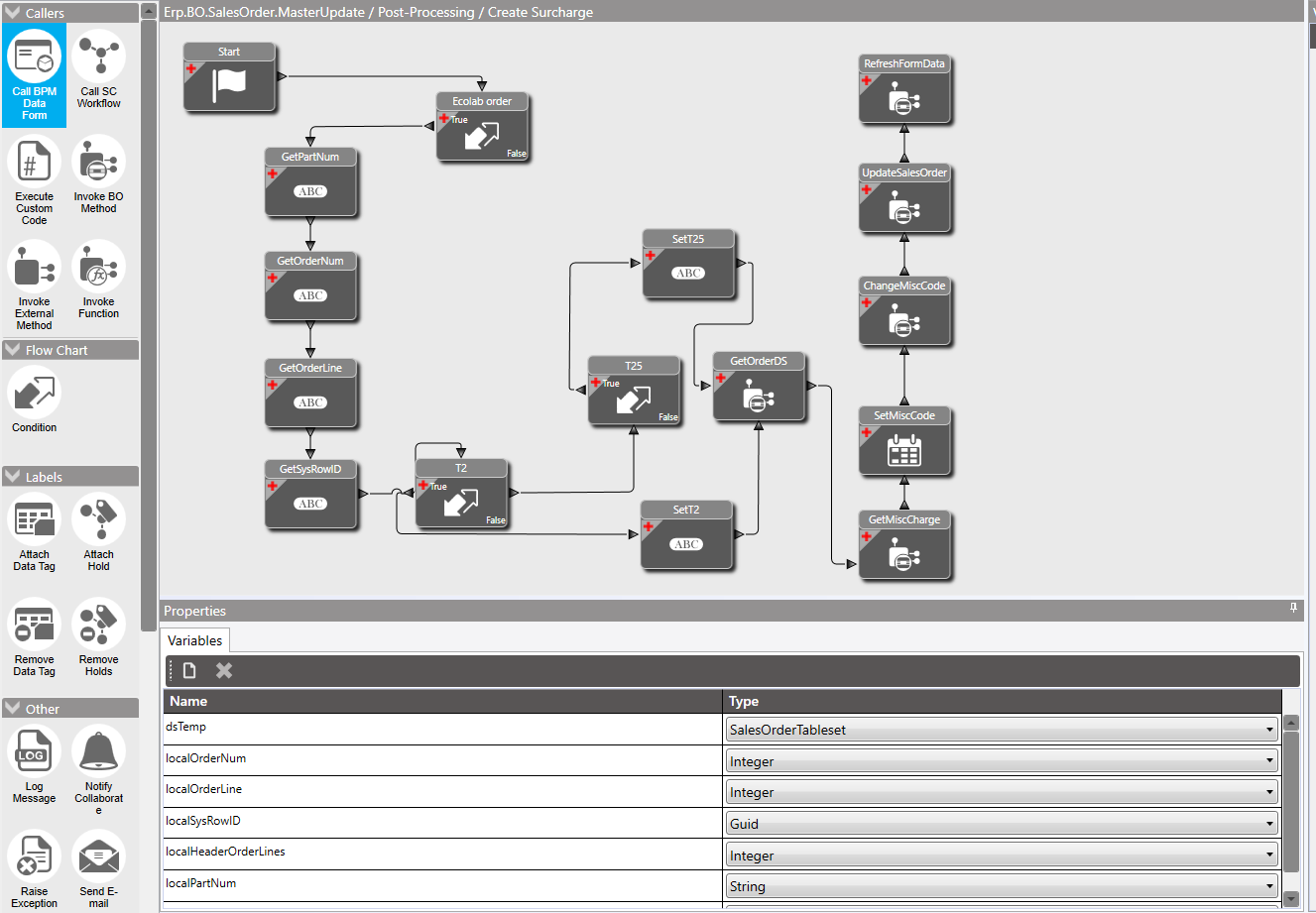
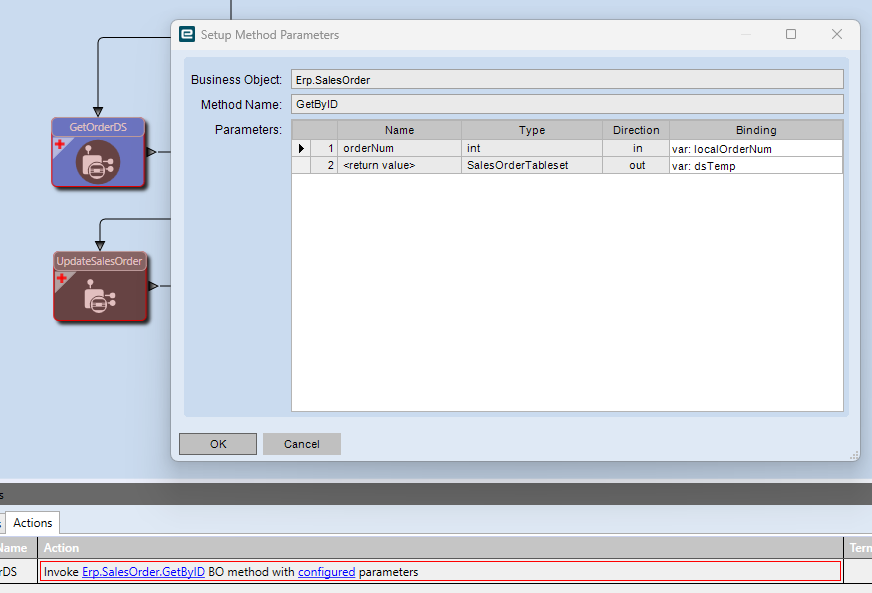
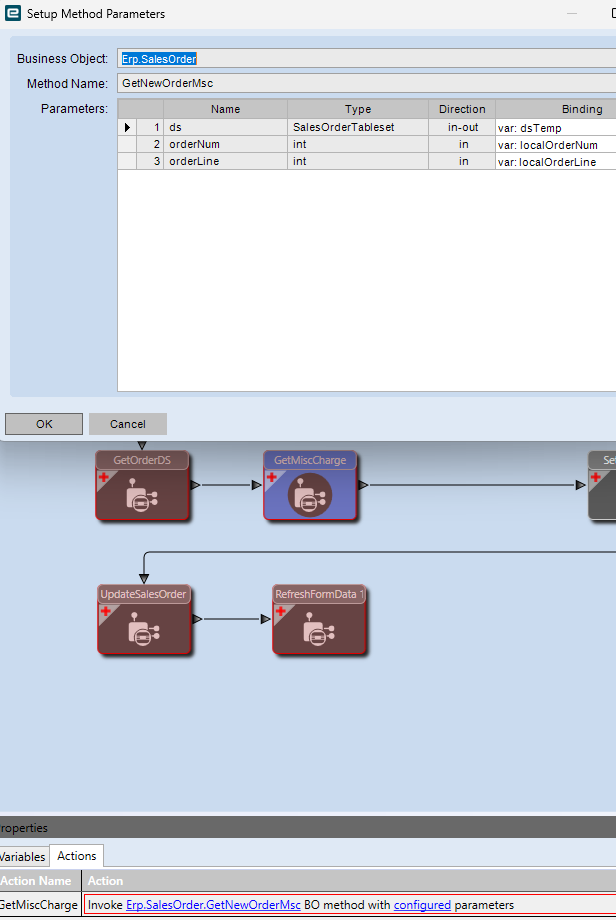
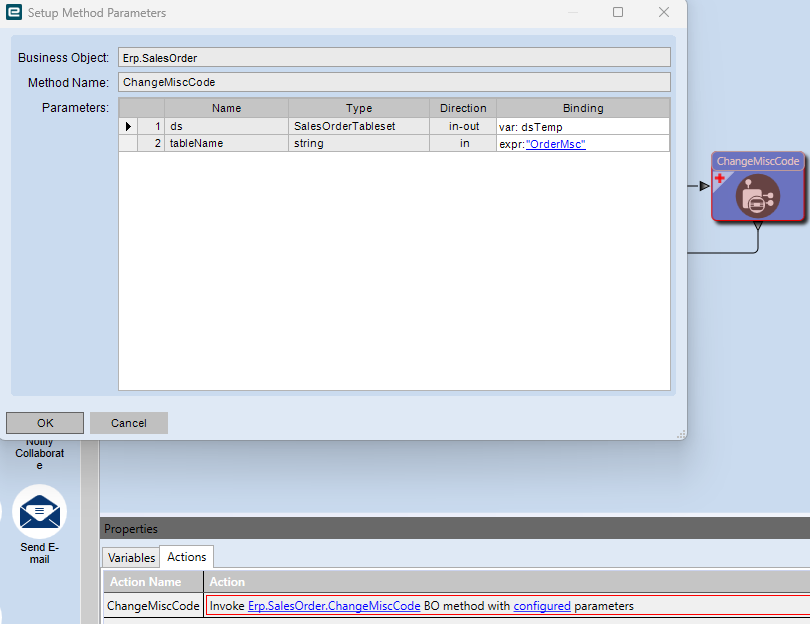
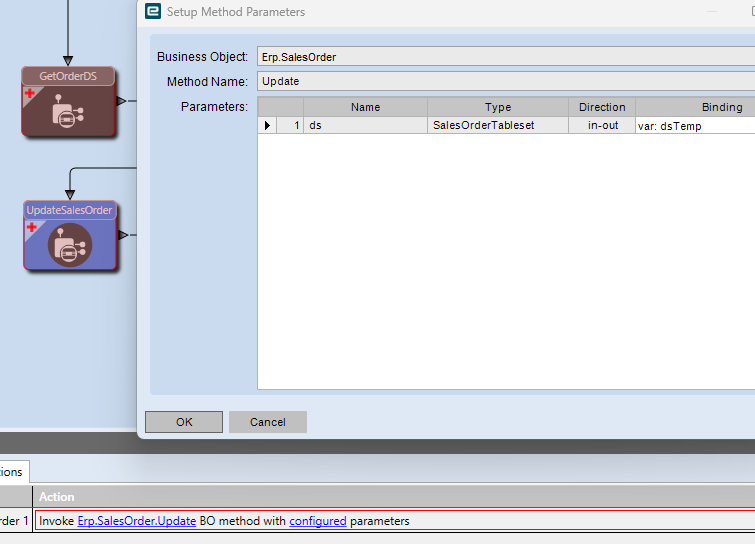
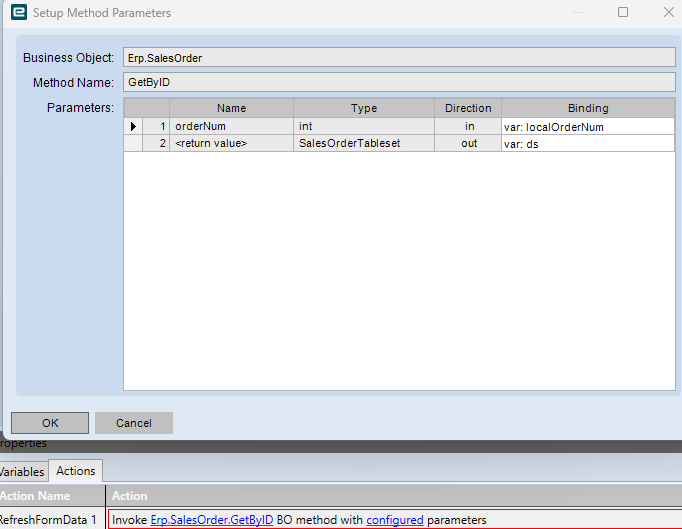
I have a BPM to add a tariff surcharge by Item at the line detail level of a Sales Order. It is working if there is only one line on the order, but I am getting a “The table ds.OrderDtl has more than one record.” error when adding more than one line.
I have seen similar posts, but none with a solution.
Has anyone successfully created a BPM to add a surcharge at the line level with multiple order lines?
I tried setting the orderdtl.Rowmod = “A” or “U” in the initial criteria, but watching DevTools, orderdtl.Rowmod never seems to change from “” when adding new lines.
The BPM is currently on the BO.SalesOrder.MasterUpdate method. I found that this is the method that has data populated on a post-processing directive consistently. I tried using the GetNewOrderDtl, and ChangePartNumMaster, but they either don’t have populated data or at least don’t consistently have populated data on the Post-Processing directive. When the BPM is triggered, I am using a query to pull only the one line from the OrderDtl table, so I’m confused as to why I am getting the ‘more than one row’ error on the second line.
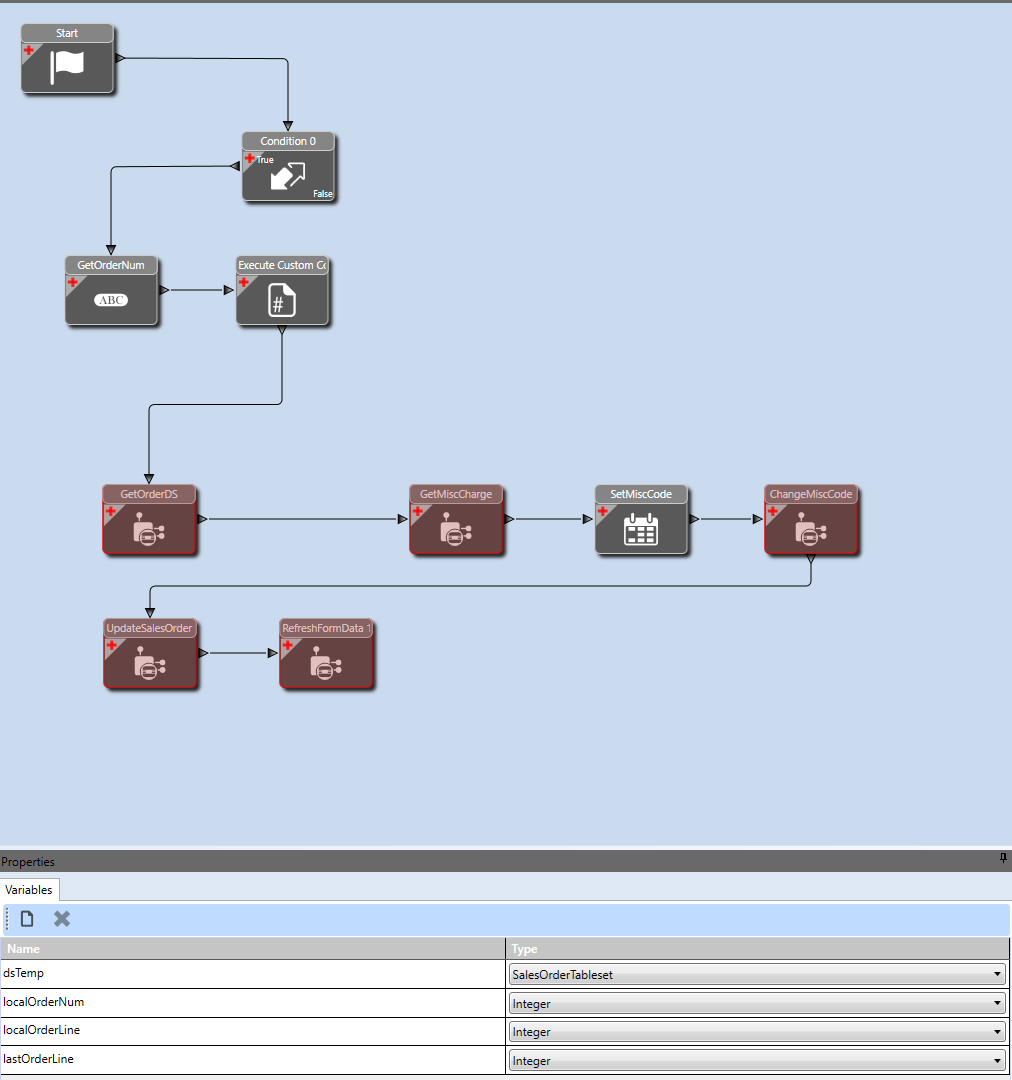
Yes, I created a PoC for this in the event we needed it (we ended up going with Order Level instead though but it did work in testing).
I started with the BPM Cookbook instructions for how to do it at the Order level and then worked through all the differences to make it work with the Line level.
It starts with a Pre-Processing on SalesOrder.MasterUpdate.
I have a condition block looking for at least one added row int he OrderDtl table, I also have another conditional line that runs a query to see if the product has a specific prodcode (this was the idea for line level, we want to include/exclude based on that).
If it passes that then it enables the post directive.
In the Post directive it is conditional on the Pre one (I also have a check for the ProdCode in Post as well so I suspect the check in Pre doesn’t work as it does not exist at that point).
From there I am grabbing the last order line to populate that into a variable
localOrderLine = (from row in Db.OrderDtl
                  where row.Company == callContextClient.CurrentCompany && row.OrderNum == localOrderNum
                  select (int?)row.OrderLine).DefaultIfEmpty().Max() ?? 0;
And then using widgets to call the various BO Methods and filling in the mappings as required.
Do you have the Pre-Processing directive that is only looking for an added line to OrderDtl?
Otherwise I agree, our map doesn’t look that different from what we are calling, you just have some more conditions, presumably because you need more options with what you are setting than I require.
I was questioning my sanity so I decided to fire this up in my test system to see if I had it wrong and it does work here. For lines that match my ProdCode that is in my condition it adds a Line Misc Charge and for ones that don’t, it doesn’t so this is workable with Line Misc Charges and MasterUpdate.
My pre-processing is looking for one or more added lines in OrderDtl. I did try looking for a single line added matching the order and line, but it didn’t make any difference. The more than one error pops up as soon as MasterUpdate fires for the second line. It appears that the pre-processing passes and as soon as the post-processing method fires, the error pops up before any conditions are checked.
As far as I can tell the only real difference is I don’t have the extra condition blocks to set different codes or amounts. I am also working with 2024.1, I don’t have a 2022.1 system to test with so I can’t really help in the event that it is some fundamental change between versions.
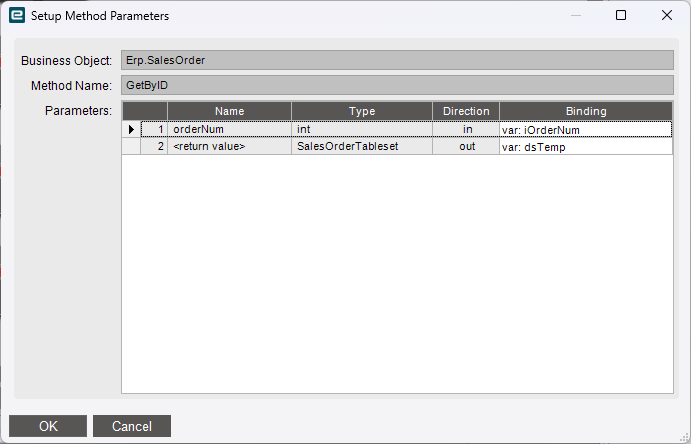
If I use GetBySysRowID set to the OrderDtl.SysRowID, I get no records found. If I use GetBySysRowID set to OrderHed.SysRowID, I get the same error as using GetByID, The table ds.OrderDtl has more than one record.
I get what @leonardpothier is saying and doing. GetByID for the order dataset, but then the method to add a misc charge then specifies what line (or zero for the header, IIRC). This would avoid any multiple rows.
So @SealsZane I don’t know what in your BPM is referencing OrderDtl.