@dcamlin Thank you so much and thank you for your patience with me.
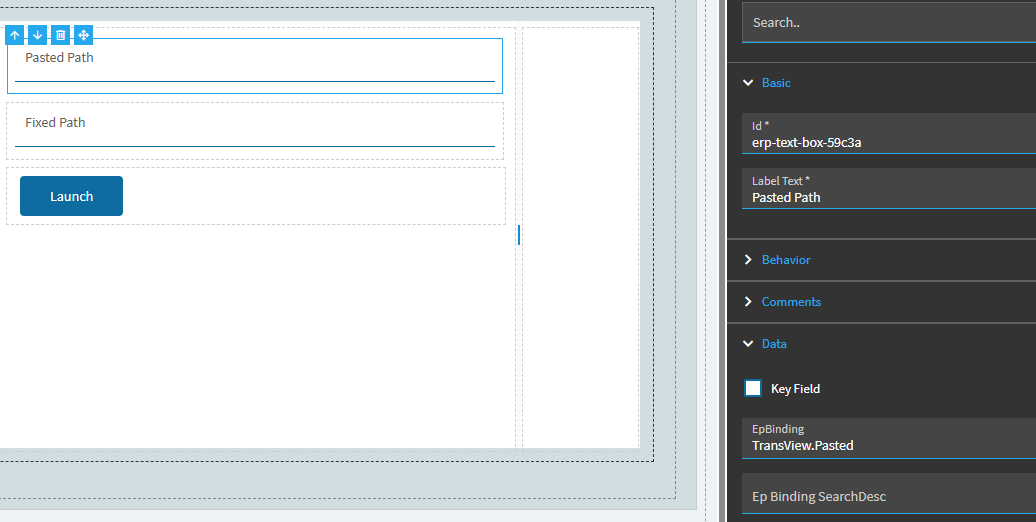
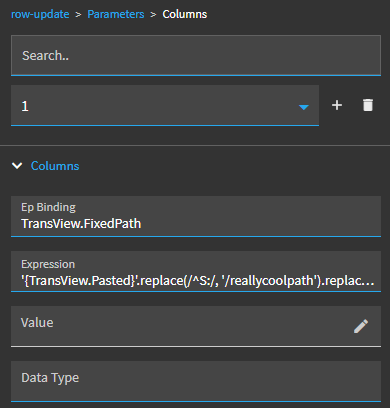
I’m not sure why it wasn’t working when I wrote the expression, eventually I copy/pasted your expression and it worked. I have since made several tweaks to get where I wanted to go, because Windows 11 “Copy as Path” puts quotation marks around the path and removing those was quite the chore and it messed with the slashes for some reason.
I’m good now, and now I am trying to make it look nice and figure out the error trapping.
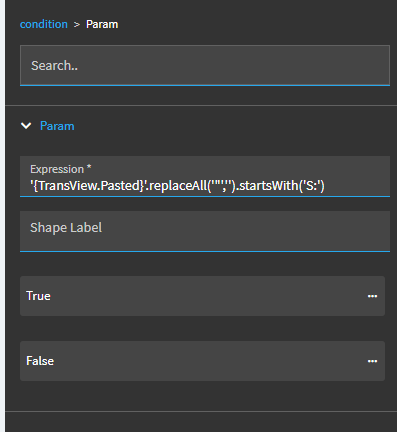
I’ve implemented this without the condition for testing and simply assumed it would be formatted the way I expect. I know before I go real world I will need a few conditions, but as I tried to implement what you have here everything is evaluated as FALSE even if the pasted value is indeed S:\blah\blah\blah
First I will want to see if the link pasted has the quotation marks or not, if it does not start with S:\ I would test for \Customer Folders\ in the path and if none of those conditions are met I could simply save whatever they paste.
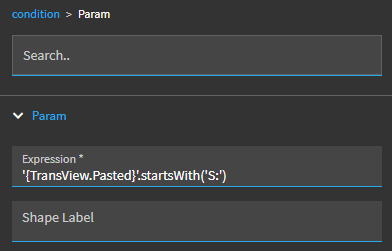
I think the problem is your condition expression above has the “replace” action in it… you’re not looking to replace anything there. You’re just evaluating the current value.
So I initially tested with: '{TransView.Pasted}'.startsWith('S:')
edit: to be honest, you know you always what to remove the quotation marks, right? so there’s really no reason to make that part of the condition… just always include that in your row-update expression. That’s where the “replacing needs to happen”.
Also, these are JavaScript expressions, and there is no “.replaceAll()” function.
Instead, you would format your .replace() using “/g”. This serves as a global flag, so the replace will look for all instances in the value.
So, your replace for getting rid of all quotation marks would be: '{TransView.Pasted}'.replace(/"/g, '')
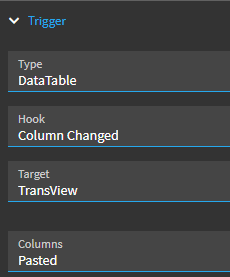
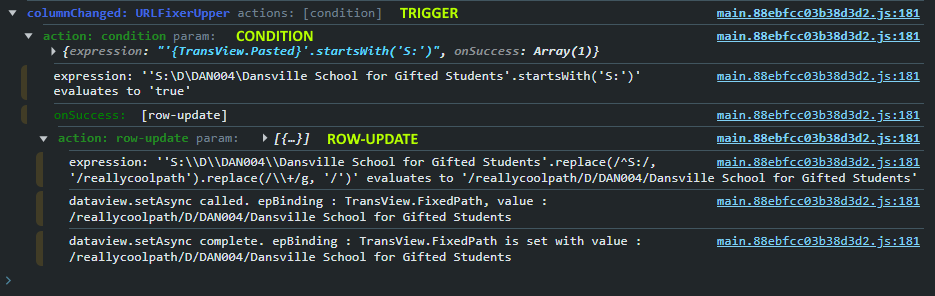
Opps, I grabbed the wrong screenshot. That was a random test, I was trying to get a positive on anything at that point. I promise I did have it the way your original one was, however I will try again. I will also open the console and try to look for the output, I’m not great in the console yet so will stumble on that for a while.
OK I am getting creative, probably a bad idea but its ‘working’…
Instead of using StartsWith I switched to includes, this is working. I feel there is some magical invisible character showing up in the string when I evaluate it. I think it comes through with apostrophe’s in the beginning and end of the string when it evaluates. The other thing that keeps kicking my hind quarters is the , if I add that to the includes or starts with the whole thing just plain doesn’t run. Can we do something like Char(92) as a replacement for a character?
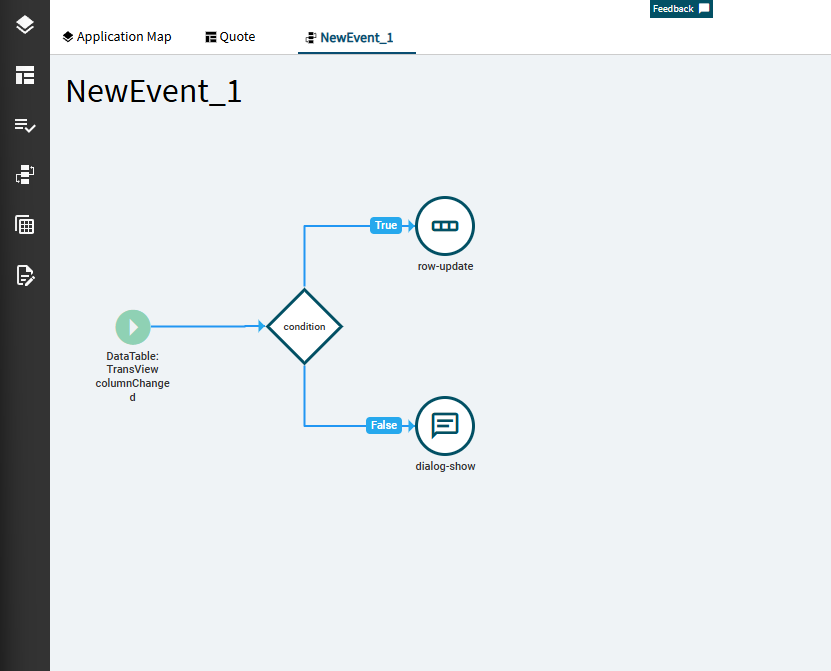
Something odd happening, when something evaluates as FALSE that event fires then it goes back and fires the TRUE action afterwards?!?! It appears that when the TRUE happens I am good, unless its something odd with Dialog Show?!?
Sorry our Go Live is a month away and while I want this piece right, it is not actually critical so I got dragged off this today. I will play with it some more and report back as I have time.
OK well tonight its not acting up so its working fine.
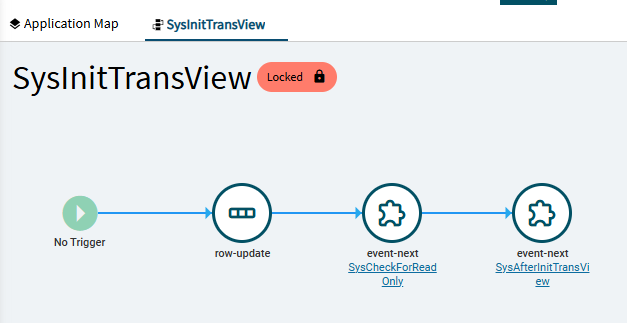
I sort of cleared out the event and started over slowly one step at a time. The previous attempt I kept relinking elements in the event, I’m not sure if that confuses it or maybe I didn’t properly re-link. This time I used the tool to automatically link the nodes in the event.
I combined all the customizations into one layer and tested. I was so impressed at home great it all looked! I was so stoked to apply it to the menu. First problem, regardless of the fact I did publish the layer it was not available to be applied as a layer on the menu…
Ok, well let me just log out and back in that will fix it…
Log back in, still not there.
Ok let’s go to Application Studio and see if I can publish it again, but first another quick test to see how great it is. Poop Its acting like a tracker now, no edit functions! I checked the data binding is set! What am I missing? Why would my layer start acting like a tracker?
OK, might be my Application Studio in general acting up as all layers are acting like trackers, haven’t tested other pages yet but so far Quote Layers that I know are working properly attached to menu listings are working fine live from the menu but when I preview in APplication Studio are acting like trackers.
Help would still be appreciated, but hopefully this feedback will help. I will try clearing cookies and such again, we shall see.