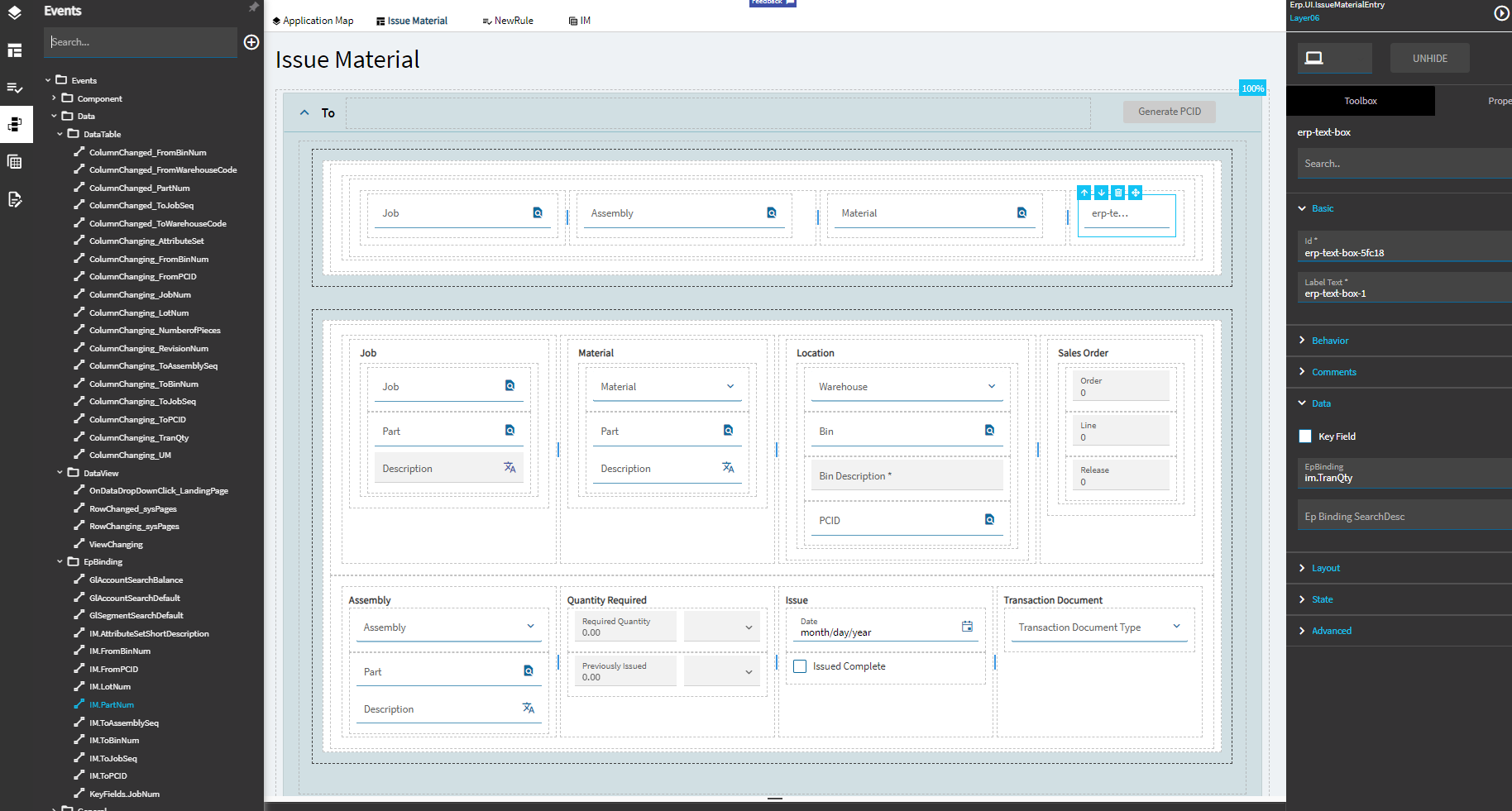
I am using this data rule:
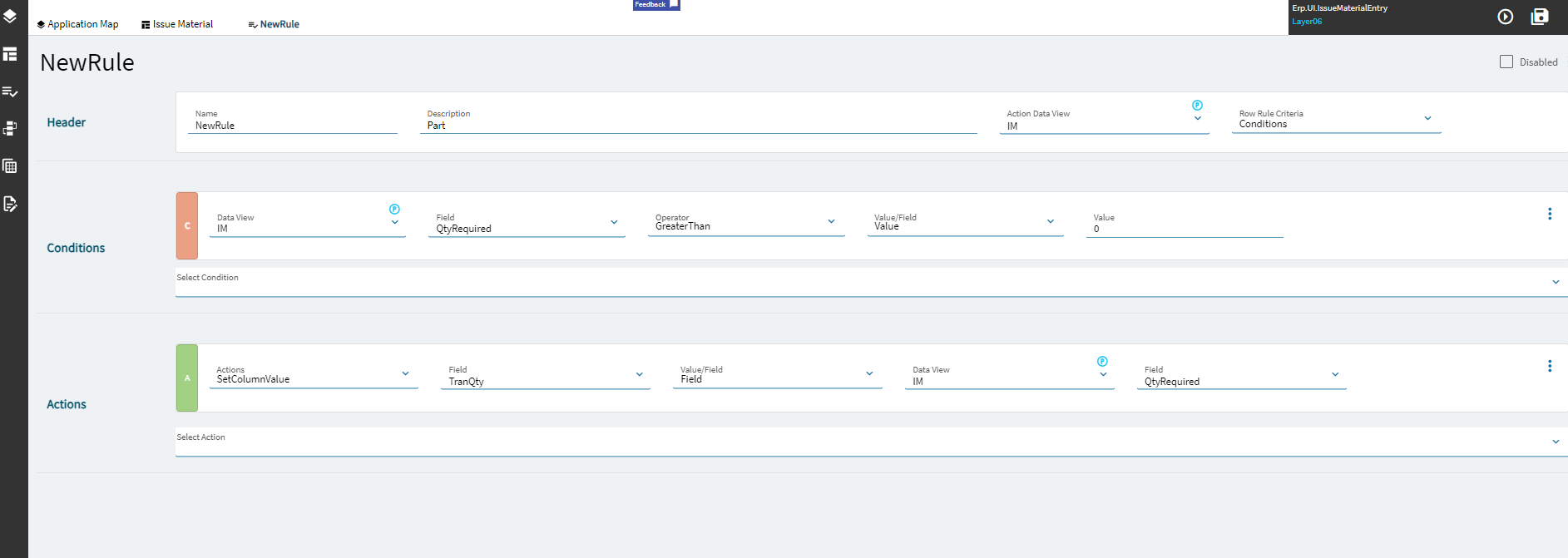
to take value from “Required Quantity” and assign the value to “Quantity”.
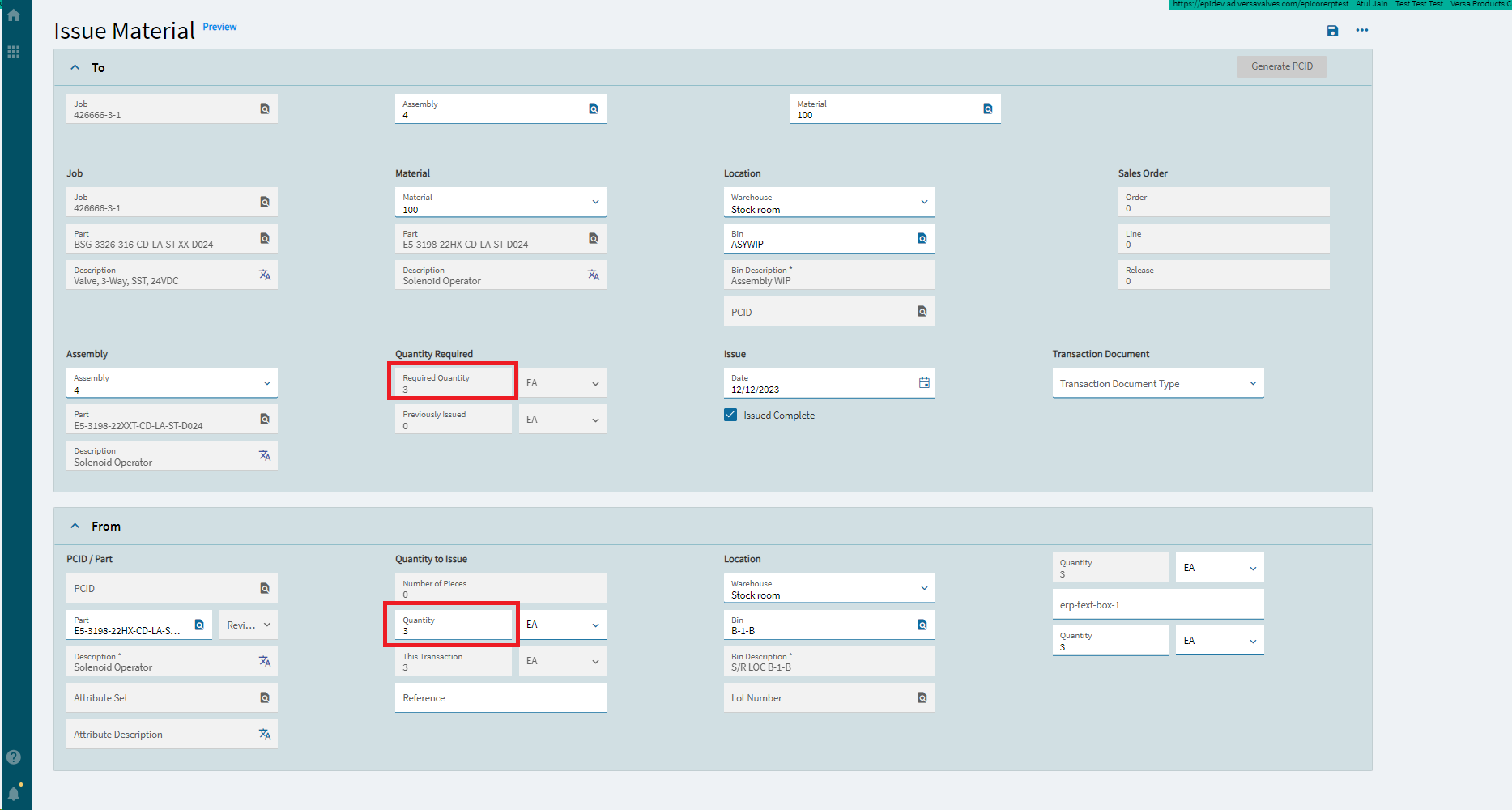
The problem is that I cannot override the “Quantity” now, is there a way to execute Data rule only once?
Thanks
I am using this data rule:
to take value from “Required Quantity” and assign the value to “Quantity”.
Could you set the Quantity using a BPM Post the GetNew method?
I don’t know what calls are made for issuing material, but either an event or a BPM can set the Quantity to the Quantity Required amount once at the the beginning without interfering with the value later.
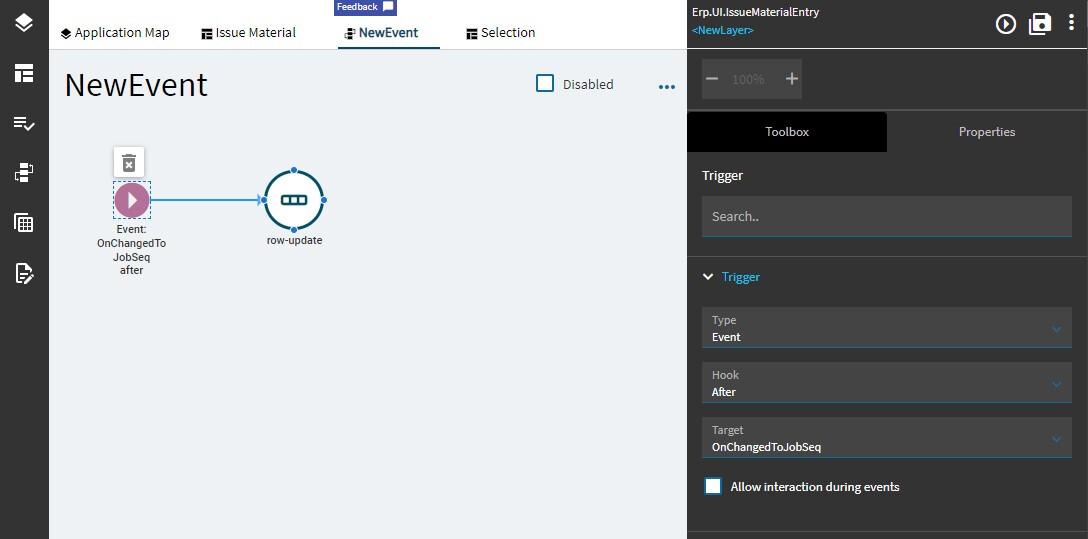
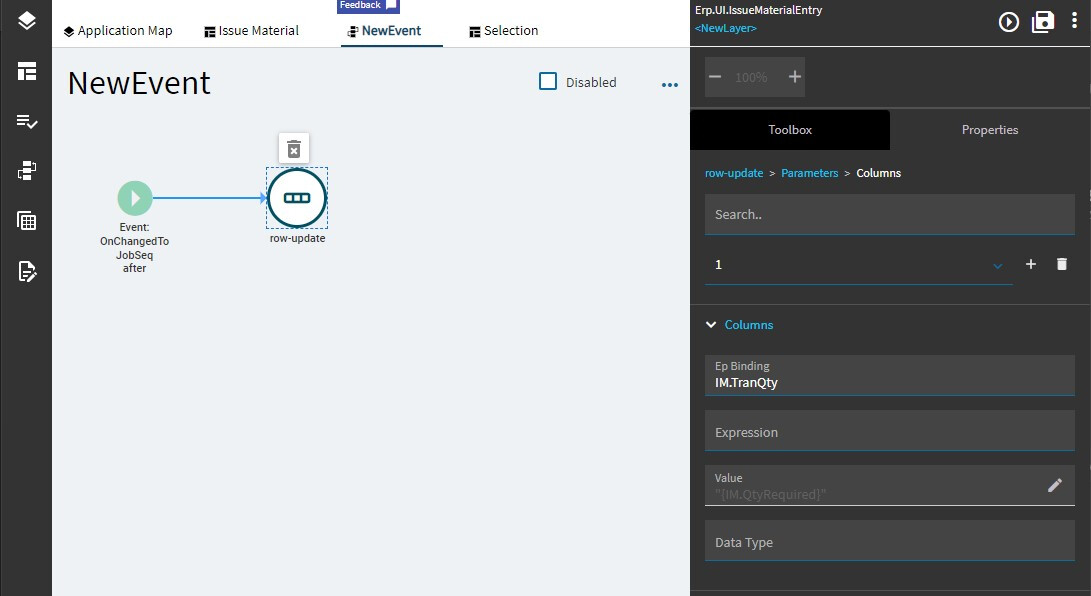
For example, it looks like you could set up an event to trigger After the OnChangedToJobSeq event and do a row-update to change the value of the Quantity field
You can.
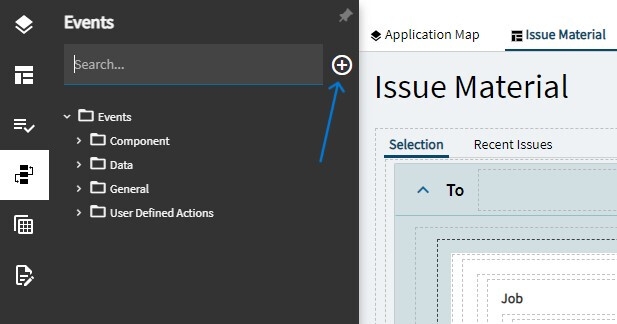
Then edit your trigger to what you want to hook it to
and update your element
Again, I’ve never worked with Issue Materials, so I’m not sure what is the best Hook for you to use. The wrong hook can have unintended consequences, like copying the data at times you don’t want it to (like what you’re seeing with the Data Rules, but maybe less predictable) - or not copying reliably when you want it to.
Thanks Jonathan. I’ll try this method and see the behavior.
One last question: Can I do calculation(subtraction) in the Value field where the value is “IM.QtyRequired”.
I’m not sure - you might have to do that in the Expression field instead. Experiment a bit and see what works. I know it’s possible - it’s just getting the right syntax in the right place…
Hi @jwphillips
I tried it in the expression field and it worked.
Thank you so much.
Can you please help in triggering the clear event after save is made on the Issue Material screen because after saving it doesn’t clear the screen automatically?
Thanks again.
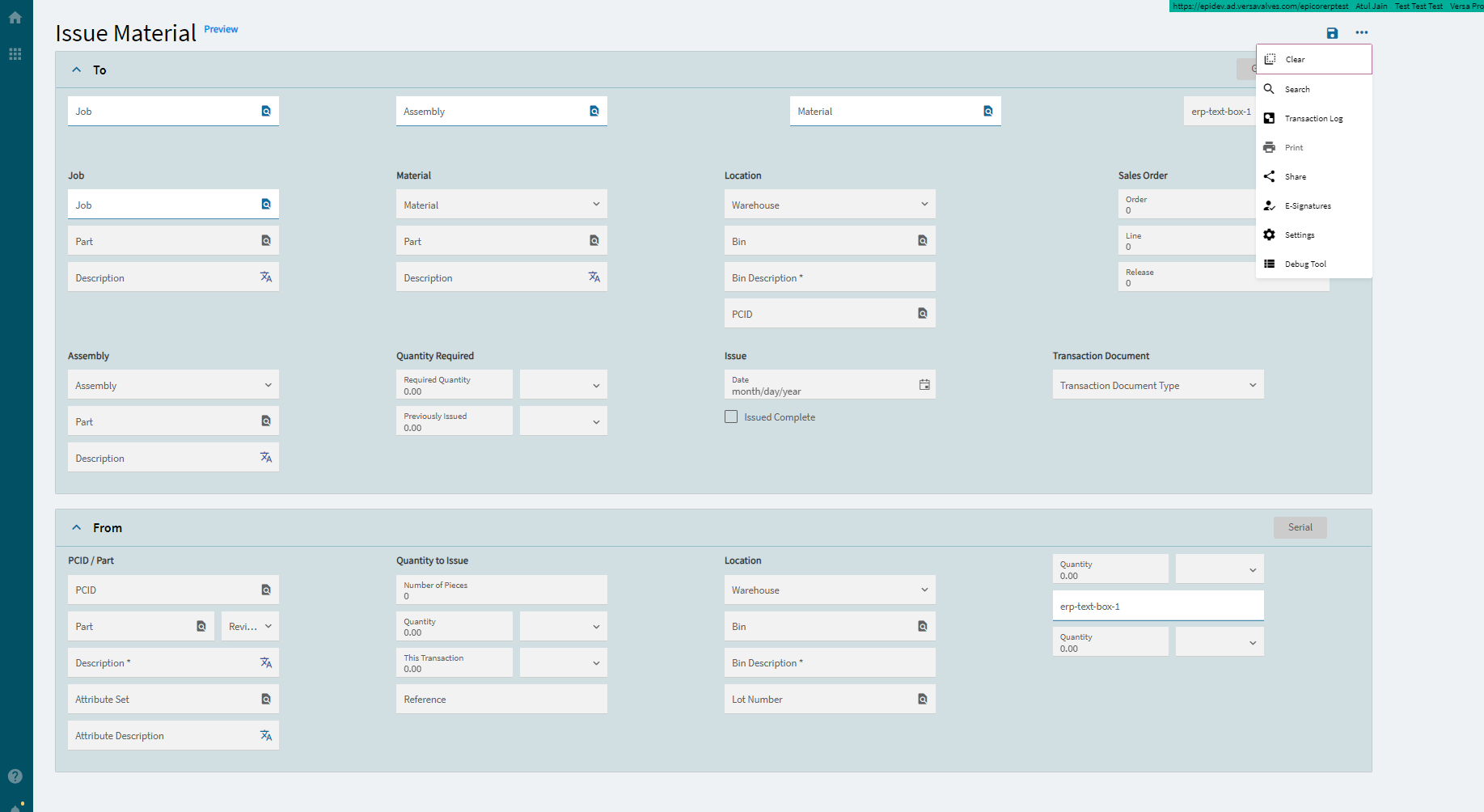
There is an event called ClearUI that you can execute with event-next after your row-update.
Can I create a button to replicate ClearUI?
Just to test it out.
You can!
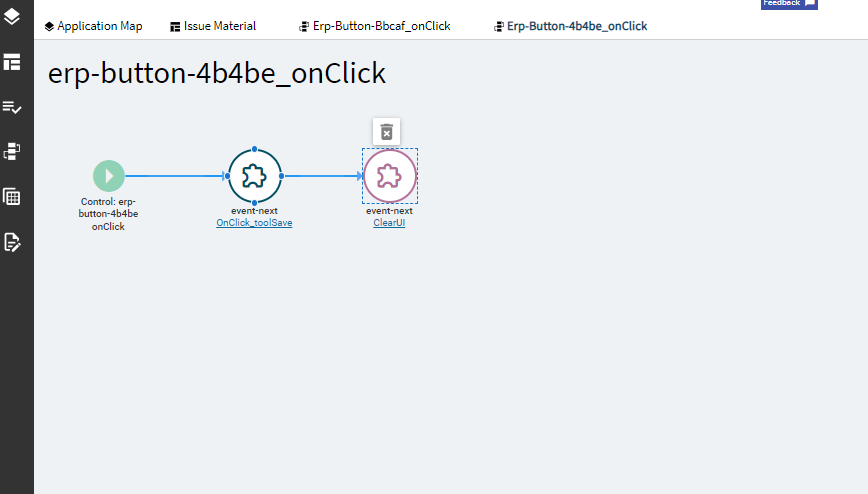
Put a button somewhere on the page - and on its OnClick event (you can find that under Behavior), add the ClearUI as event-next
Thanks, I was able to do that.
How can I find the row update to apply ClearUI to it?
I am sorry for asking too many questions.
@jwphillips
I have created another button to replicate the action to save and clear.
Ah I see
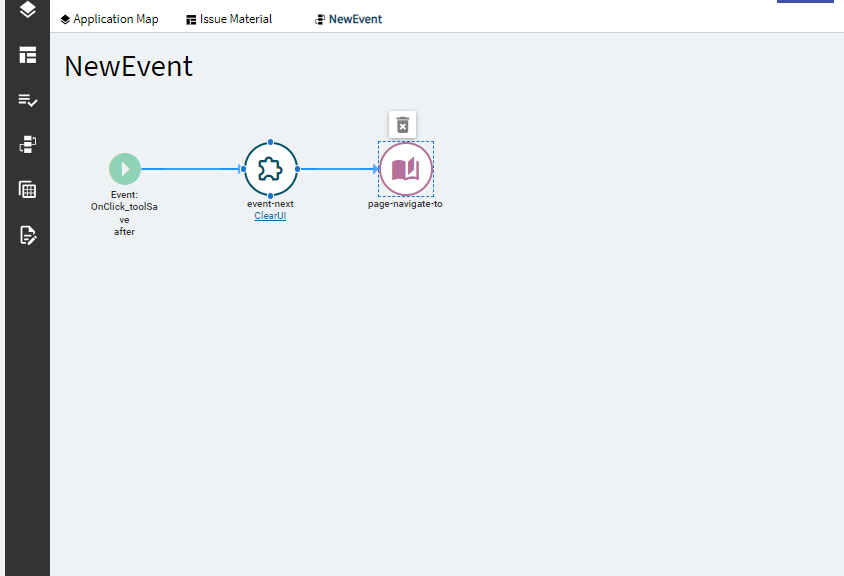
You can create an event with an Event trigger. Your Hook will be After, and the Target could be the OnClick_toolSave event.
That will run after all the steps of the OnClick_toolSave event have completed
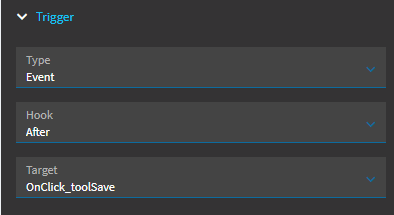
@jwphillips It works. Thanks.
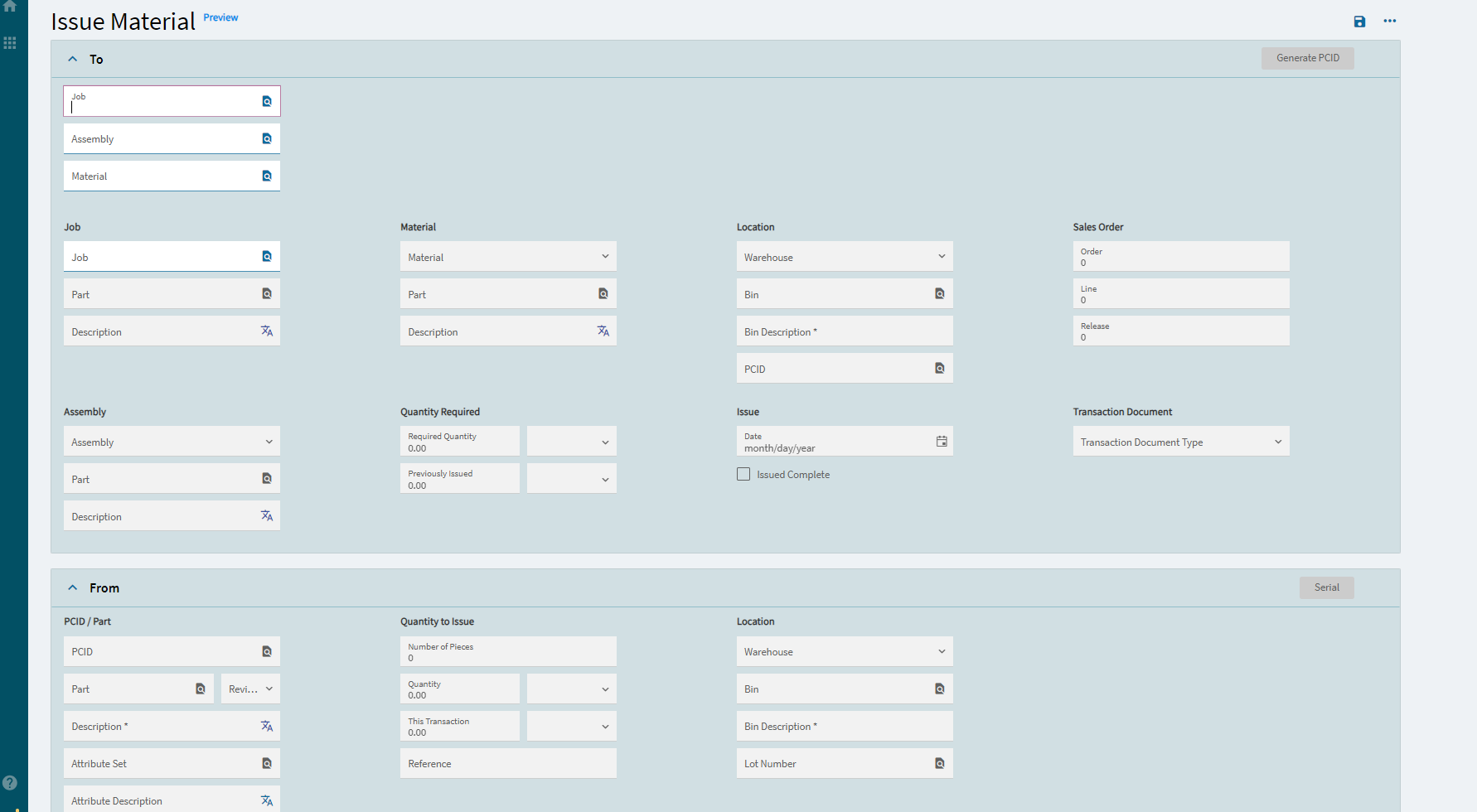
One last question: How can I set cursor to default to first field “Job” after saving.
Initially when I load the screen, the cursor is in the “Job” field and scan can be made easily but if someone is scanning continuously, then they have to click on the Job field after saving.
I’m glad it’s working!
This last part I do not know, but I’m sure there is a question on here about it - it seems like an essential need.
@jwphillips Yes. What if I can use page-navigate-to and reload the page after saving?